Reveal the next safe action
Guide users through cloud setup without hiding the operational context.
CROSS-CLOUD · F5 · NGINX
A dependable cloud console for NGINX operations
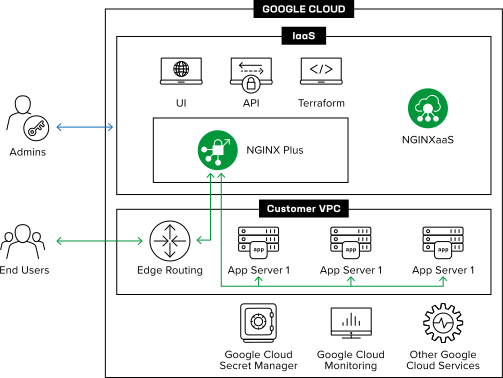
I designed NGINXaaS for Google Cloud as a standalone console that makes managed NGINX easier to enter, operate, and govern. The work turned cloud infrastructure tasks into a guided product experience while establishing patterns designed to travel beyond one provider.
Azure offered a native starting point; Google Cloud did not. I needed to make IAM, provisioning, routing, TLS, and day-two operations feel like one coherent journey—not infrastructure chores. With product, engineering, documentation, and Google Cloud partners, I translated platform constraints into a clear path from sign-in to administration.
Guide users through cloud setup without hiding the operational context.
Show versions, status, and deployment consequences before users publish.
Treat certificates and access as durable records, not disposable settings.
01 — Cloud foundation
I began with the system context rather than a form. The service had to bridge Google Cloud identities, networking, and NGINX operations, so the experience needed to show where a deployment belonged before asking people to create one. That framing let me align the information architecture with the actual lifecycle of a managed instance.
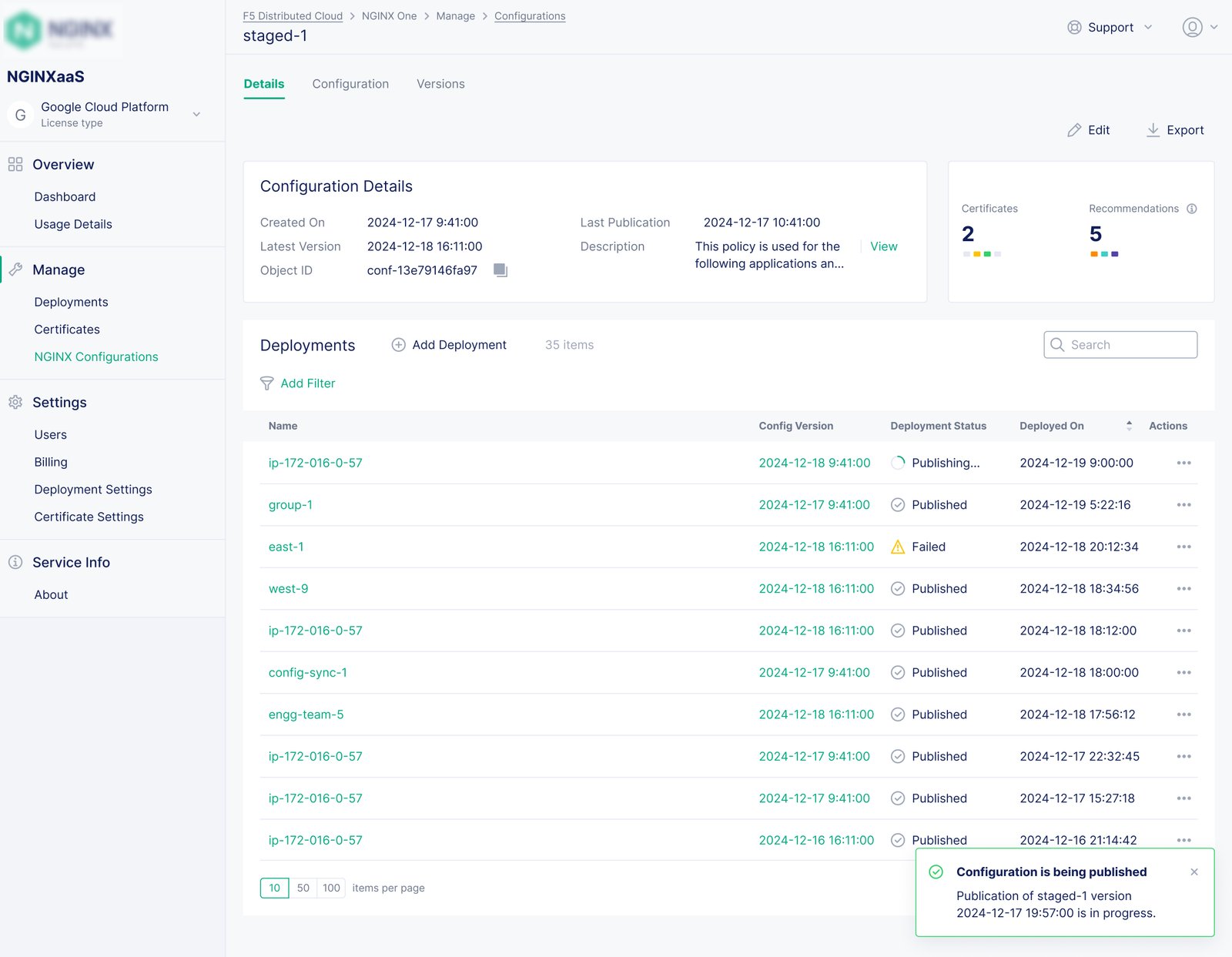
The deployment area then became the operational home: a clear inventory for existing instances and a focused creation flow for the next one. I kept the first milestone concrete—create and locate a deployment—so later work built on a familiar foundation.
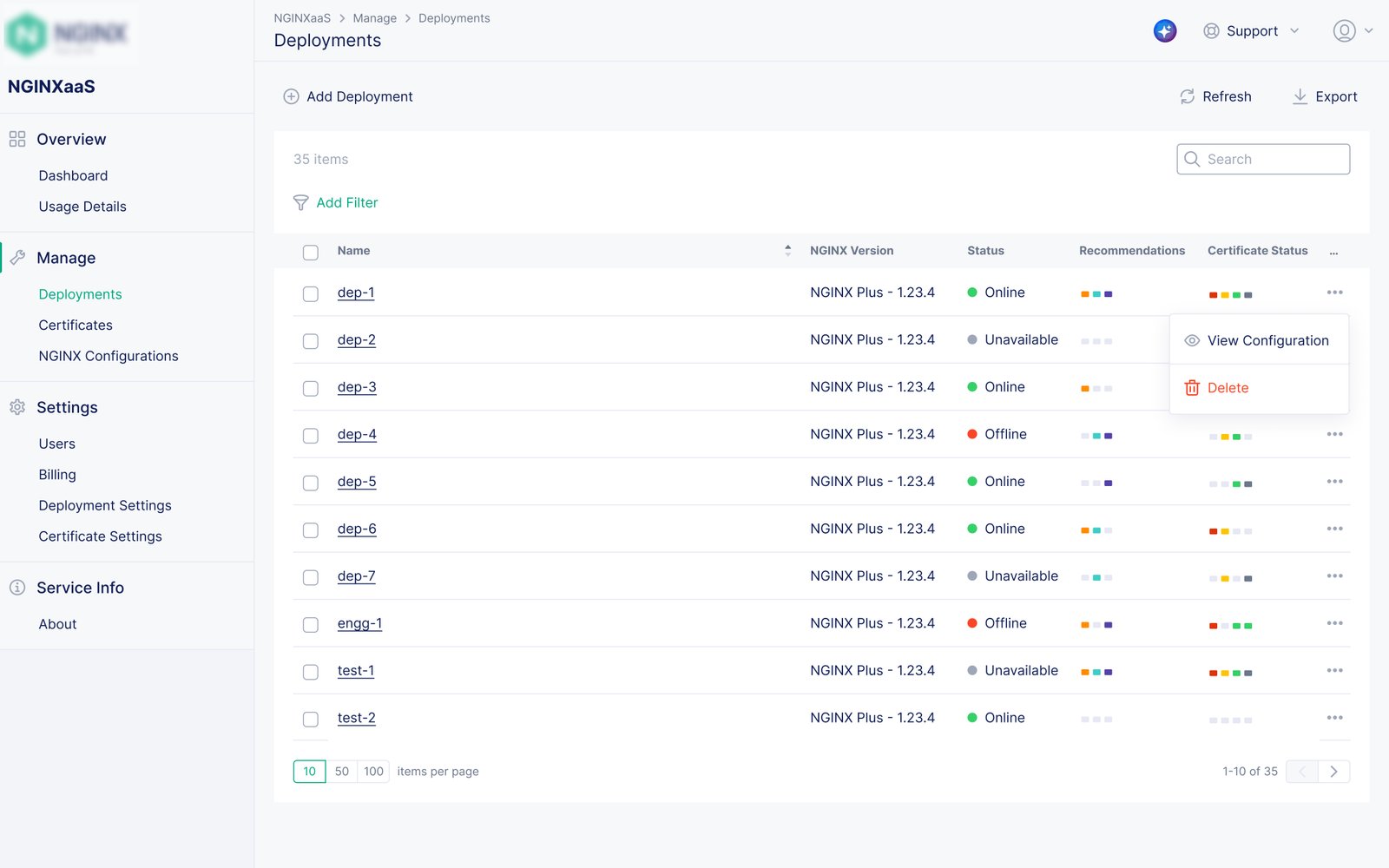
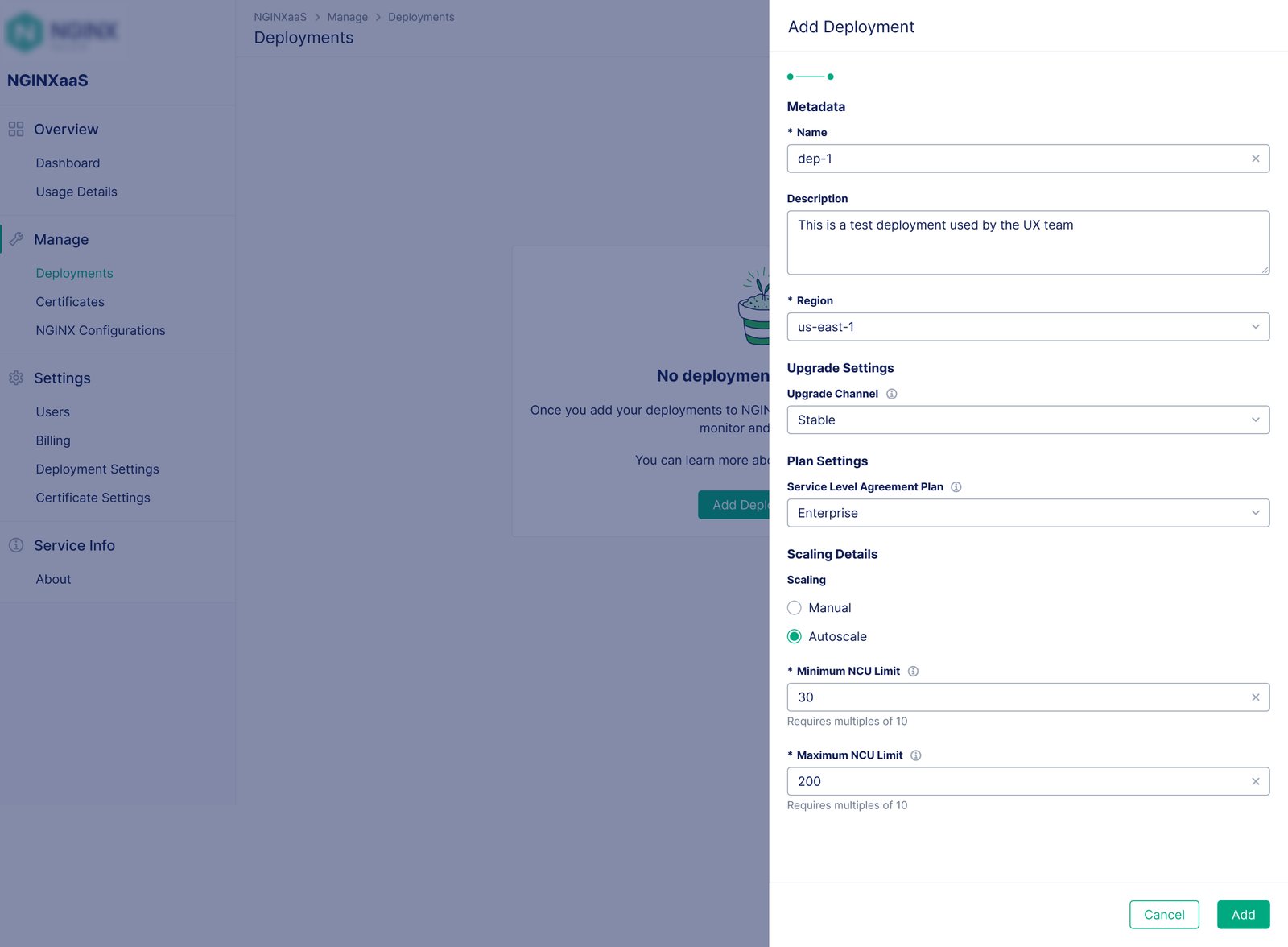
Design decision: I made the deployment lifecycle, not the cloud API surface, the organizing model for the console.
02 — Guided entry
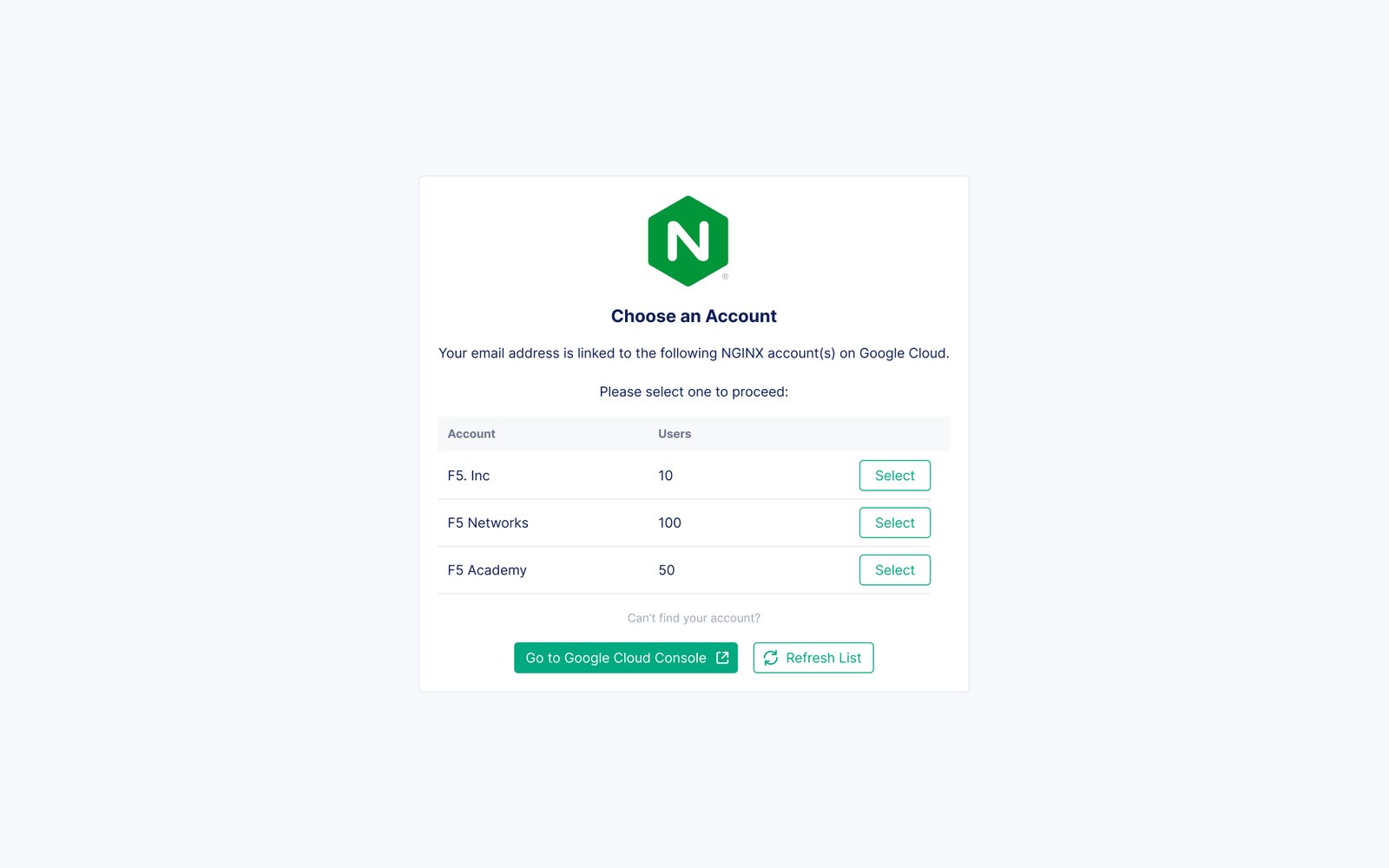
A standalone service needed an entry experience with the confidence of a native integration. I designed the sign-in and welcome sequence as a short orientation: confirm the Google Cloud relationship, explain the product’s starting point, and direct a new user toward a useful next step instead of an empty interface.
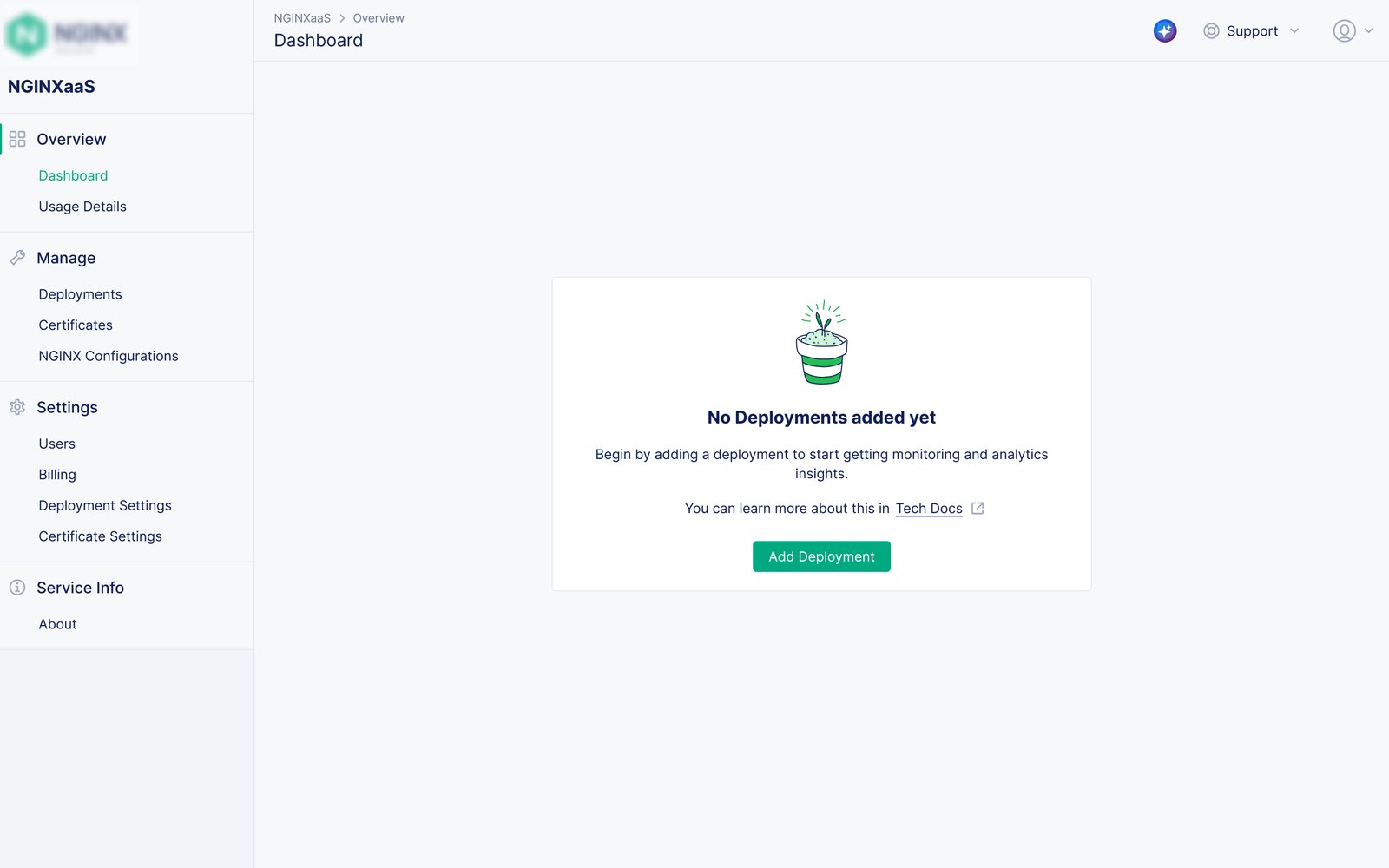
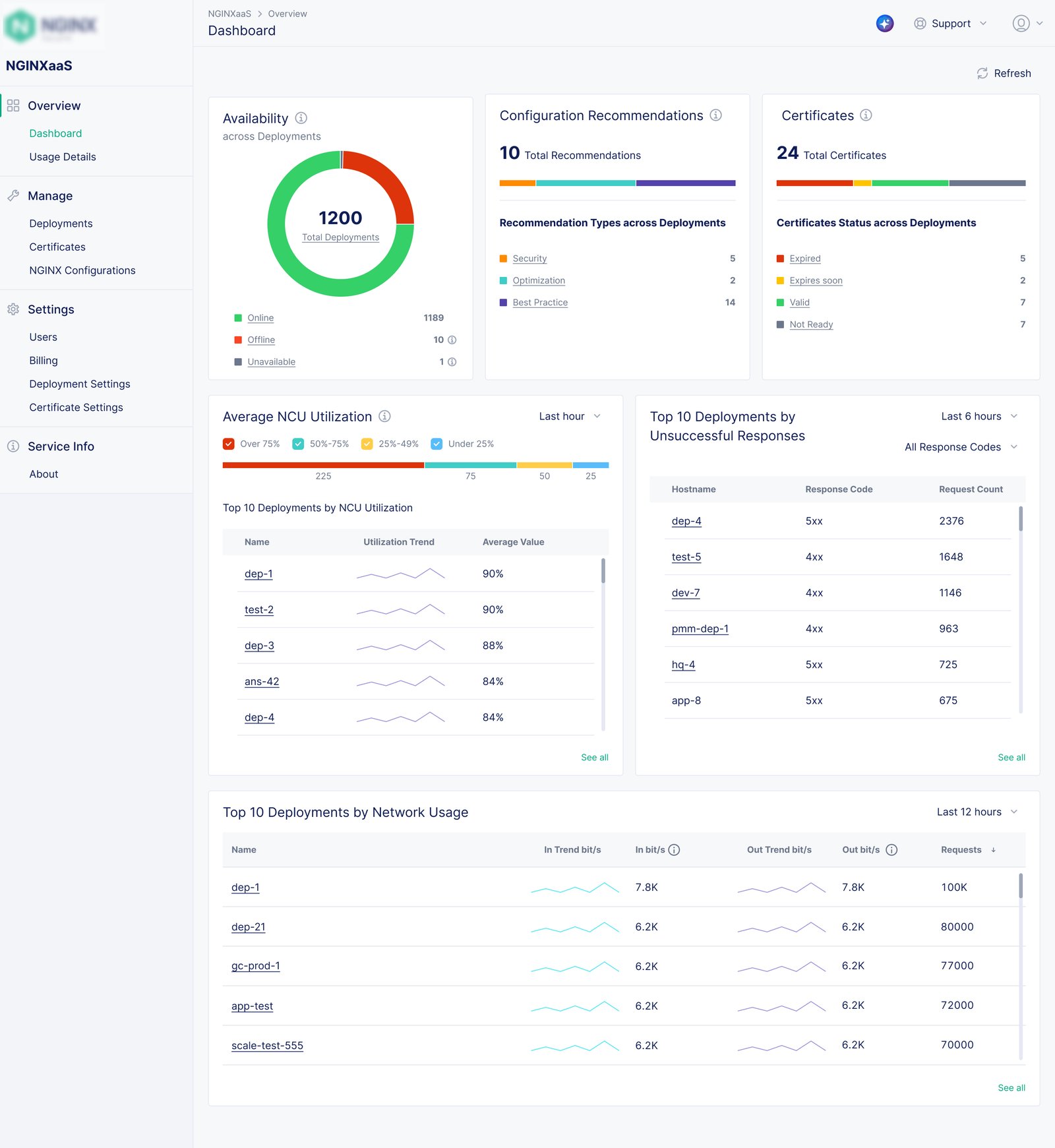
The dashboard carried that promise into daily use. It established a shared place for the monitoring signals selected with product and engineering, while the empty state retained guidance for teams that had not yet created anything to observe.
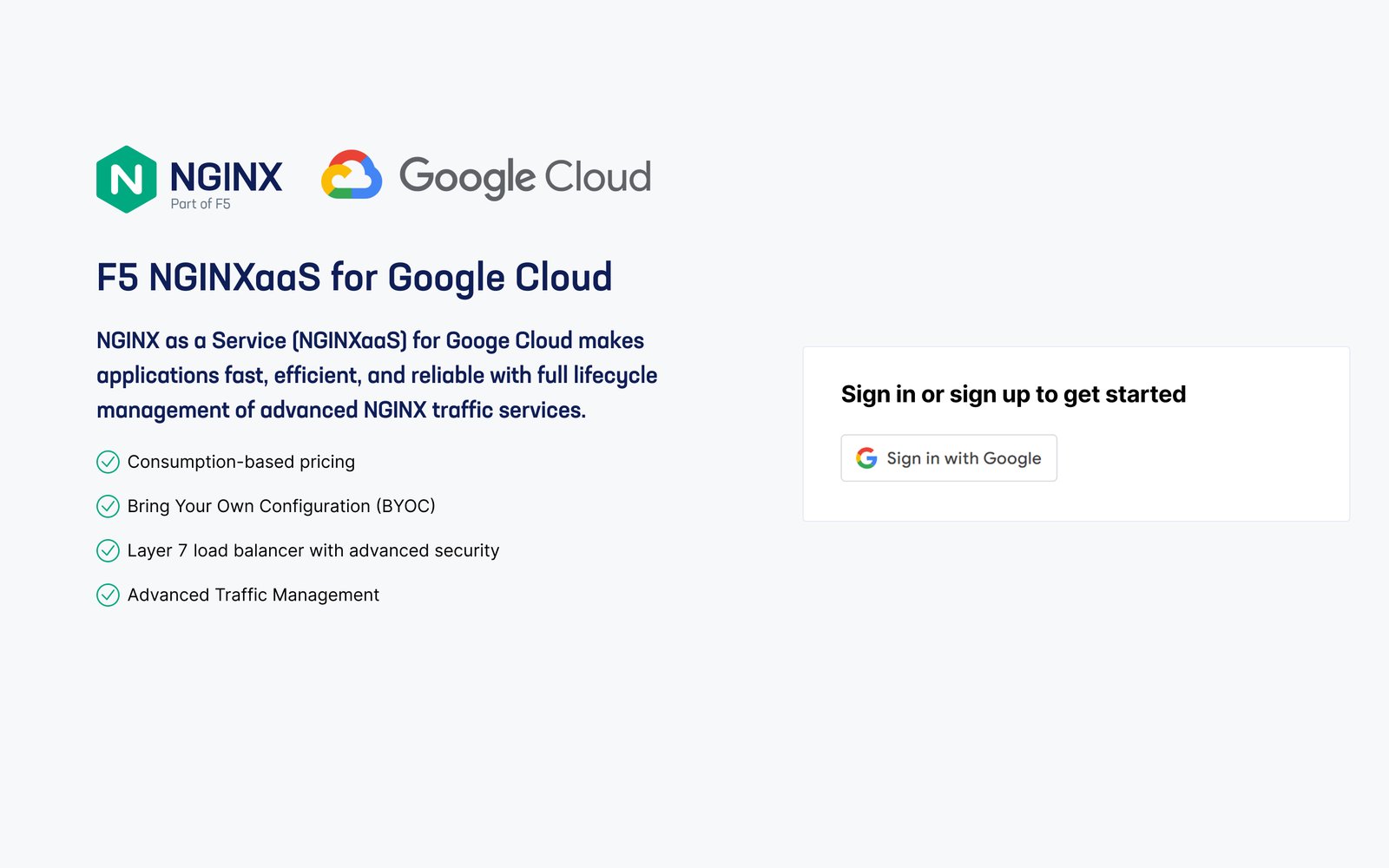
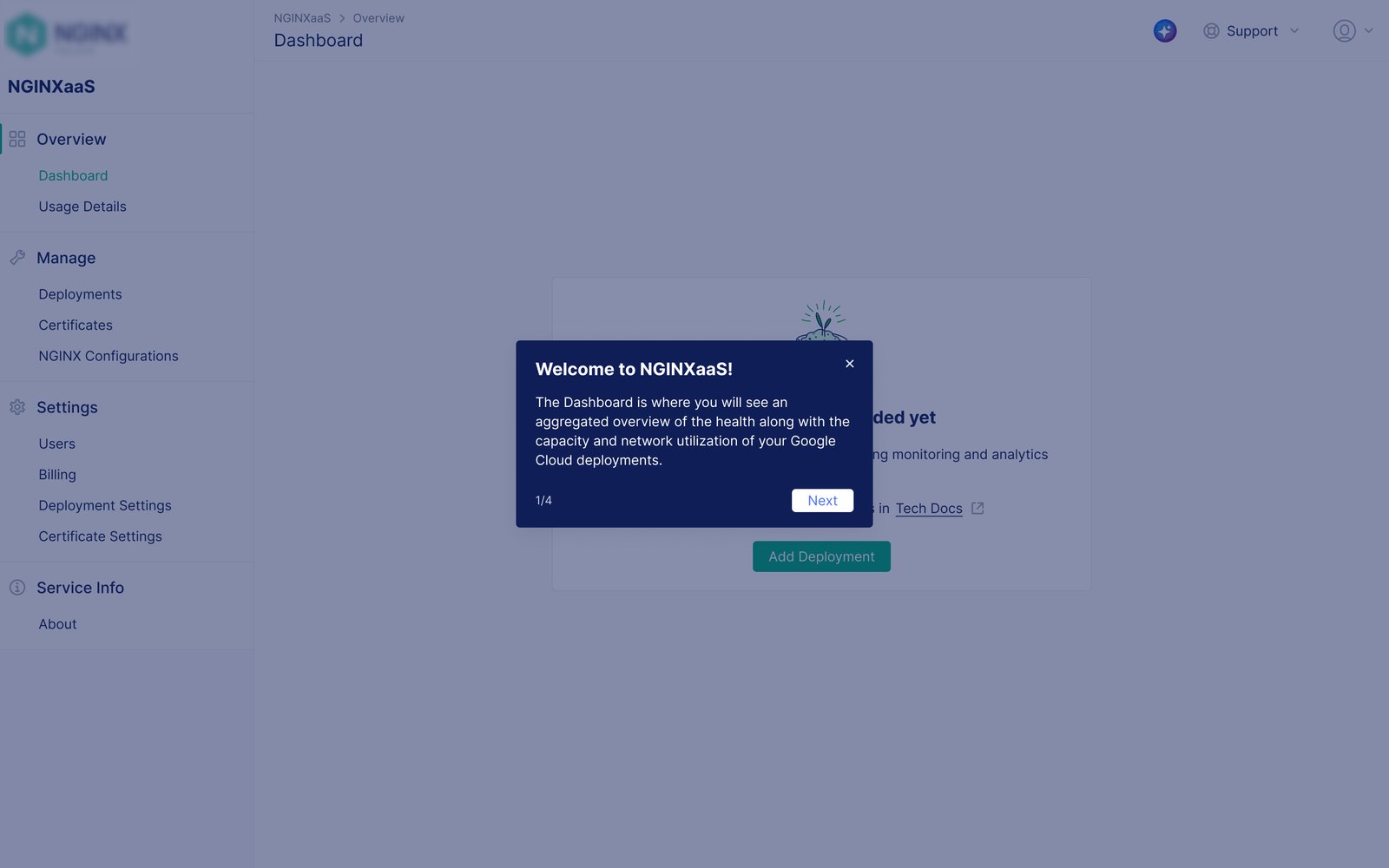
Design decision: I paired account entry with contextual guidance so the first screen answers both “where am I?” and “what should I do next?”
03 — Configuration control
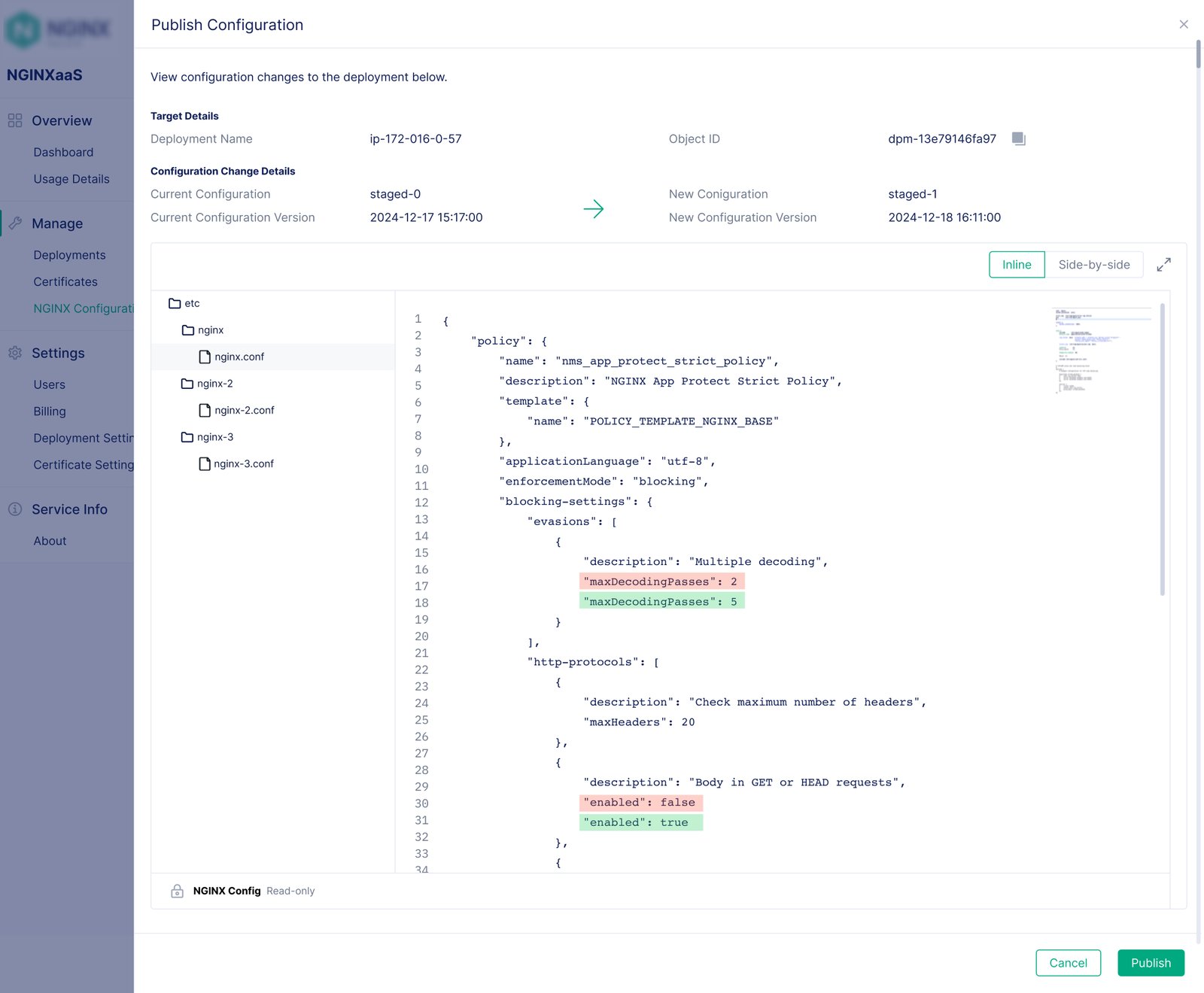
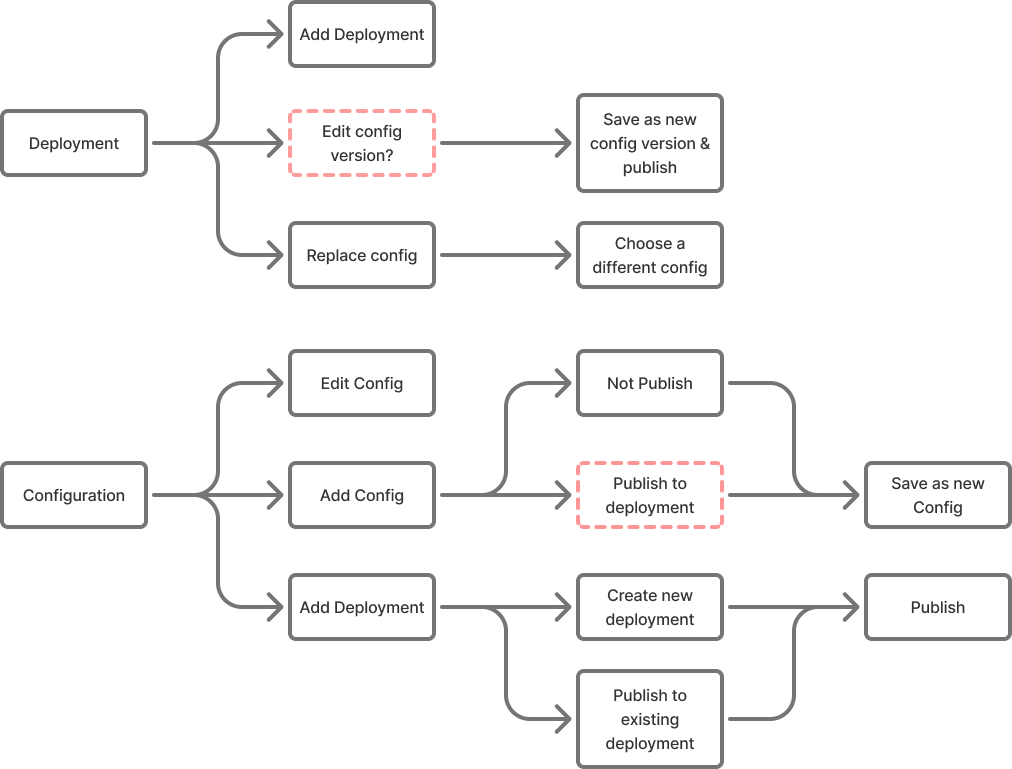
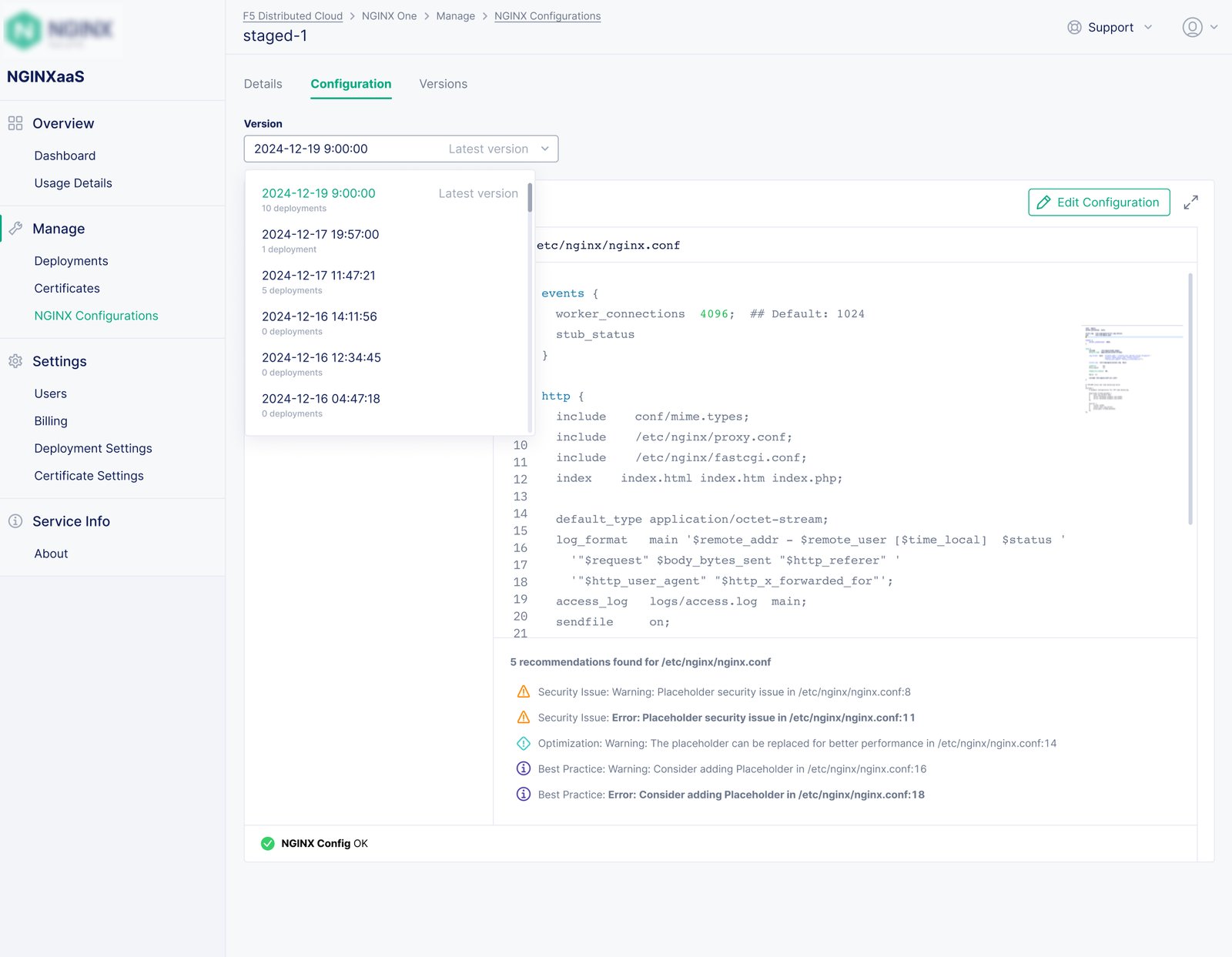
Configuration was the point where a convenient cloud console could become risky. I worked with engineering to turn the system’s version model into an interaction pattern people could reason about: see the active version, stage a replacement, compare the change, then publish it to an existing deployment.
The pattern borrows the clarity of lightweight source control without asking operators to think in Git commands. Version switching and history make the current state explicit, support audit conversations, and give the experience room to scale as deployment complexity grows.
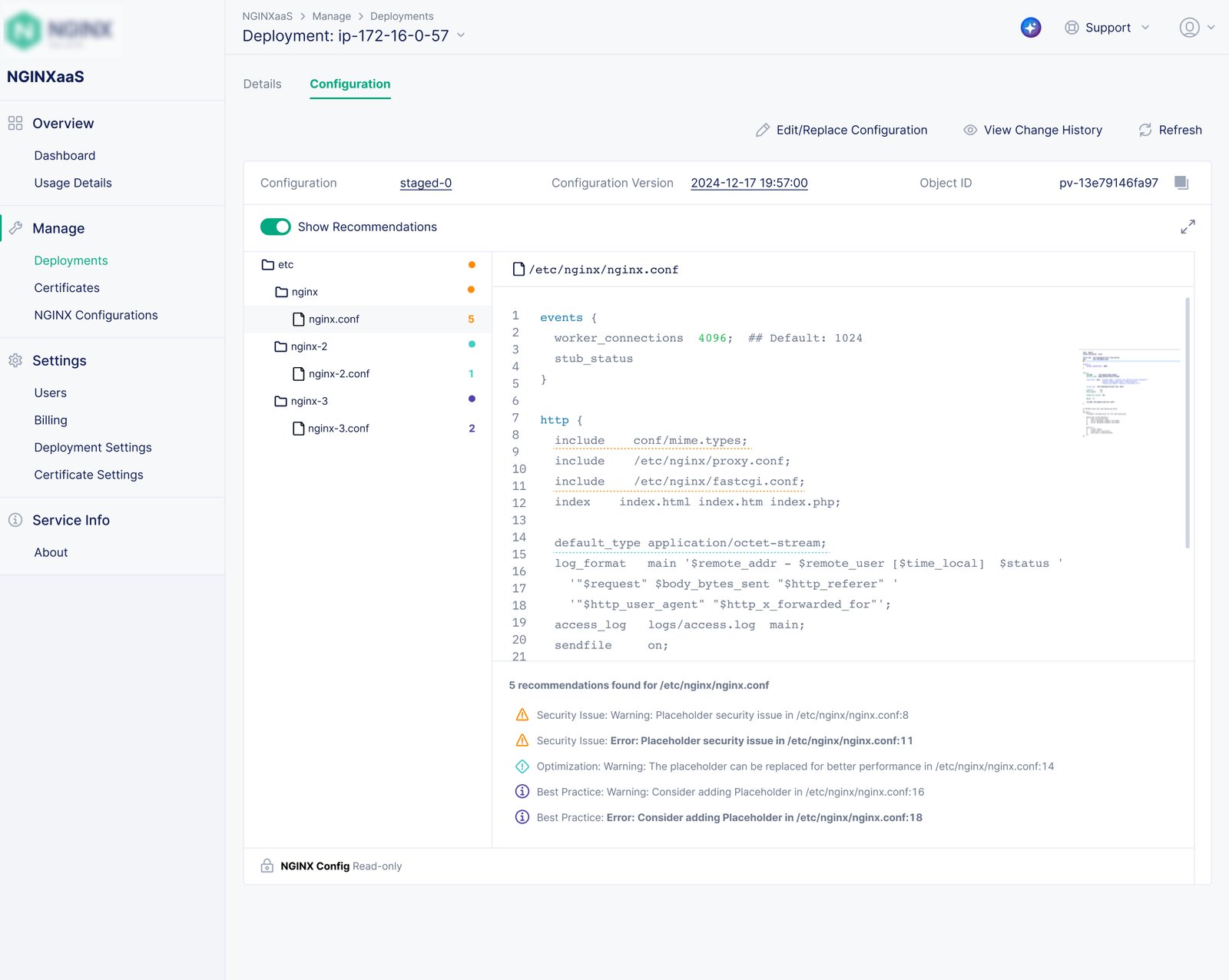
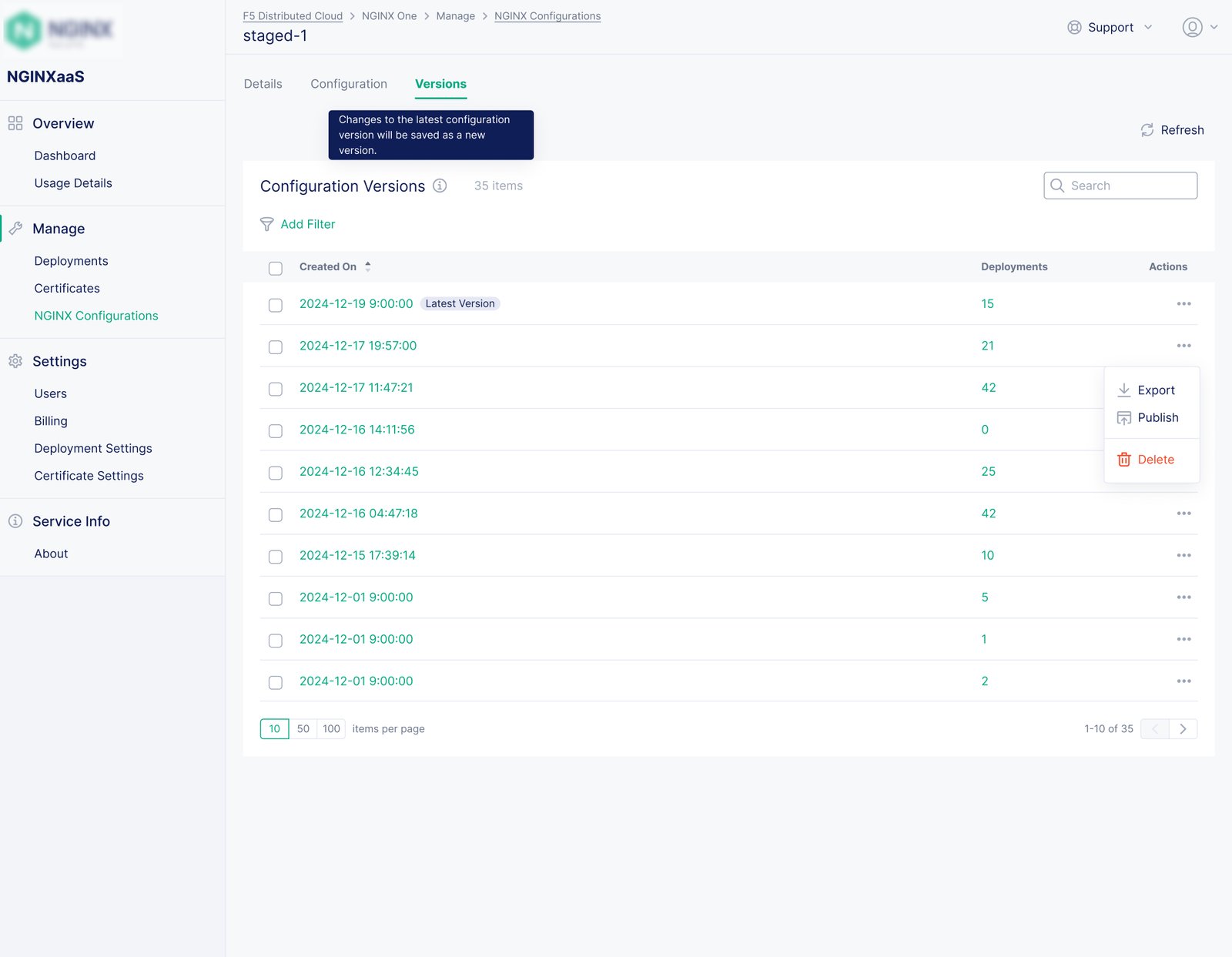
Design decision: I made comparison and version history first-class steps before a configuration reaches a deployment.
04 — Durable governance
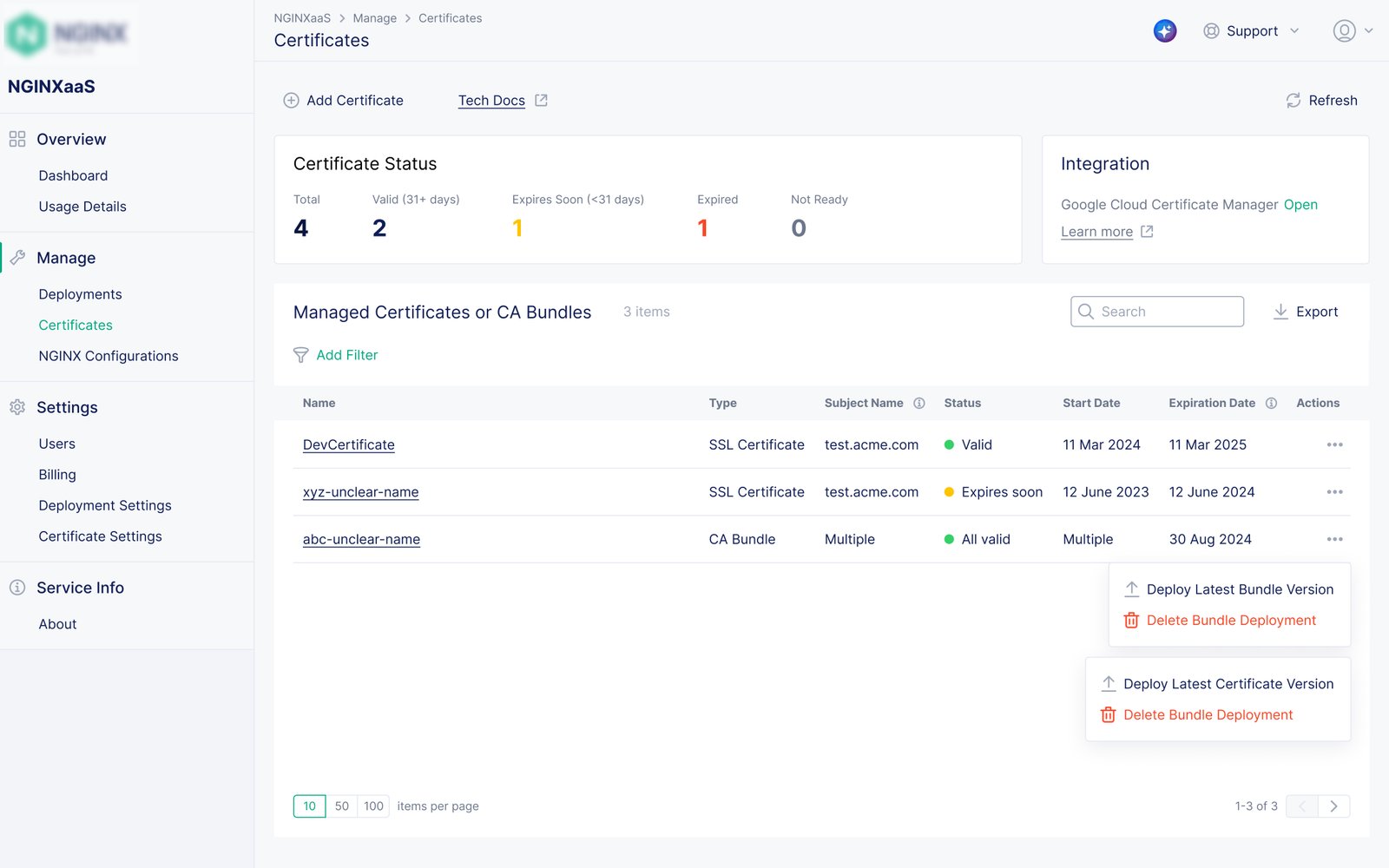
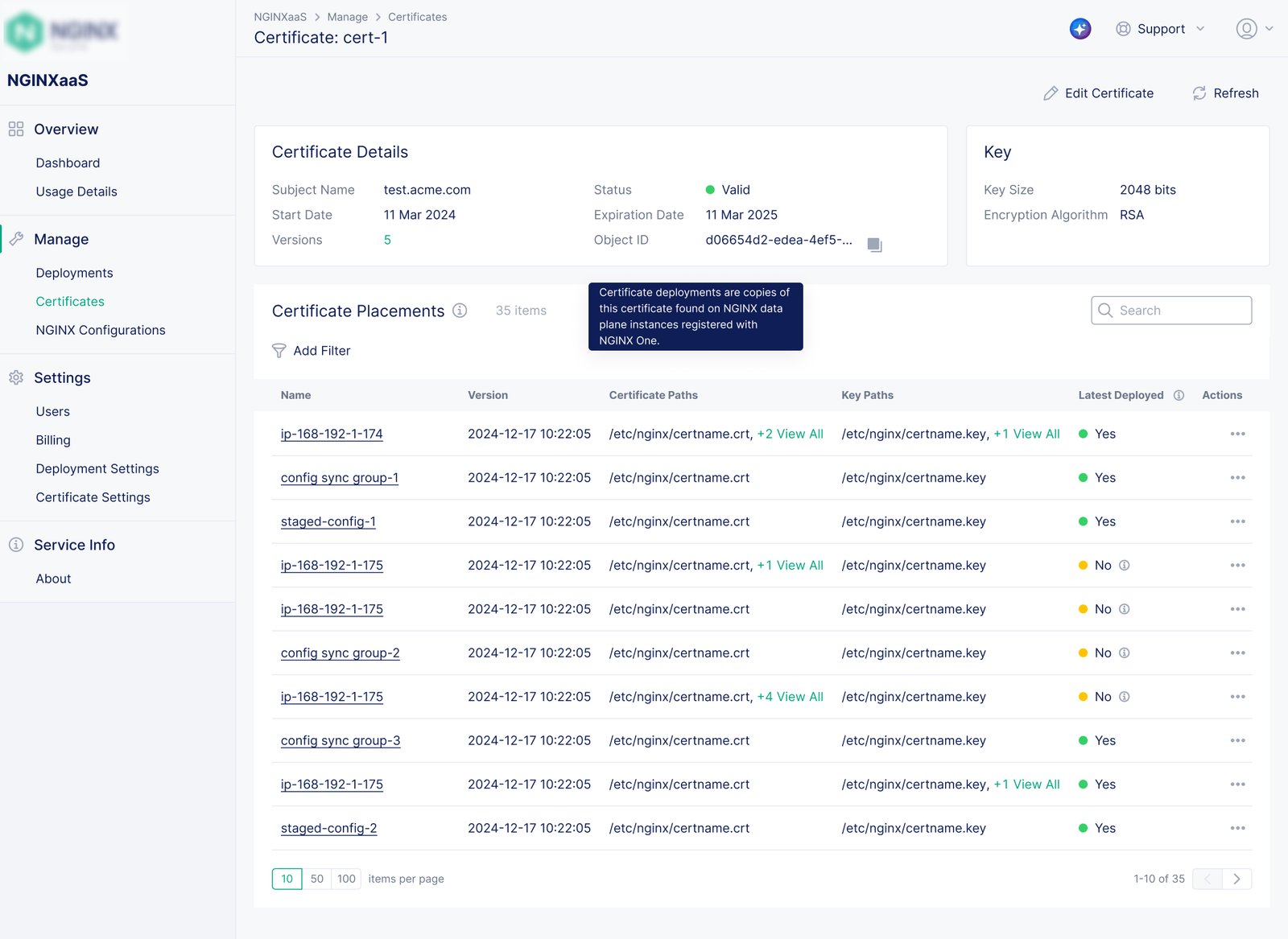
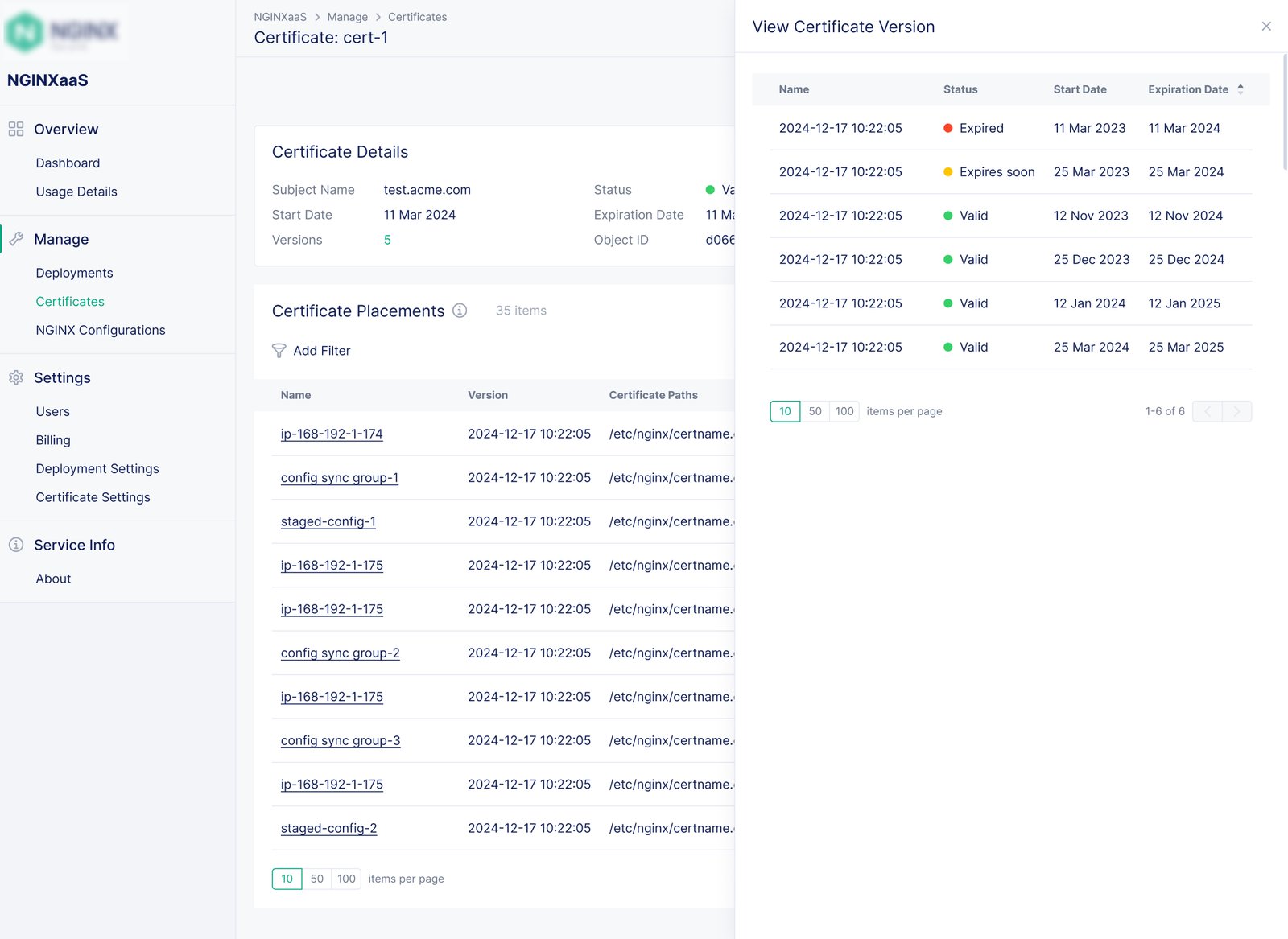
Certificates required a different safeguard: live credentials should not be casually overwritten. I designed an immutable certificate pattern in which each update creates a new version with visible lineage and expiry context. That gives teams a clearer handoff between certificate maintenance and deployment configuration.
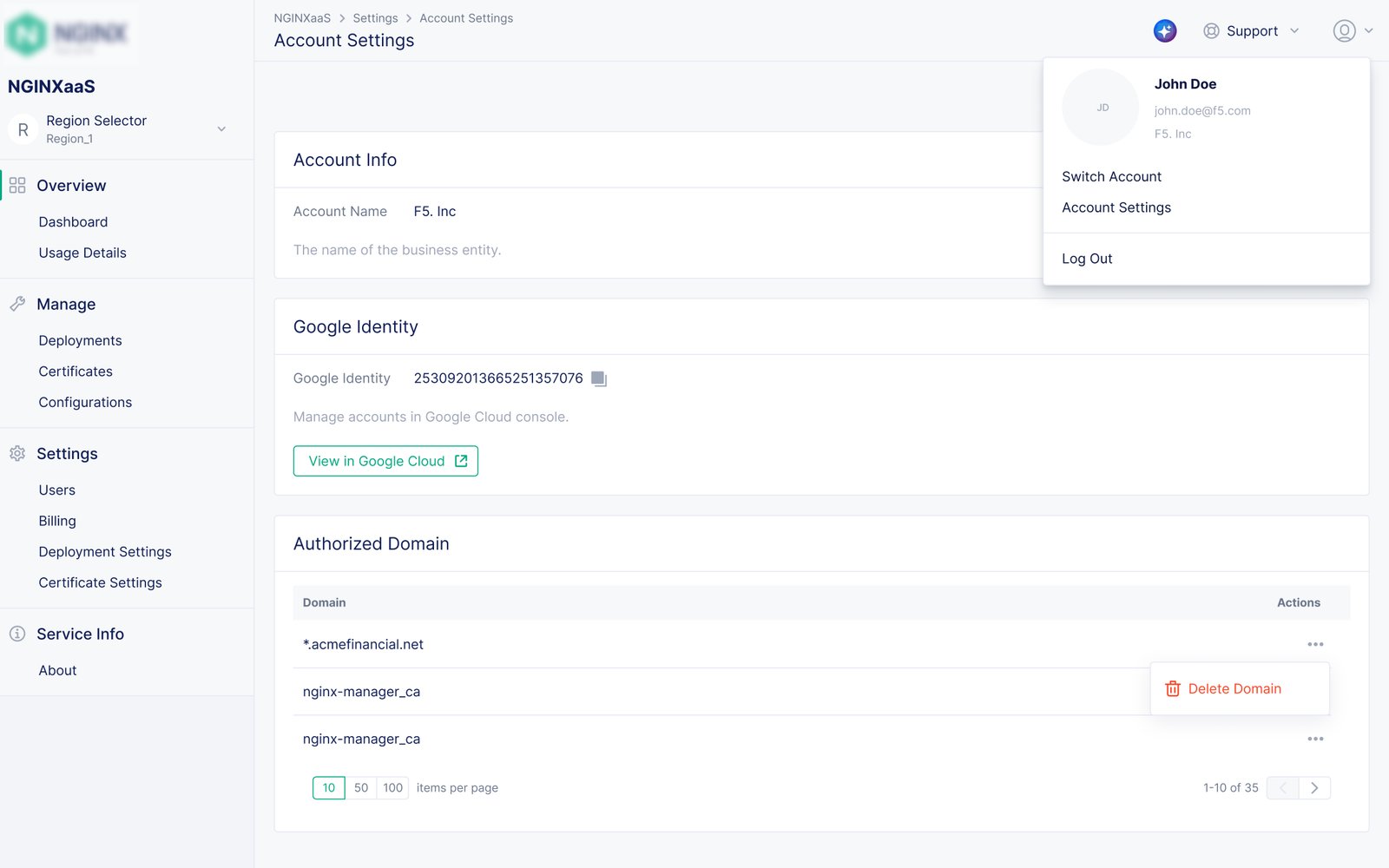
I extended the same sense of accountability to organizations and users. Account settings establish the organizational boundary, while user management makes membership visible within it—supporting administration as a service moves into ongoing ownership.
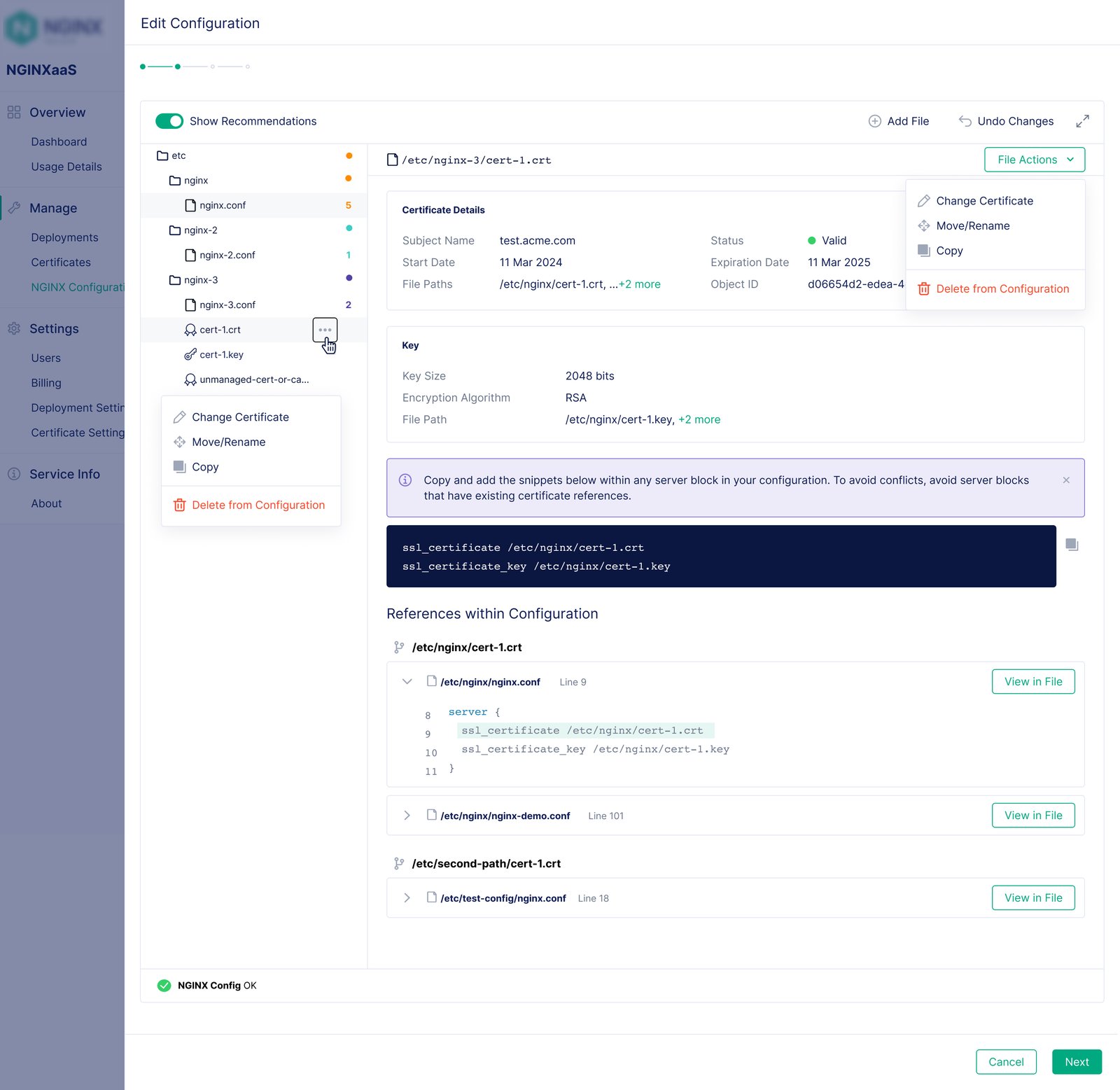
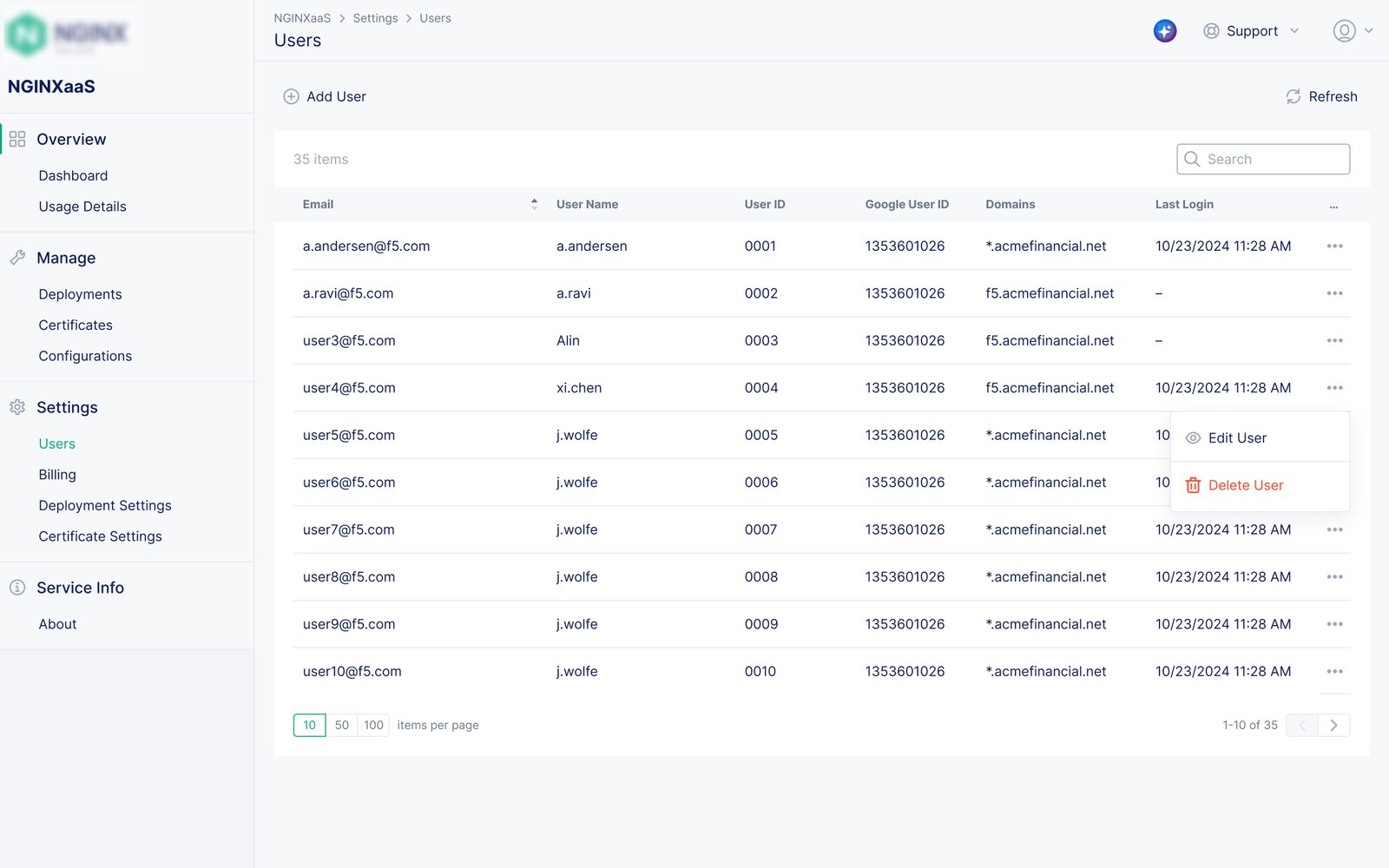
Design decision: I used immutable versions and explicit account boundaries to make critical operational changes traceable.
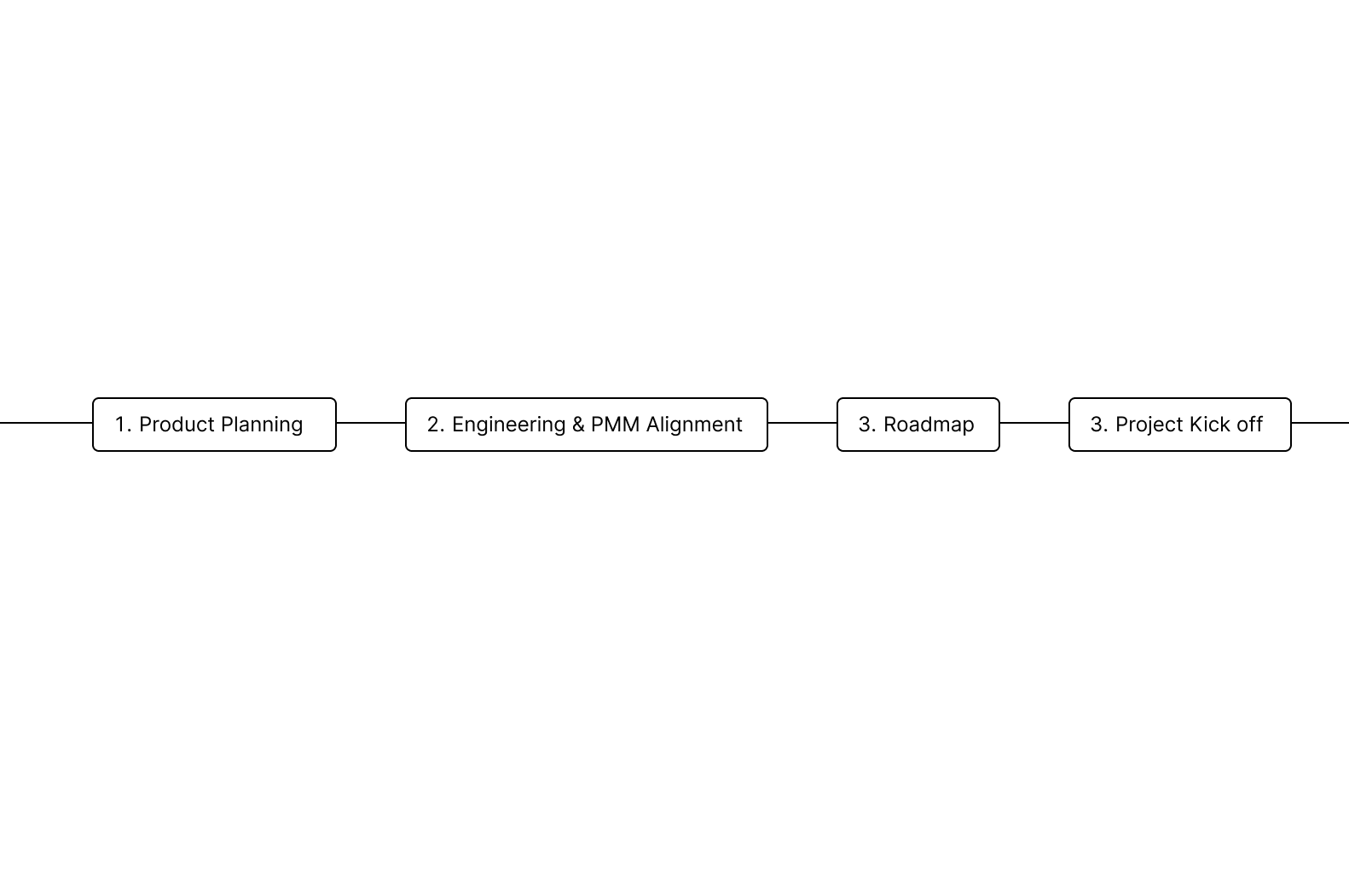
Across four milestones, the team brought a standalone NGINXaaS for Google Cloud experience from provisioning through administration to general availability in October 2025. The release established a coherent operating surface for managed deployments and a reusable design vocabulary for future cloud expansion.
This project reinforced that infrastructure UX improves when I make the system model visible rather than merely simplifying the screens. Sharing early decisions, constraints, and trade-offs with product, engineering, documentation, and go-to-market partners let the team move quickly while preserving a common understanding of what we were shipping.