XIAOWEI CHEN
Back to selected work

COMPOSABLE CLOUD · FUNGIBLE

Data Center Composer

Making composable infrastructure easier to understand
My role
UX design, research & product strategy
Period
2019–2022
Timeline
1 year to MVP · 2 years iteration
Status
MVP launched · August 2020
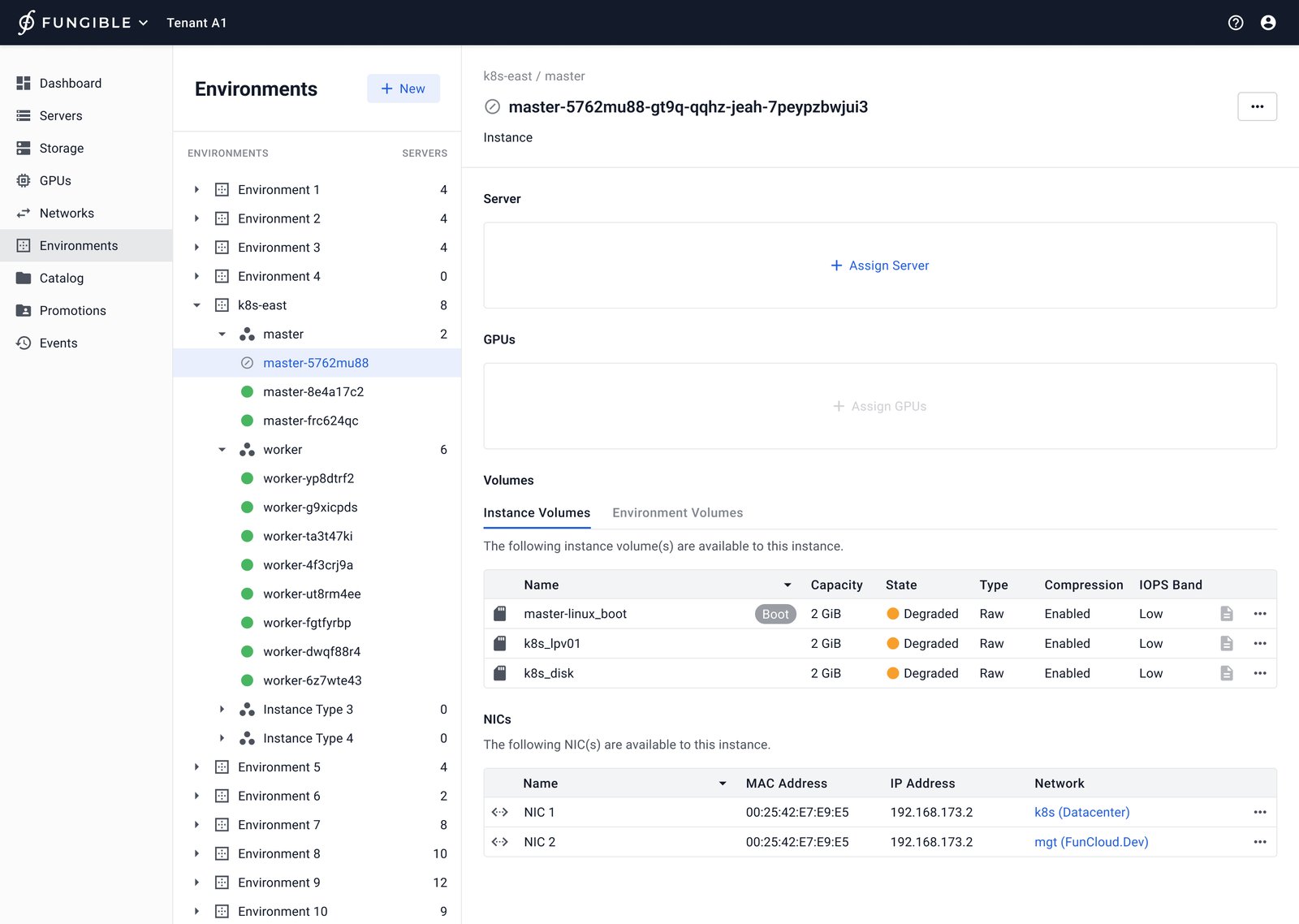
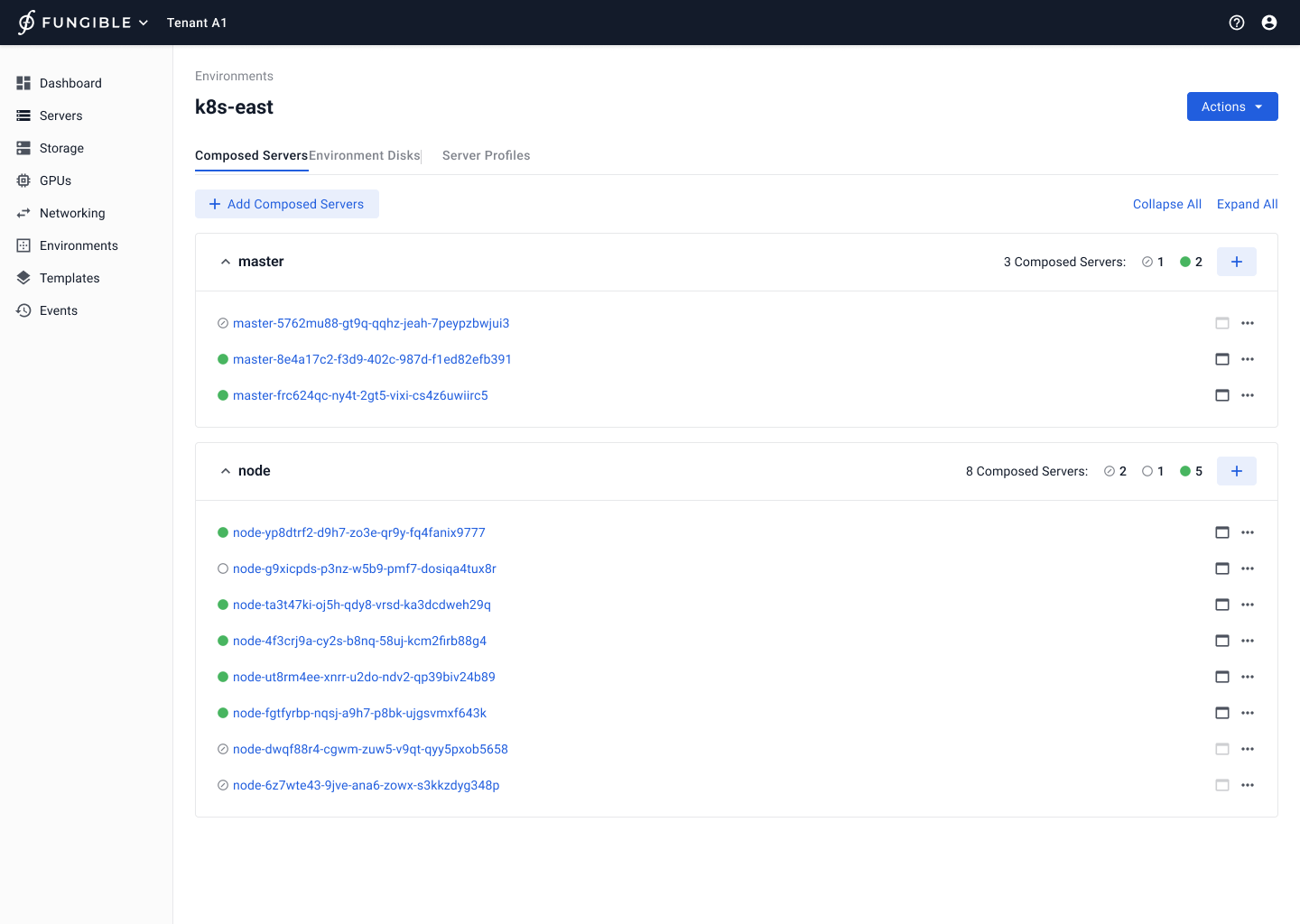
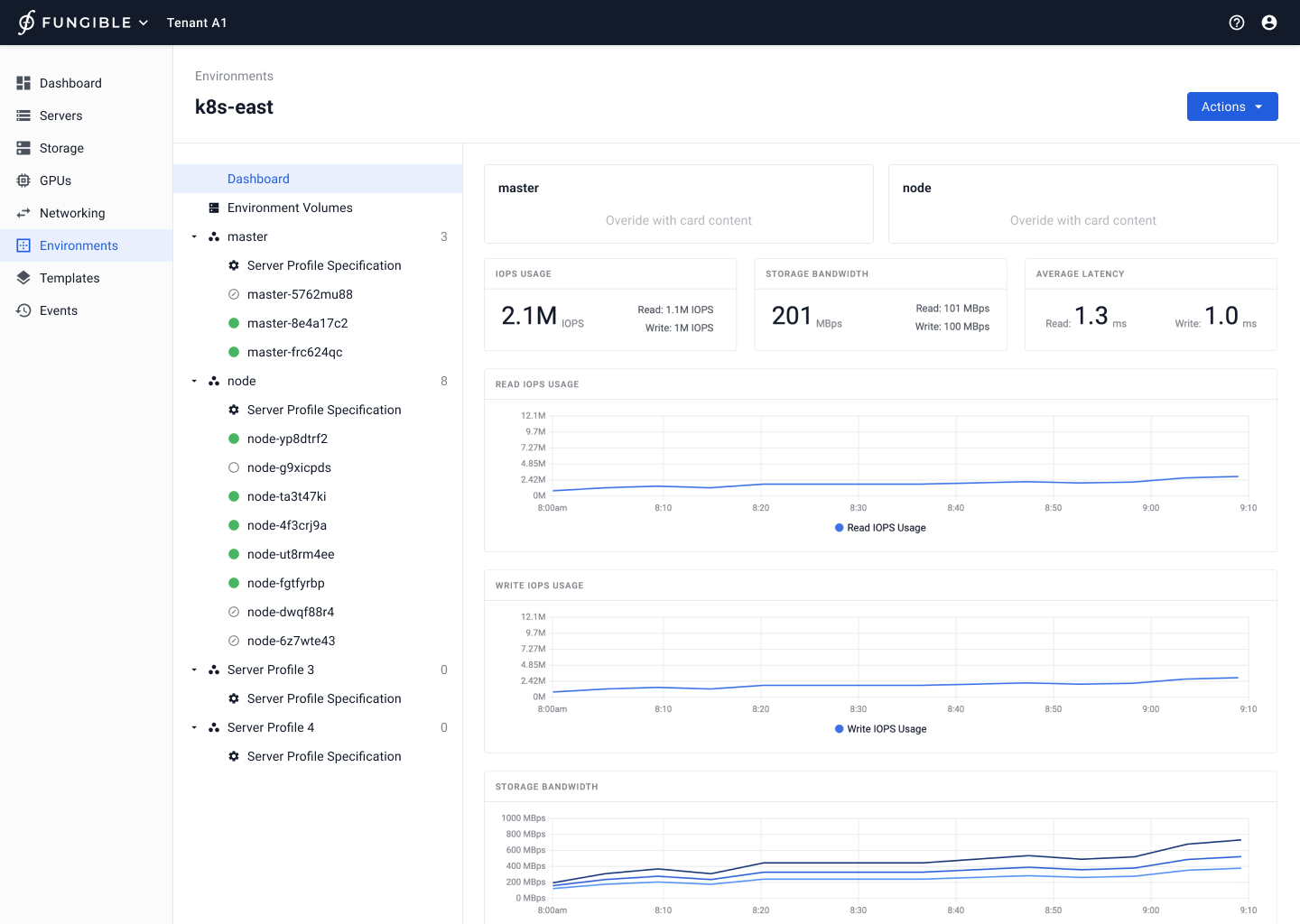
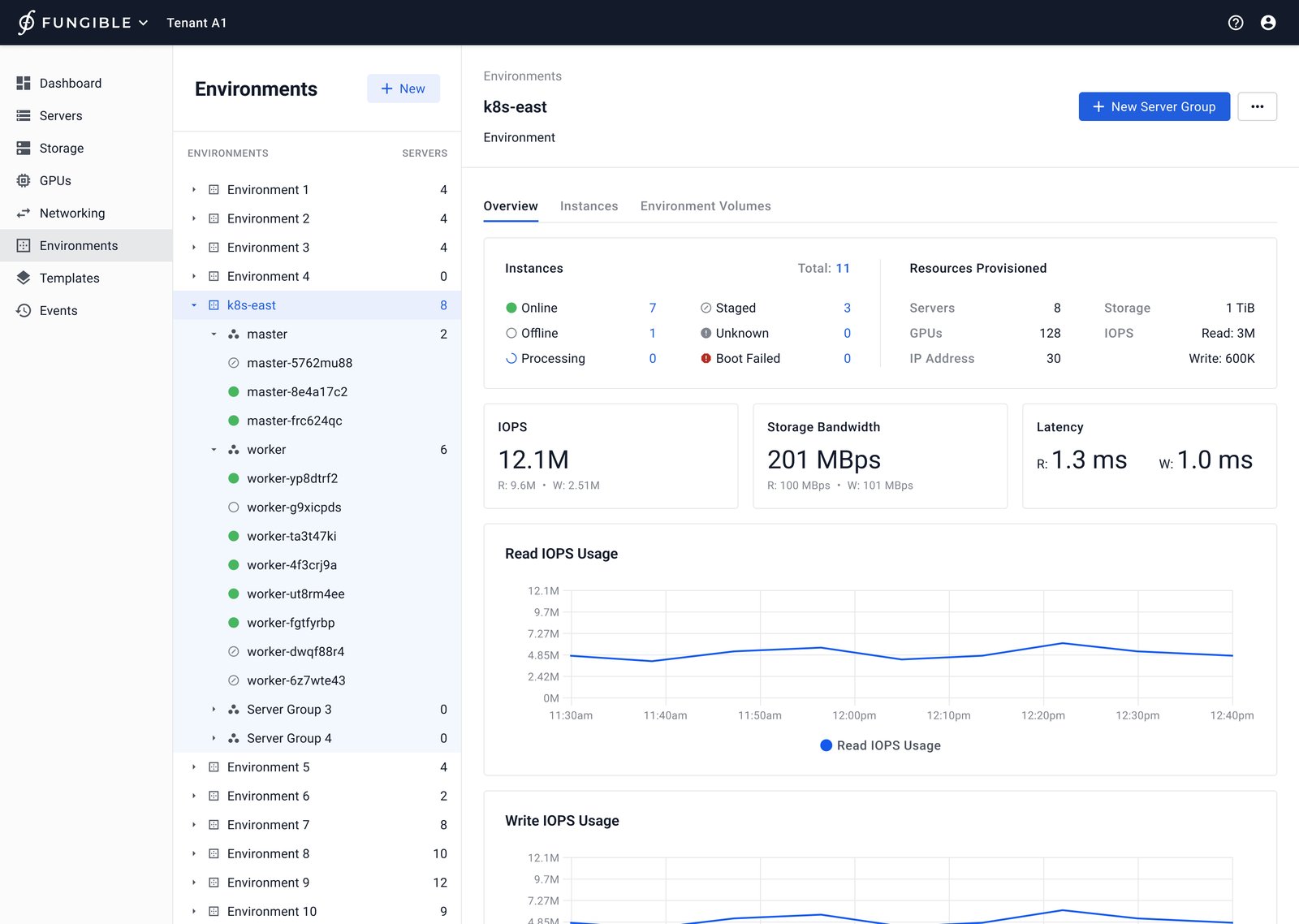
Tree navigation showing an environment structure and its instances in Fungible Data Center Composer
Environment overview with tree navigation for managing structure and instances.

Overview

I designed Fungible Data Center Composer’s composition experience, a suite for assembling and operating bare-metal data-center resources. From concept to MVP, I translated cloud-scale infrastructure into workflows administrators could understand and adapt.

Make composable infrastructure actionable

Composition joined physical servers, storage, networking, and virtual constructs, but users needed control rather than vocabulary to decode. With one month for initial wireframes, I relied on market research, white papers, the founder’s vision, and assumptions before customer input.

Name the model

I made the environment a shared mental model across roles and surfaces.

Use familiar structure

I favored recognizable navigation when scale made cards difficult to scan.

Design for reuse

I treated templates, permissions, and versions as one operating system.

01 · Define the shared model

Give the environment a stable meaning

I mapped Data Center Admins, who manage inventory and allocation, alongside Tenant Admins, who allocate capacity across teams. The map surfaced permissions, handoffs, and edge cases before interface detail made them expensive.

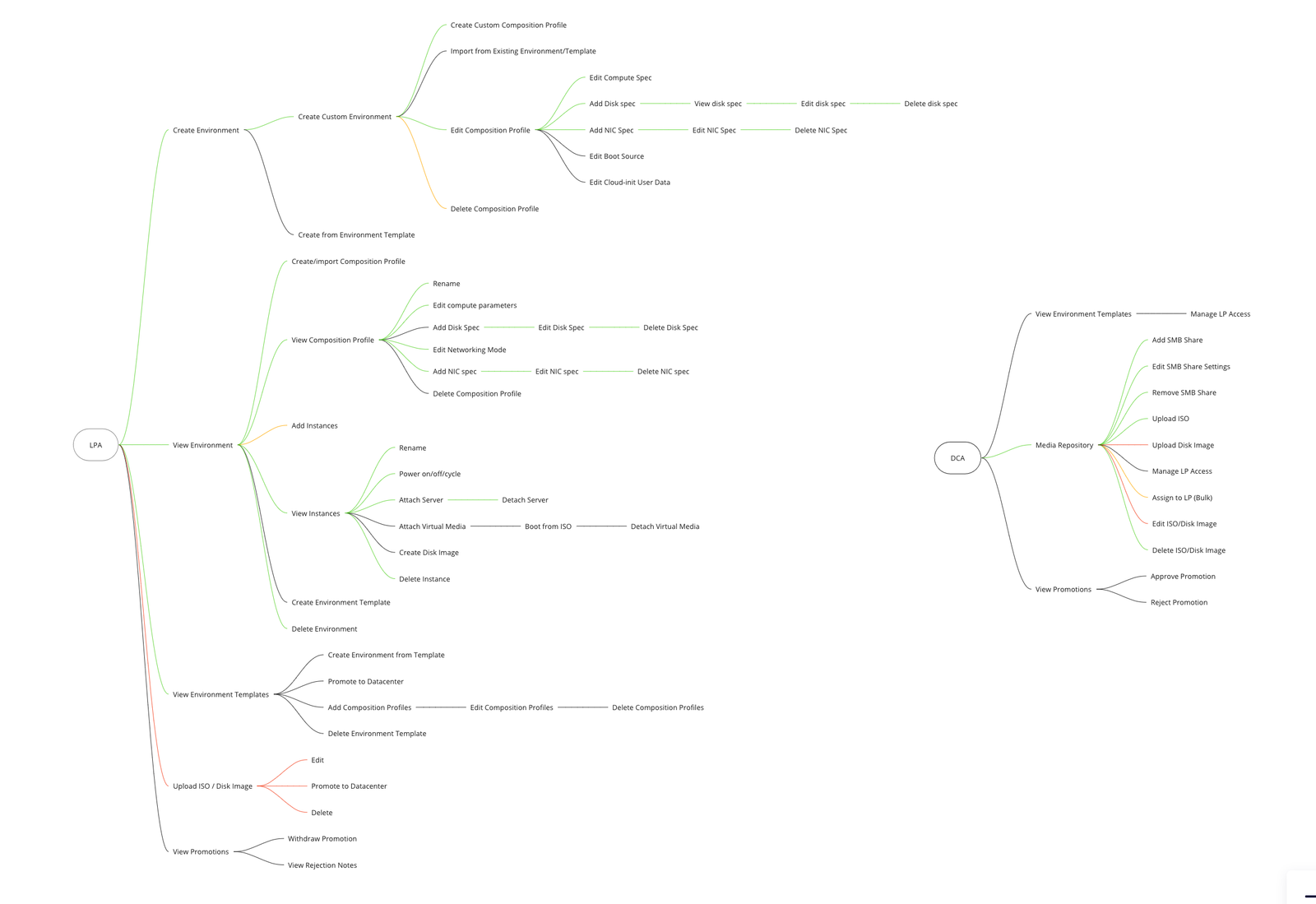
I used concept maps and an environment/template metaphor to create shared language with product and engineering. As names shifted, I reframed the model so the workflow remained legible without hiding physical and virtual relationships.
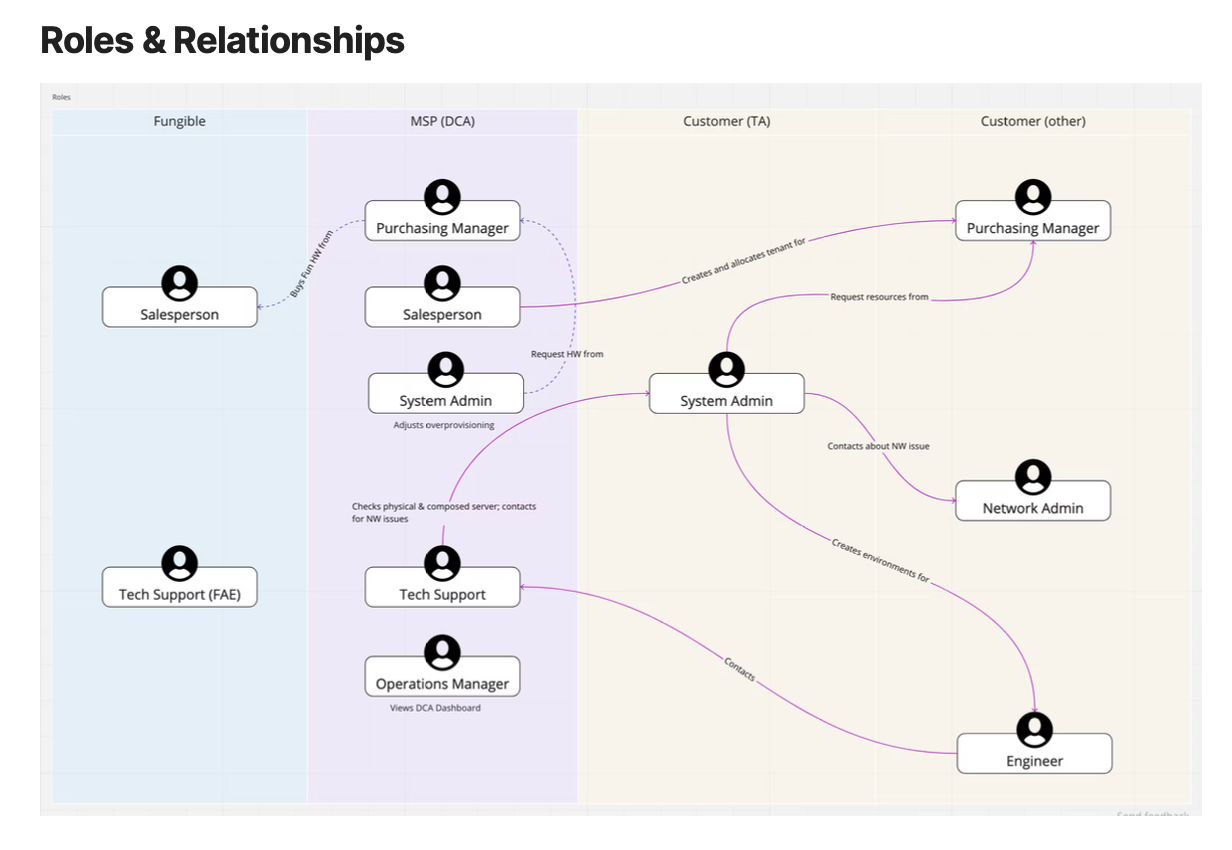
Stakeholder map connecting Data Center Admin and Tenant Admin roles to design considerations
Stakeholder mapping connected roles to design decisions and surfaced edge cases.
Sitemap and concept map for the data center composition experience
Concept and sitemap work aligned the emerging information architecture.

Design decision: I chose an environment-centered model, with templates as reusable definitions and instances as deployable parts.

02 · Redesign navigation

Make complex environments easy to traverse

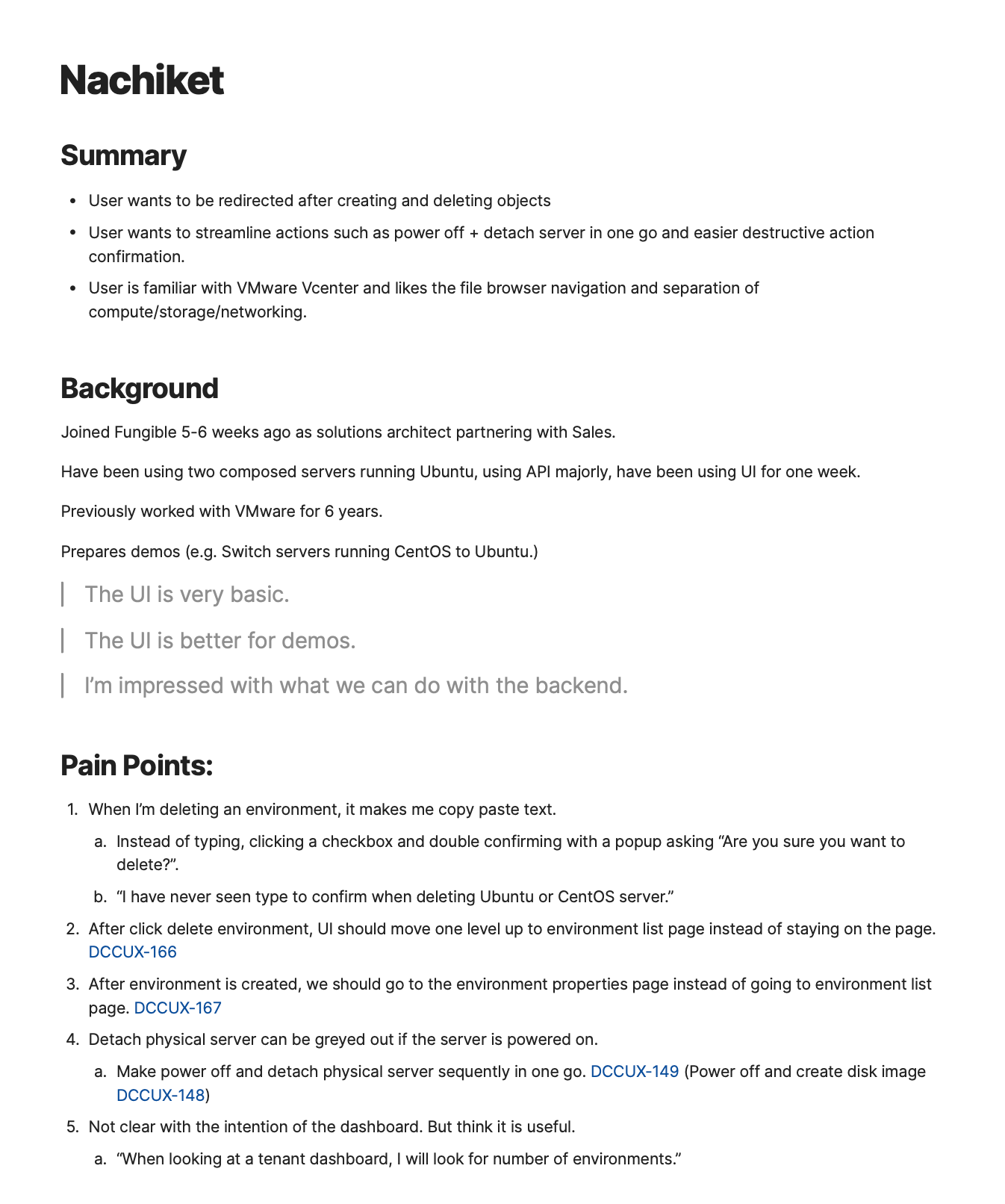
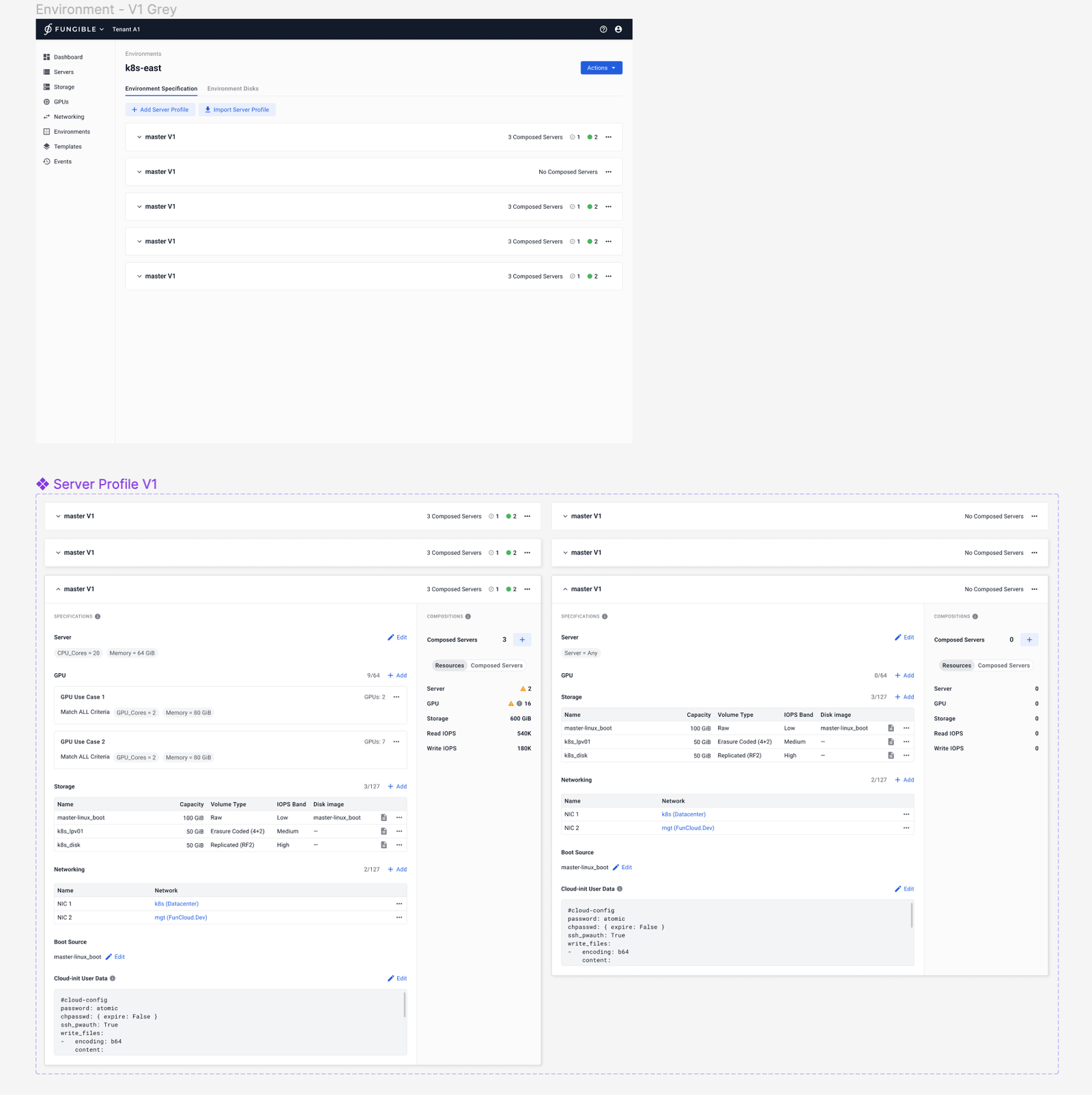
After the MVP launch, engineers and stakeholders said the environment page was difficult to navigate; lists and cards obscured the path to an instance. I reviewed the existing page, interviewed two engineers, and incorporated customer feedback gathered by the UX team.

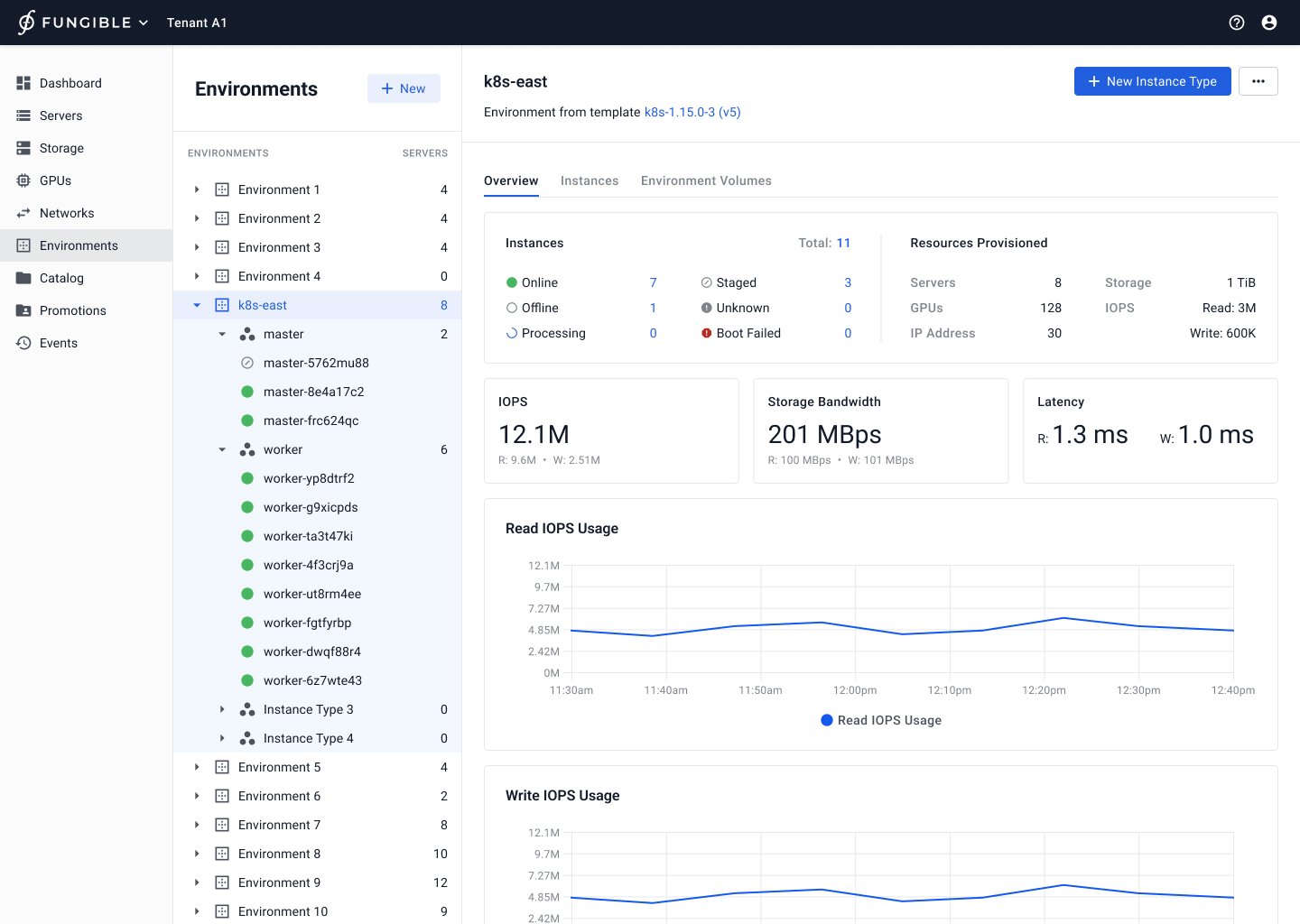
I explored structures that privileged instances or server specifications, then tested a tree for a single environment. The final direction flattened the hierarchy, made sections expandable for scale, and added instance overview and quick links while retaining monitoring context.
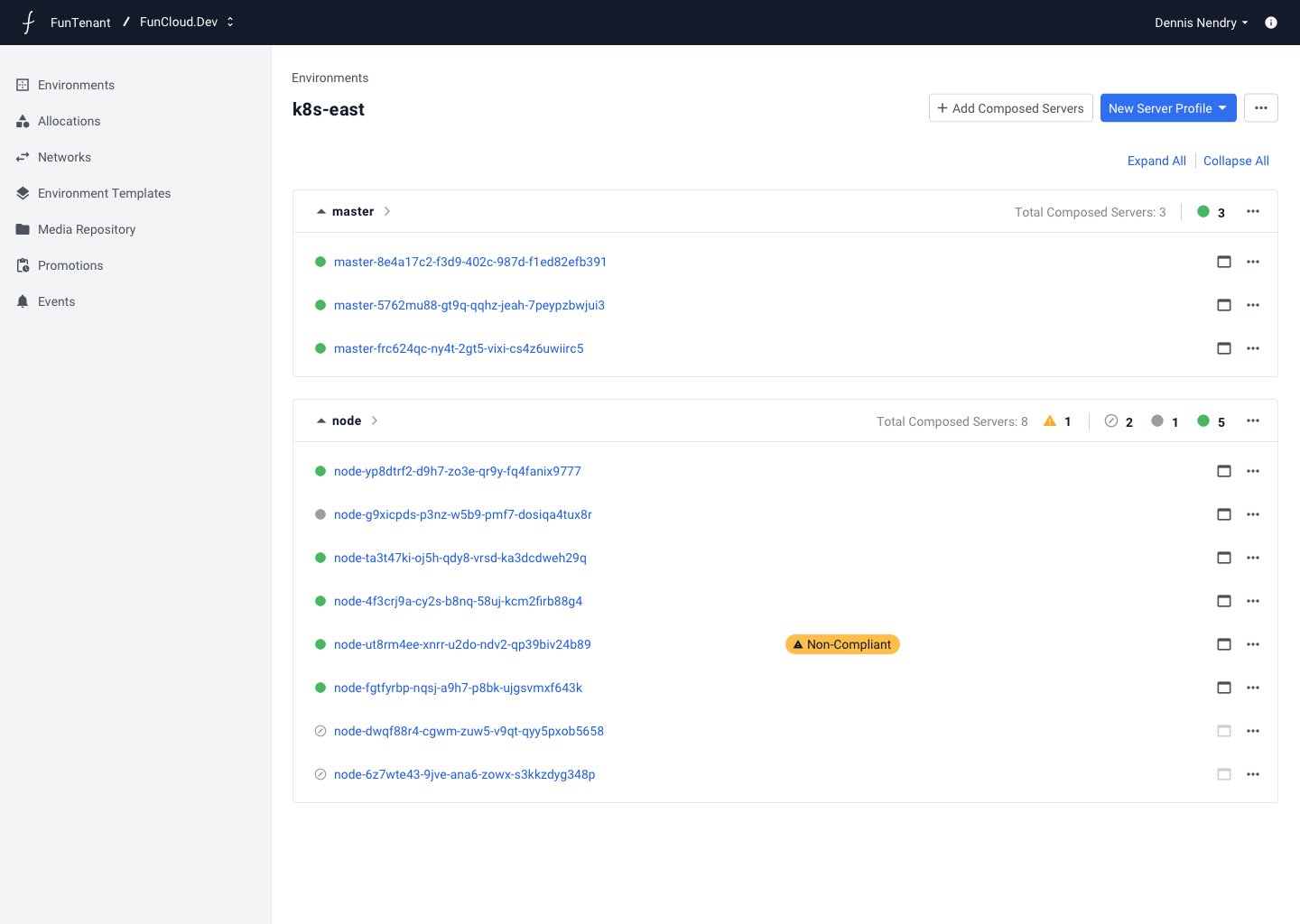
Earlier Tenant Environment interface used to evaluate navigation problems
The existing tenant-environment view revealed navigation and hierarchy gaps.
Final environment overview with an expandable hierarchy and instance access
The final overview combined scalable structure, monitoring, and quick instance access.

Design decision: I replaced competing cards and lists with an expandable tree that made hierarchy, scale, and direct access visible together.

03 · Iterate creation

Turn configuration into a guided commitment

I iterated the creation flow around three constraints: people had to understand configuration choices, deploy with fewer errors, and use a UI the team could build. A preview-and-bind exploration exposed the cost of ambition and was backlogged.

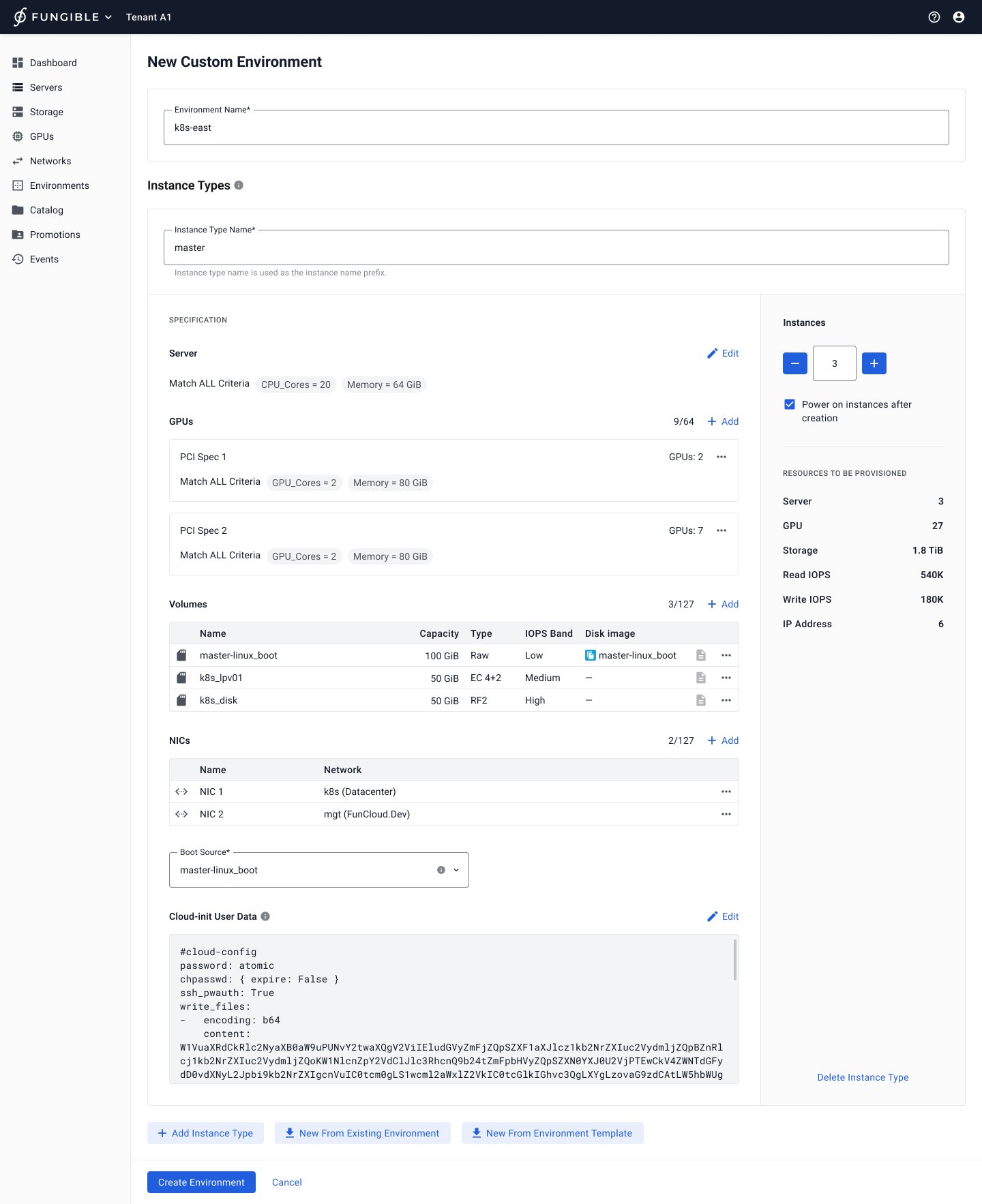
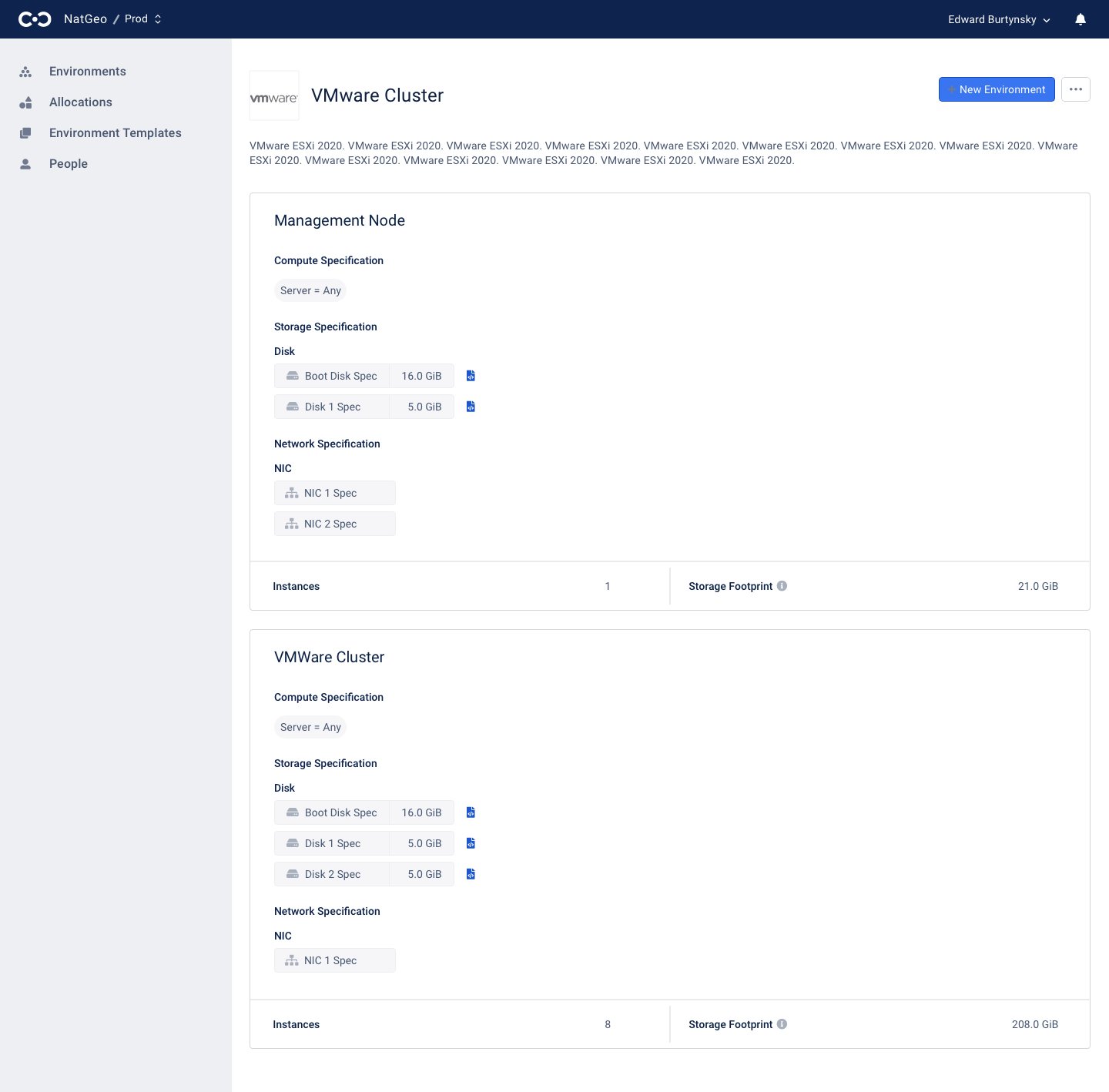
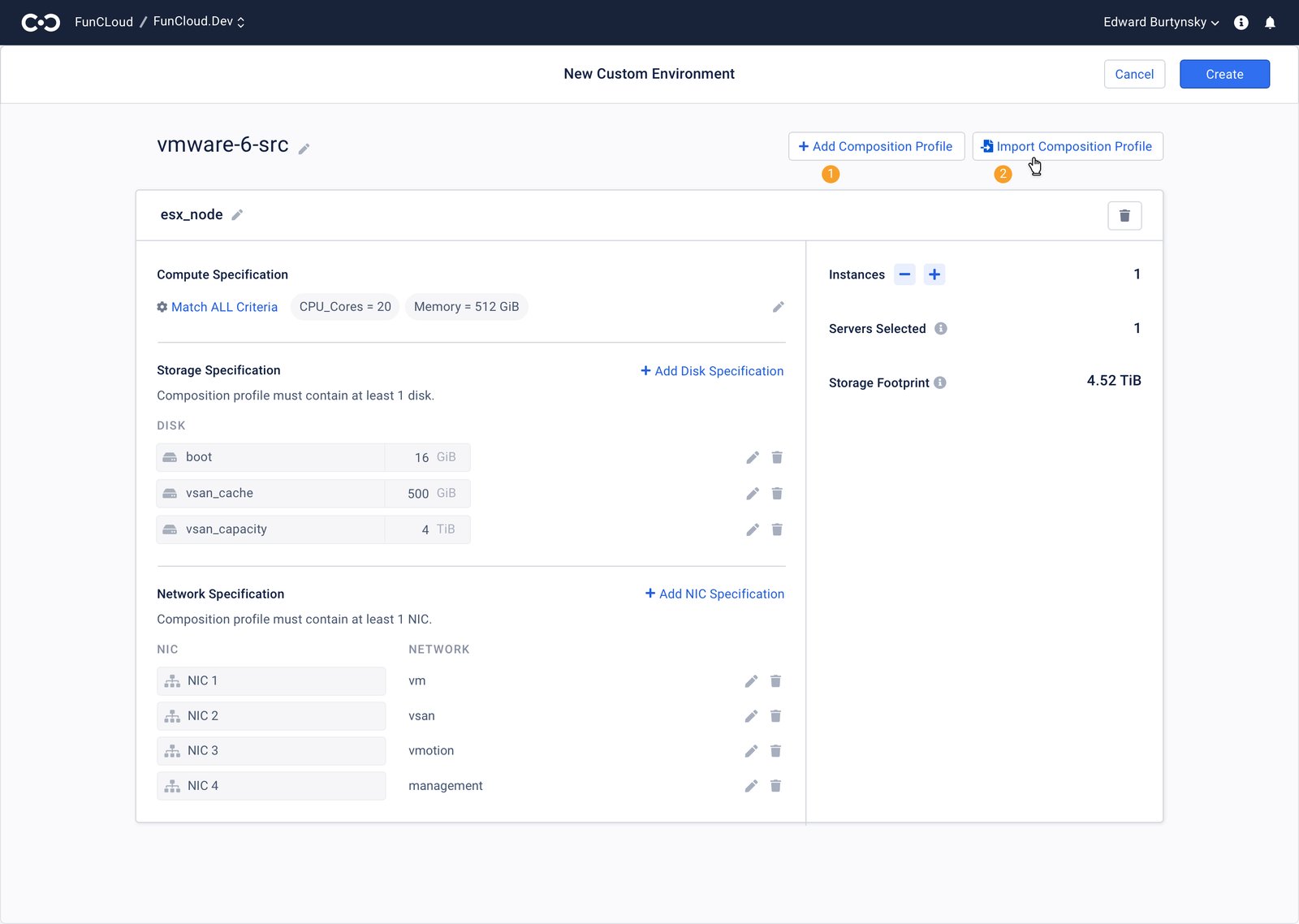
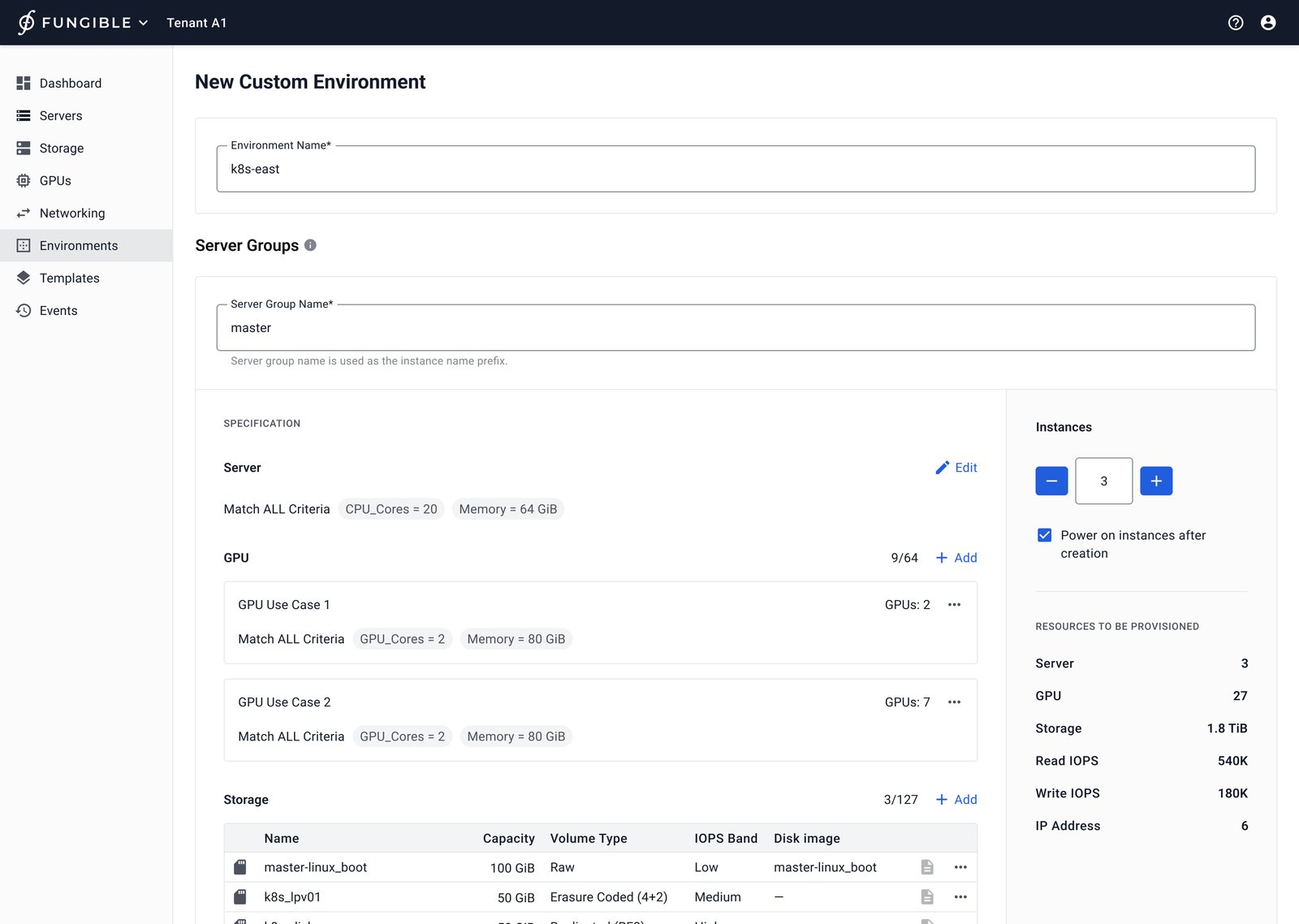
FDC 1.0 started with a reduced card layout. In FDC 2.0, I used a two-column, checkout-like review with resource counts; a later FDC 3.0 direction expanded GPU, boot-source, and Cloud-init options while carrying forward clearer hierarchy and consistent add/edit patterns.
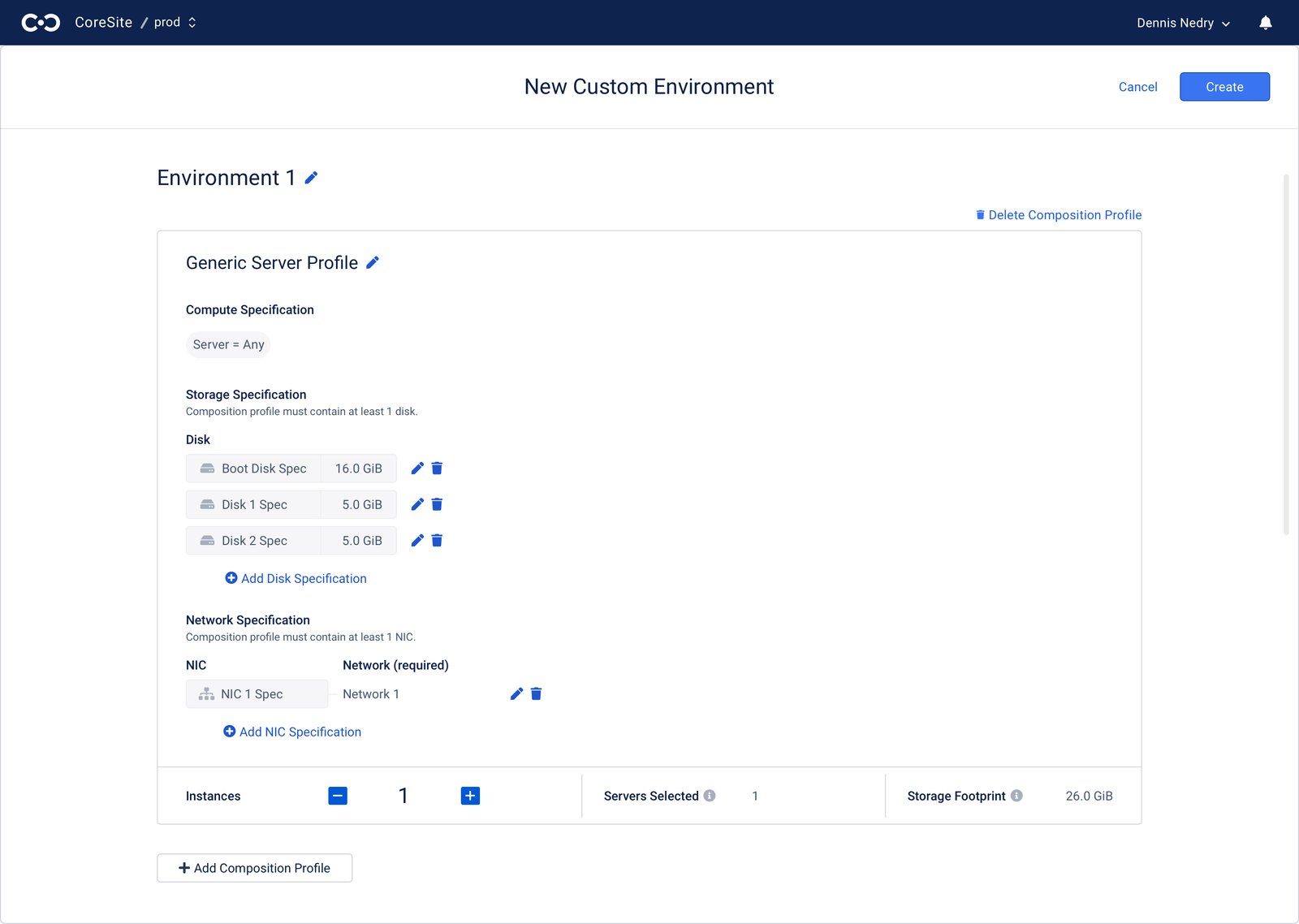
FDC 1.0 environment creation using a simplified card layout
FDC 1.0 reduced the creation form to an essential card layout.
FDC 2.0 custom environment form with a two-column checkout-style preview
FDC 2.0 added a checkout-style preview for configuration review.
Later FDC 3.0 environment-creation design with expanded resource options
A later FDC 3.0 direction explored expanded configuration and clearer hierarchy.

Design decision: I sequenced the workflow from a simple card pattern to a reviewable configuration flow instead of shipping every option at once.

04 · Scale templates safely

Make reuse accountable across tenants

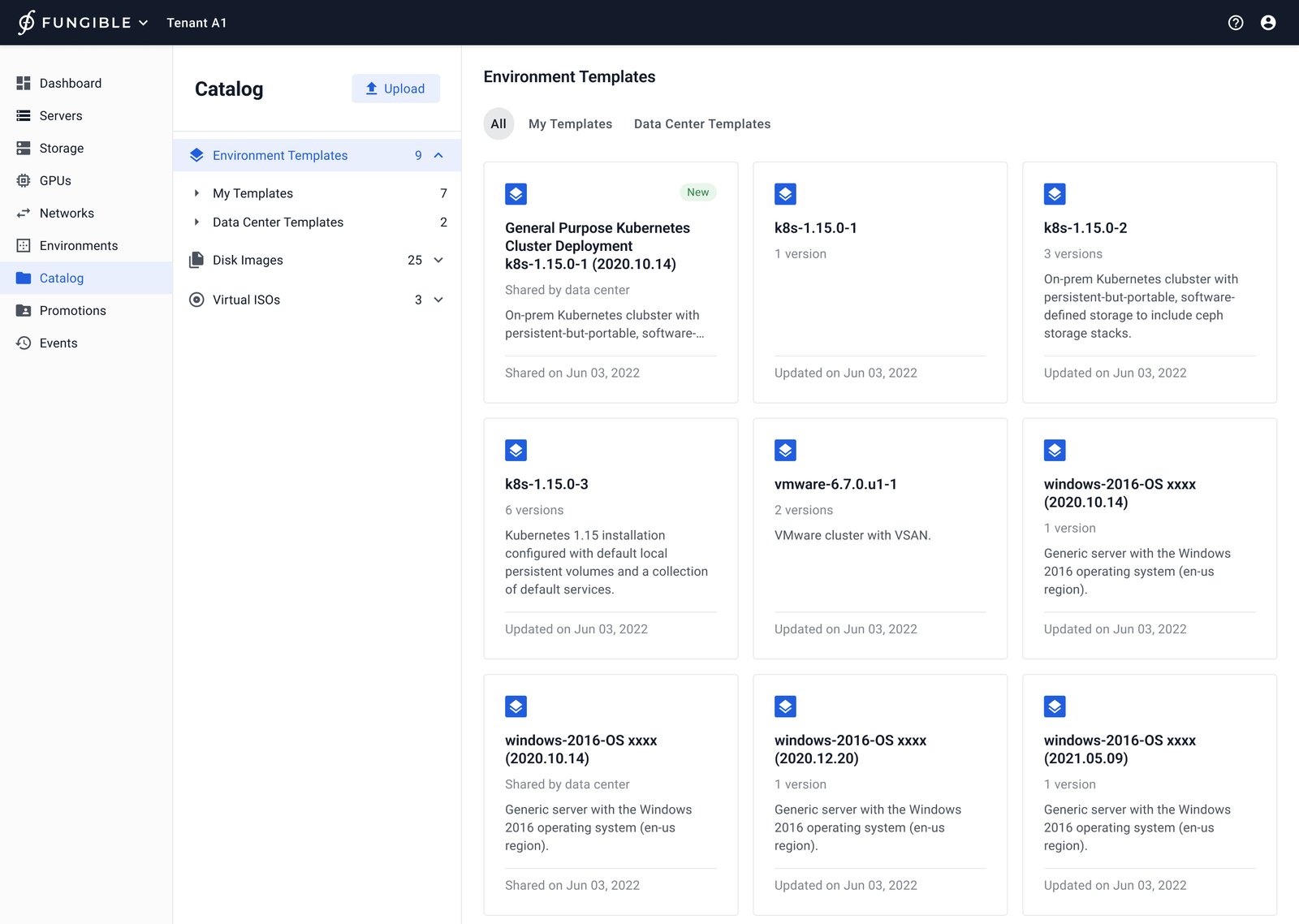
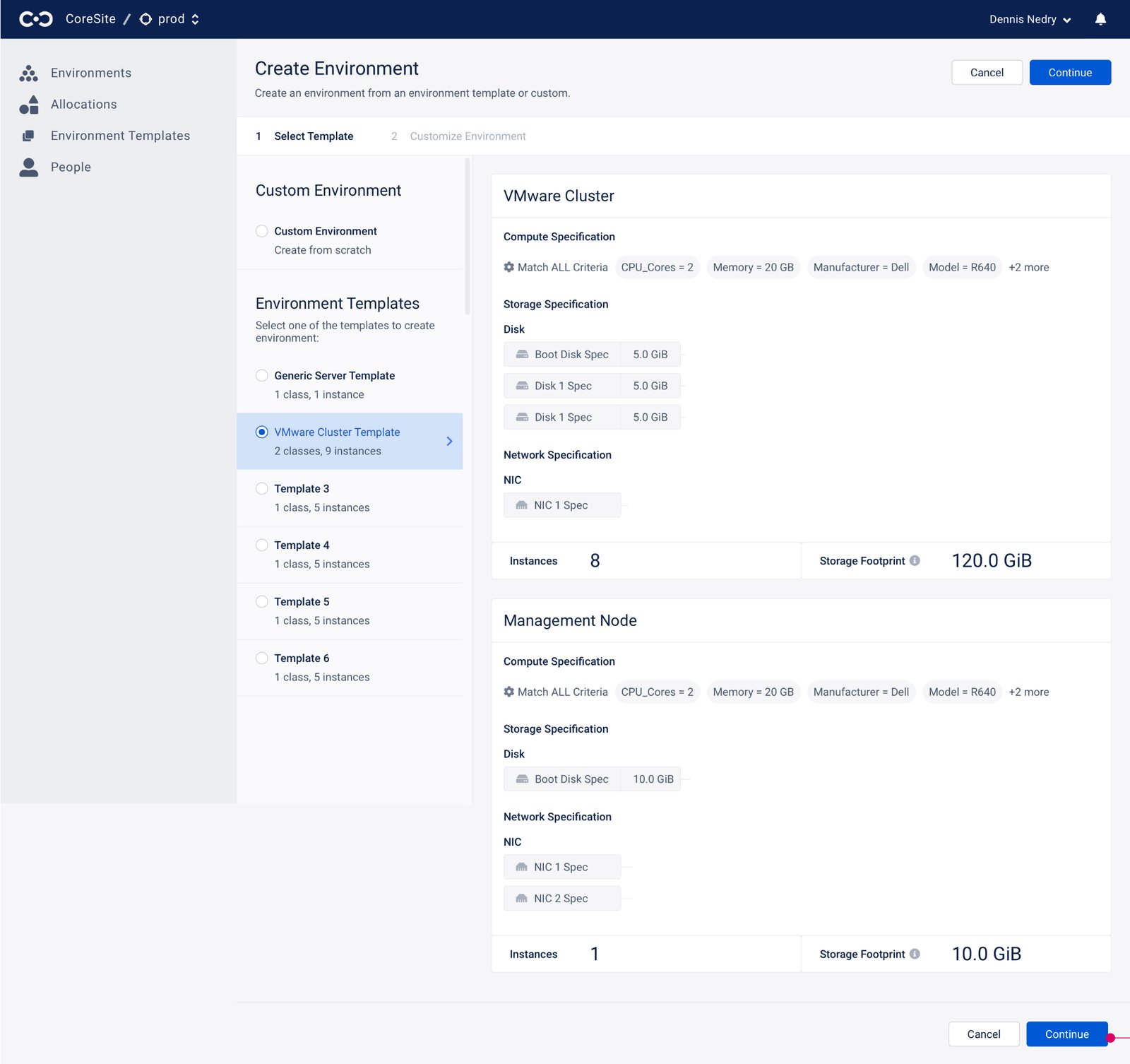
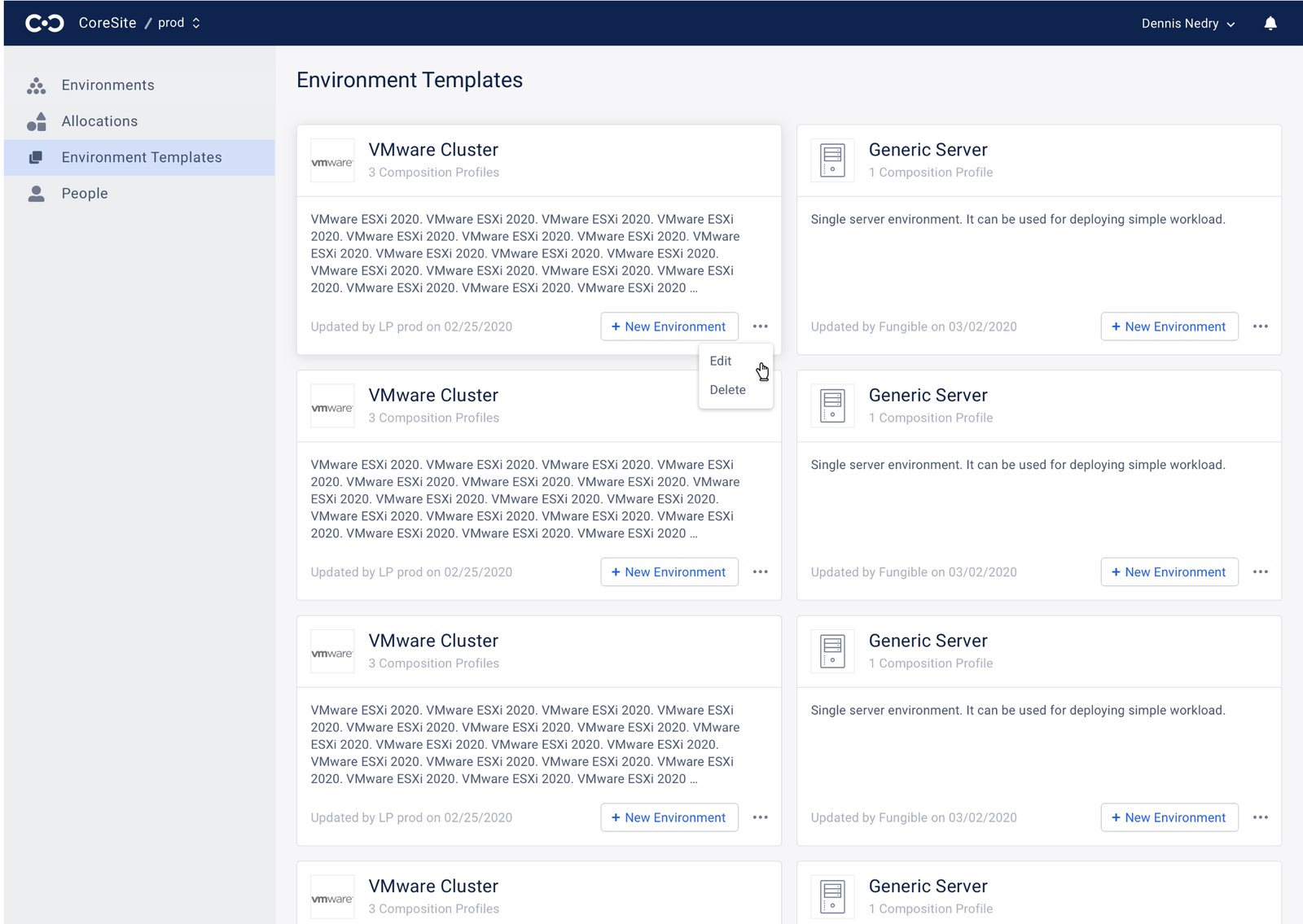
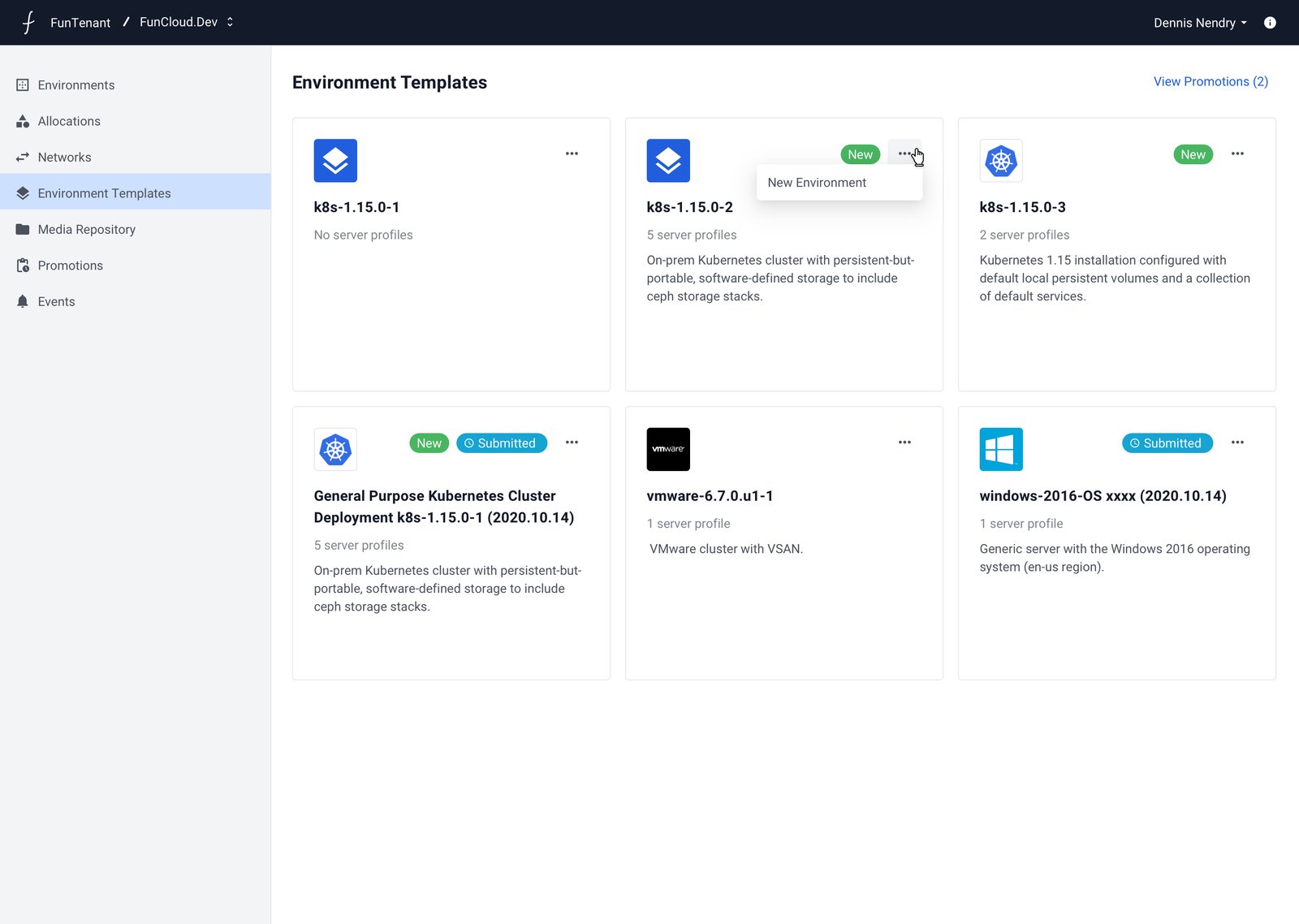
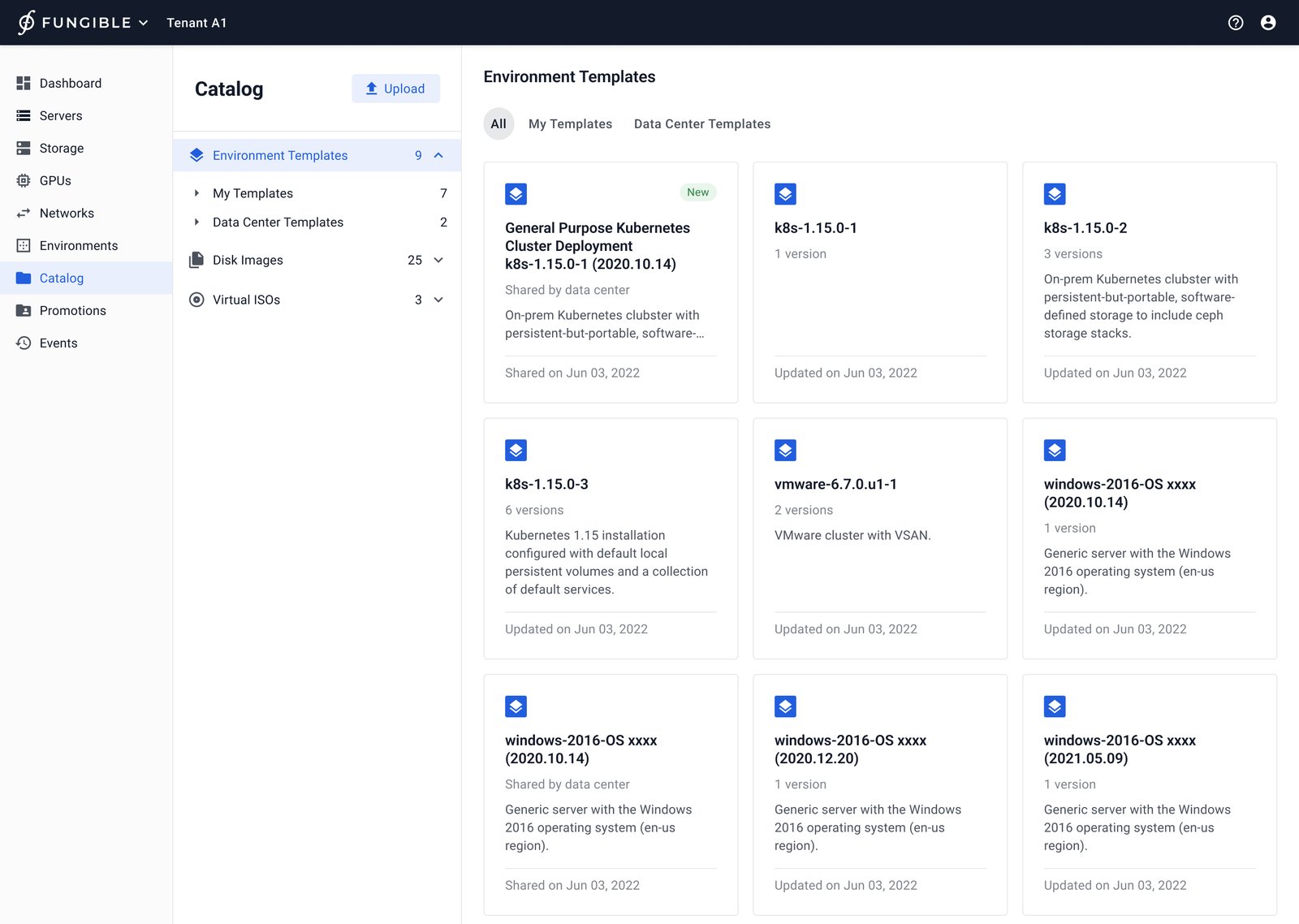
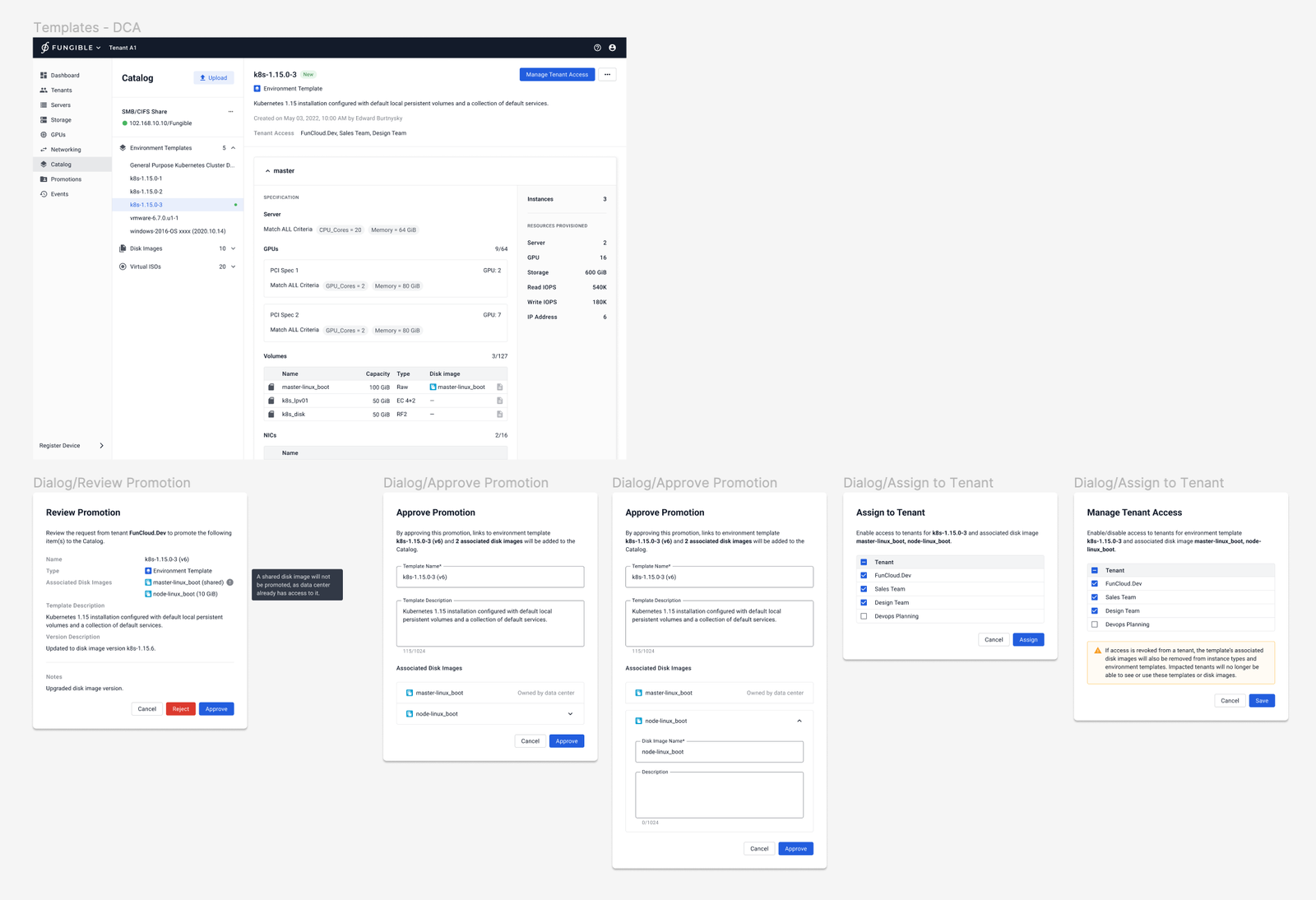
I designed the template experience as more than a save action: a Tenant Admin could reuse a composed environment, while a Data Center Admin could review promotions and manage access to shared catalog resources. The flow made ownership visible where multi-tenant work can otherwise become opaque.

I then shaped version control so teams could preserve a test environment as a version, update it deliberately, or return to an earlier state. Template-card exploration reduced specification clutter and supported a scalable pattern, not a one-off marketplace.
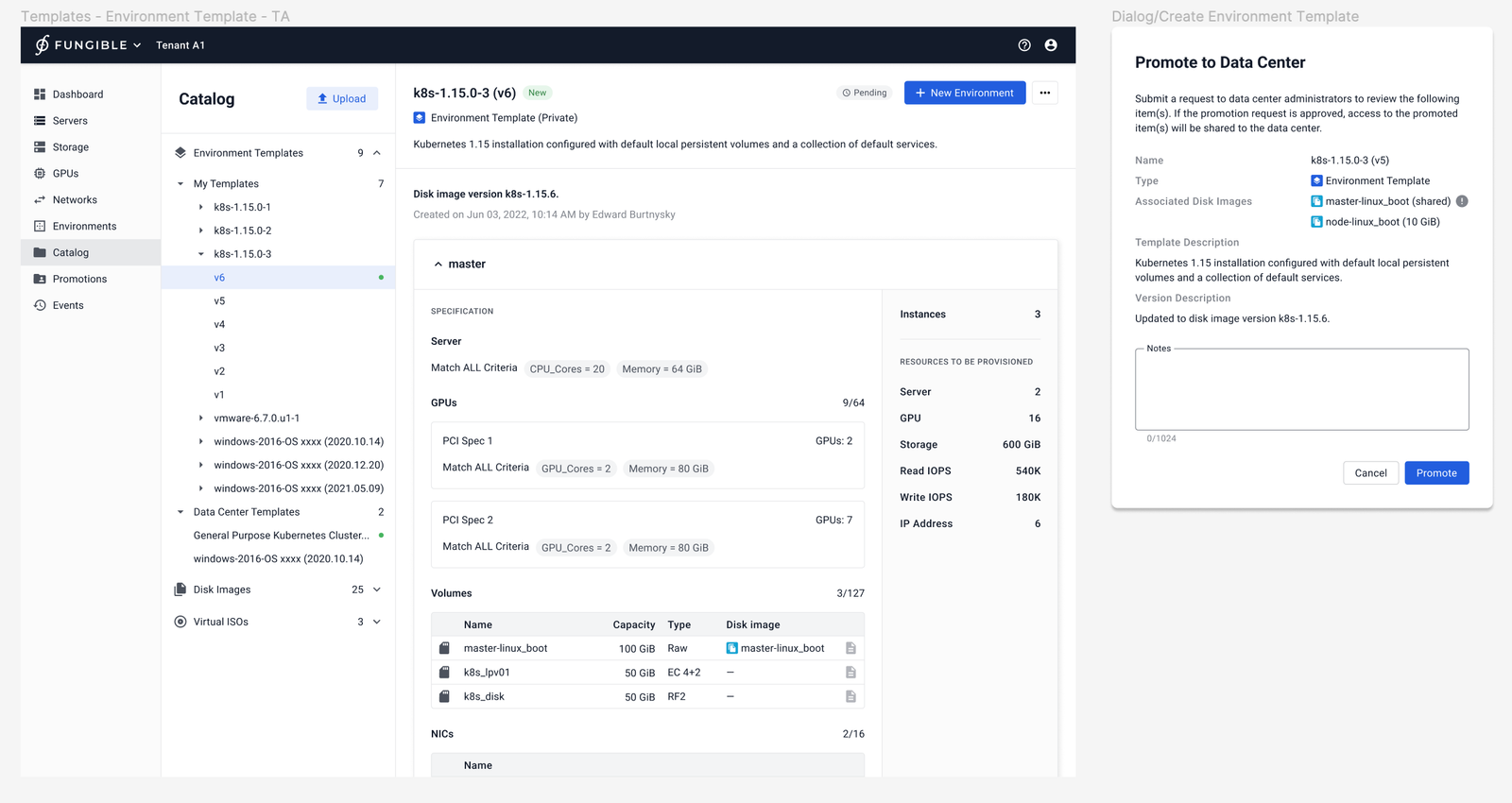
Tenant Admin flow for promoting an environment template to the data center catalog
Tenant Admins could promote a template to the shared data center catalog.
Data Center Admin review flow for approving a shared template and managing tenant access
Data Center Admins reviewed promotions and managed access to shared templates.
Environment template properties showing template information and versioning actions
Template properties supported saving an environment as a new template or a version.

Design decision: I connected promotion, role-based review, and version history so reusable infrastructure could move between tenants with clear stewardship.

An MVP and a durable systems-design lesson

The MVP launched in August 2020. I continued to evolve the experience through subsequent iterations, but the final release was pending when product direction changed and the product was retired.

  • I turned a new infrastructure concept into an environment-centered workflow.
  • I gave administrators a scalable path from structure to instance-level action.
  • I established reusable patterns for creation, sharing, permissions, and versioning.

Design for learning as well as operation

I learned that innovative infrastructure needs both education and familiar interaction patterns. The concept evolved toward a third version before product direction changed, reinforcing the value of incremental systems that can accommodate change.
More original design explorations
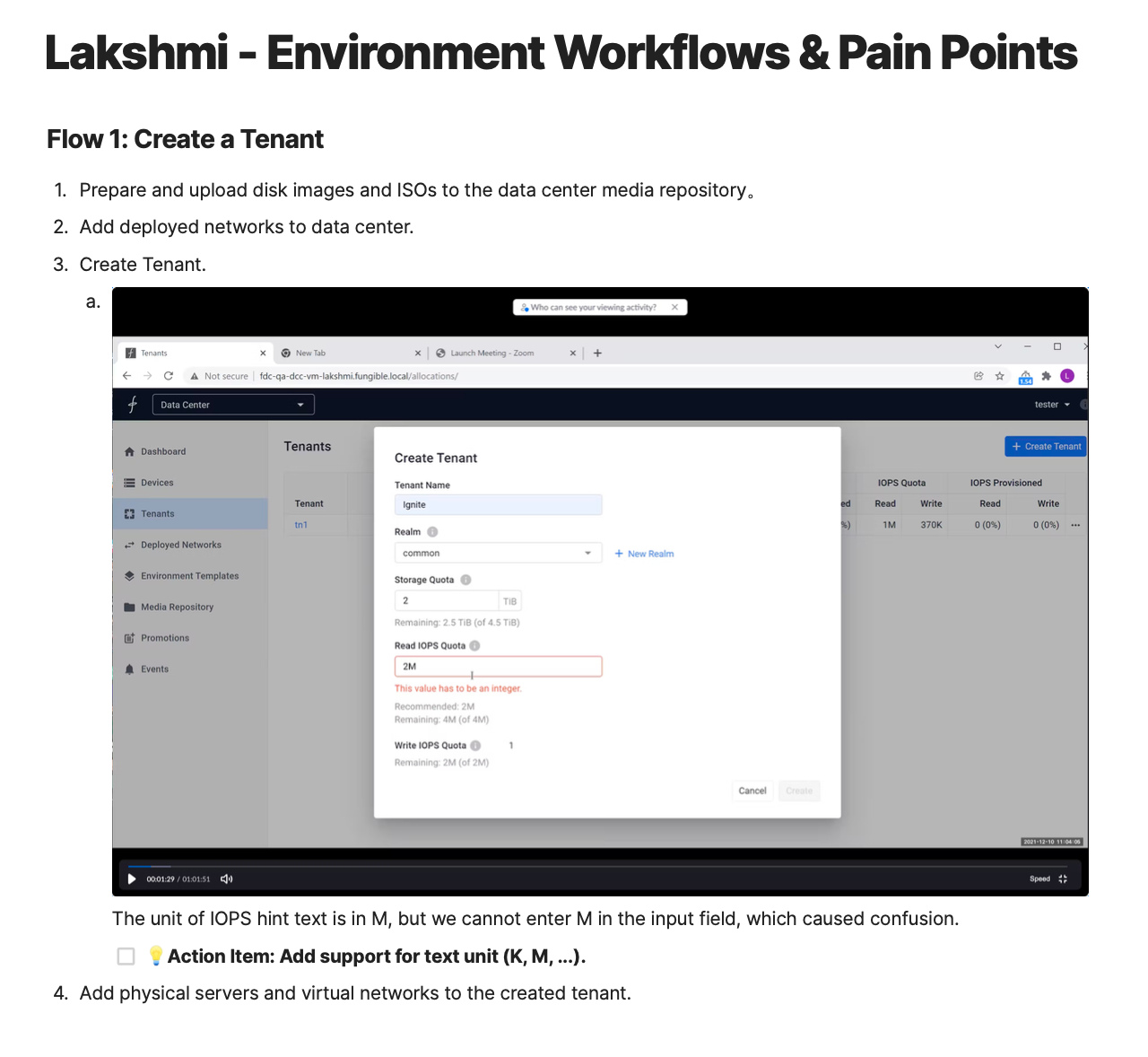
Data Center Composer: Enviornment creation form is applicable to both custom environment creation and environment created from template
Enviornment creation form is applicable to both custom environment creation and environment created from template
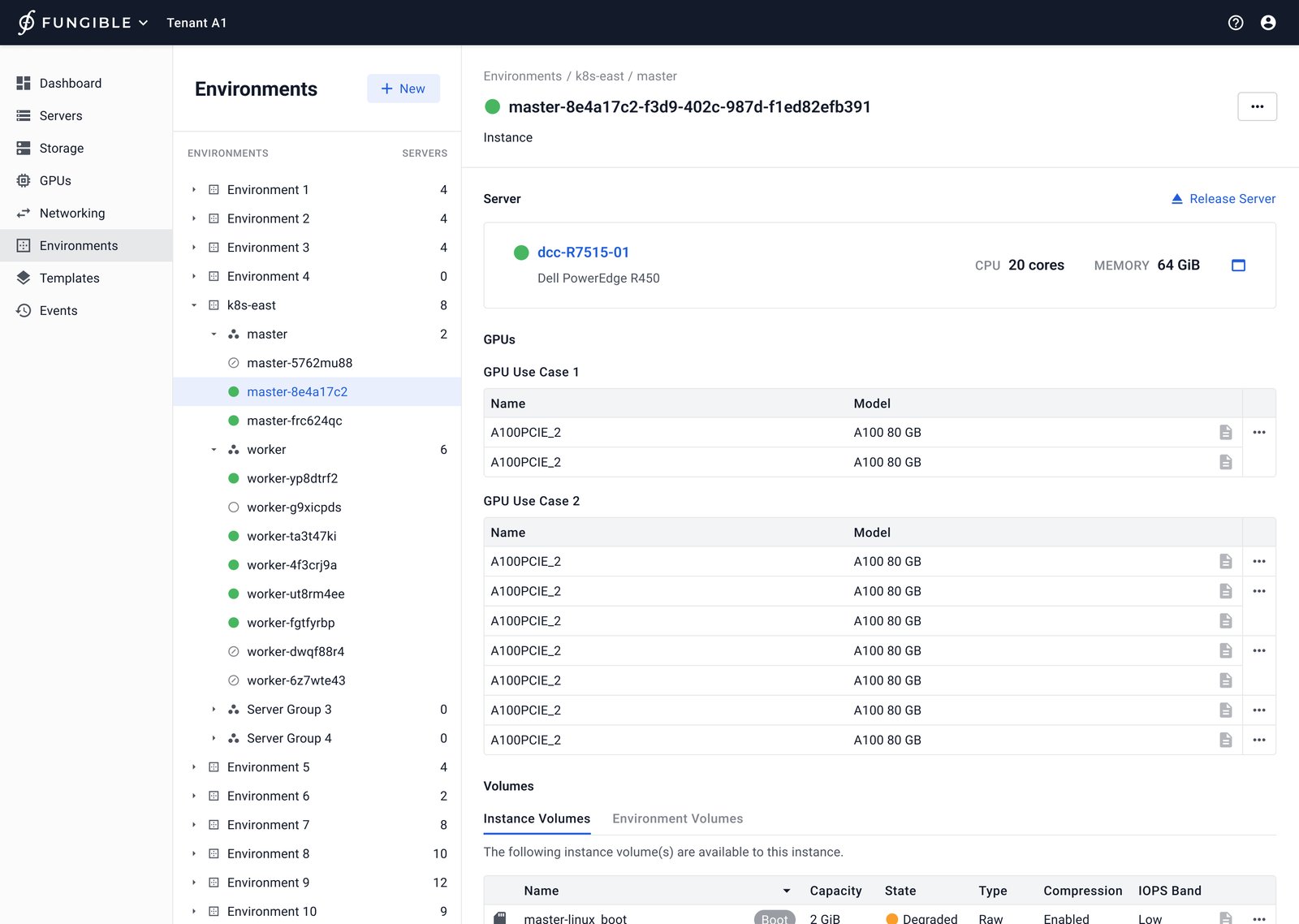
Data Center Composer: Instance page; once a composed server instance is created, physical resources can be swapped without destroying workload-specific composition; page consists of Server, GPUs, Volumes, Networks.
Instance page; once a composed server instance is created, physical resources can be swapped without destroying workload-specific composition; page consists of Server, GPUs, Volumes, Networks.
Data Center Composer: Instances can be added without servers or GPUs.
Instances can be added without servers or GPUs.
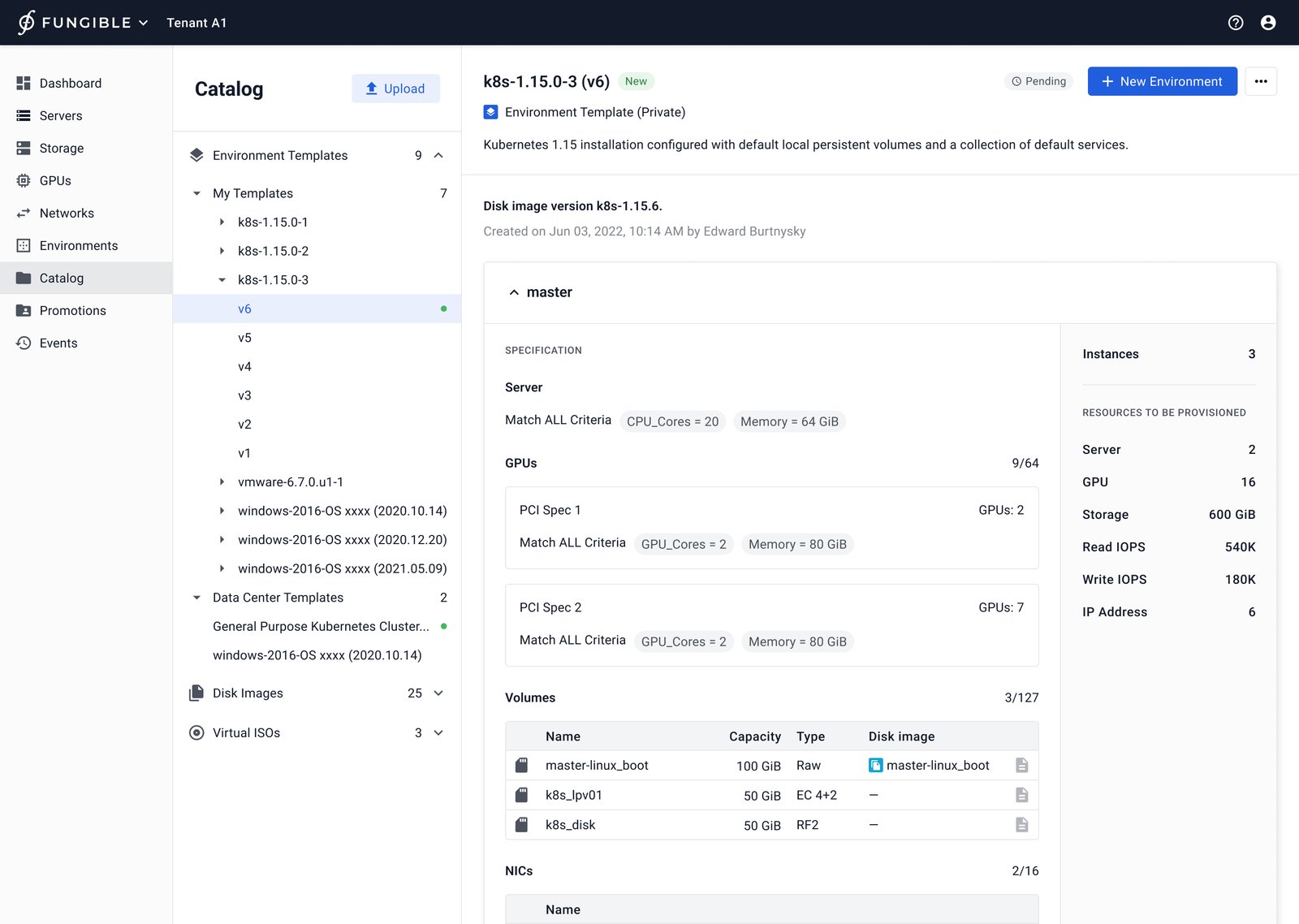
Data Center Composer: Environment template consists of resource specifications needed in the environment; users can perform one-click environment deployment.
Environment template consists of resource specifications needed in the environment; users can perform one-click environment deployment.
Data Center Composer: Tenant environment template version control.
Tenant environment template version control.
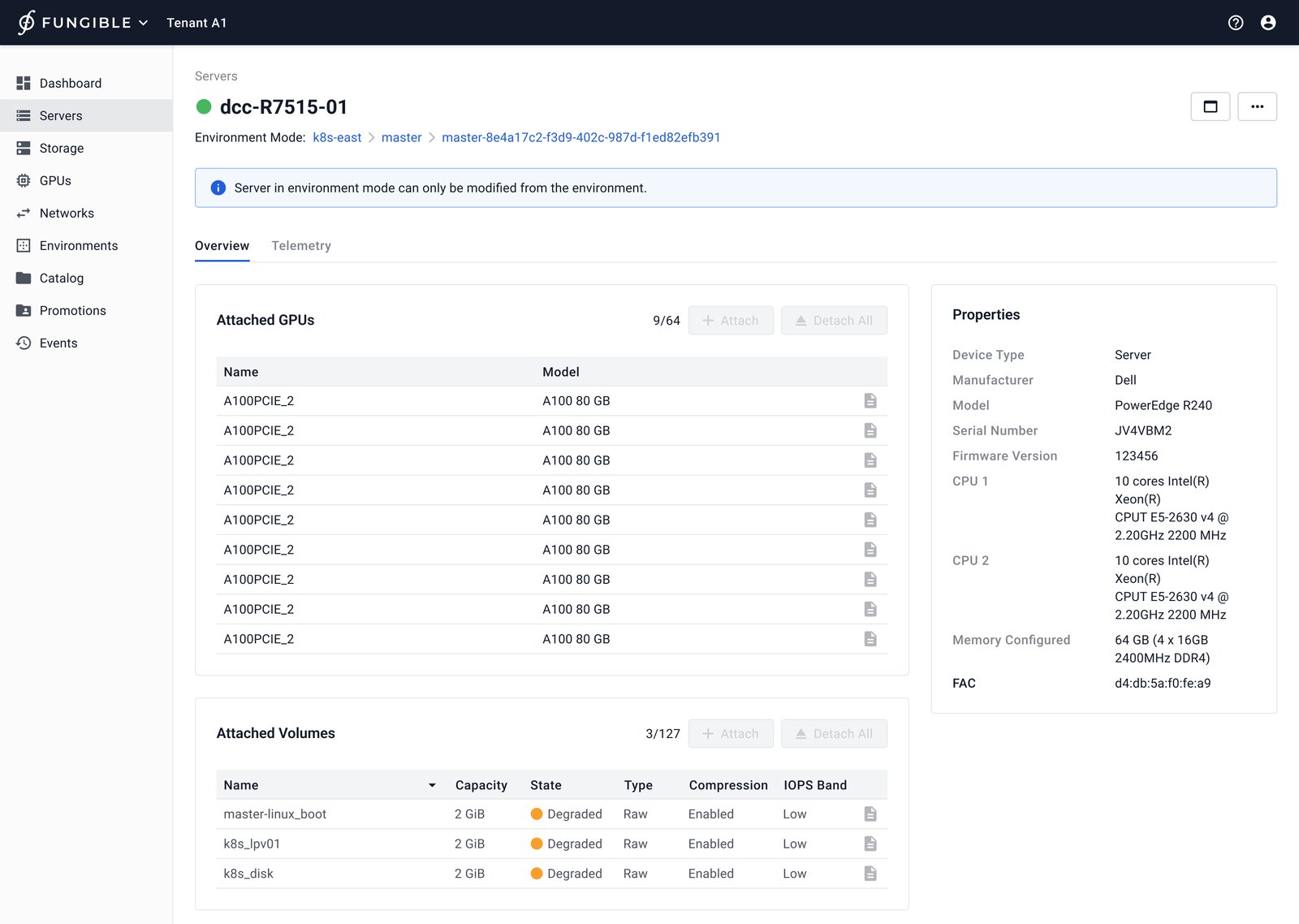
Data Center Composer: This is a server within an environment and was added in an instance.
This is a server within an environment and was added in an instance.
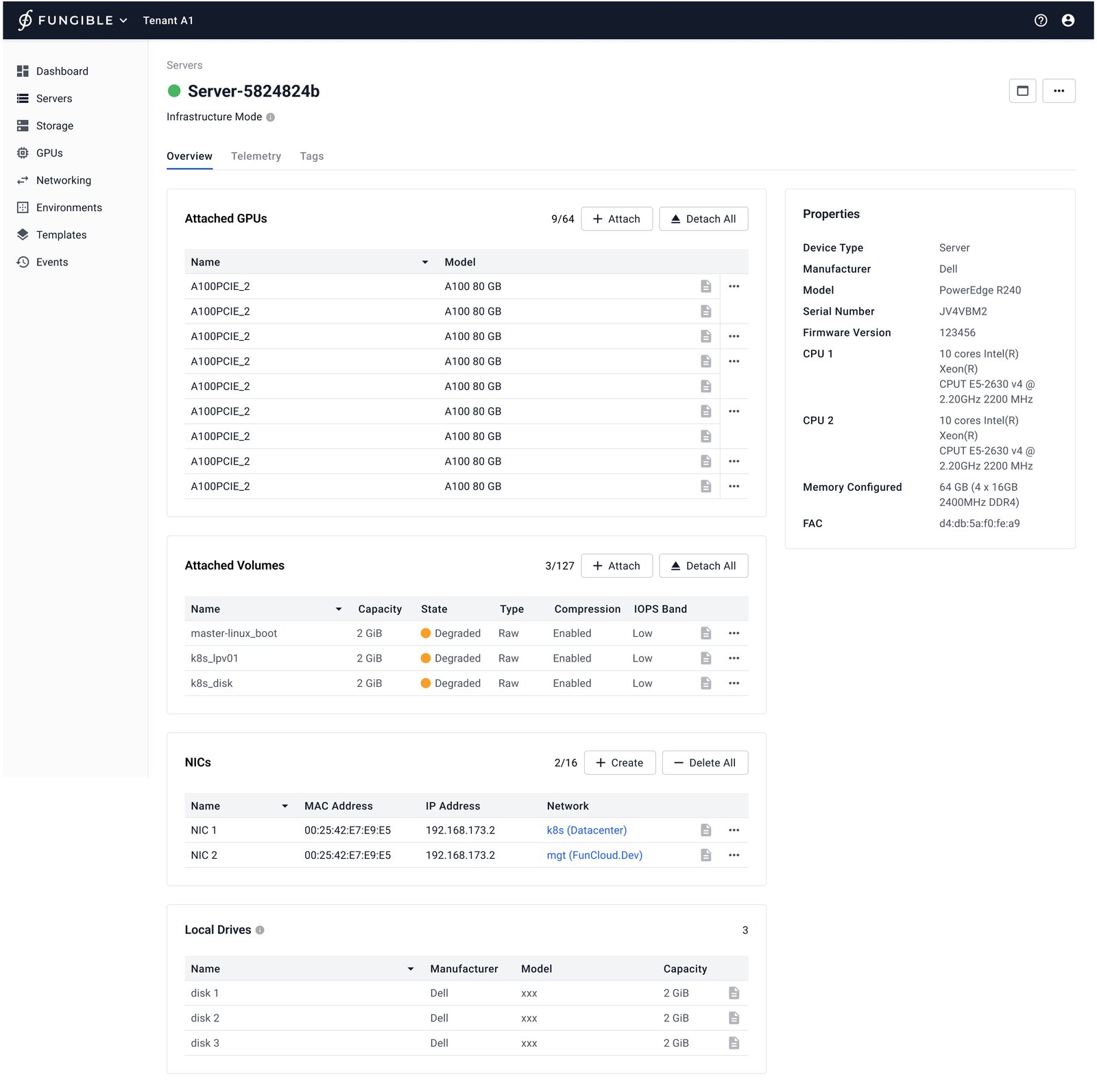
Data Center Composer: An infrastructure mode server can be modified from data center.
An infrastructure mode server can be modified from data center.
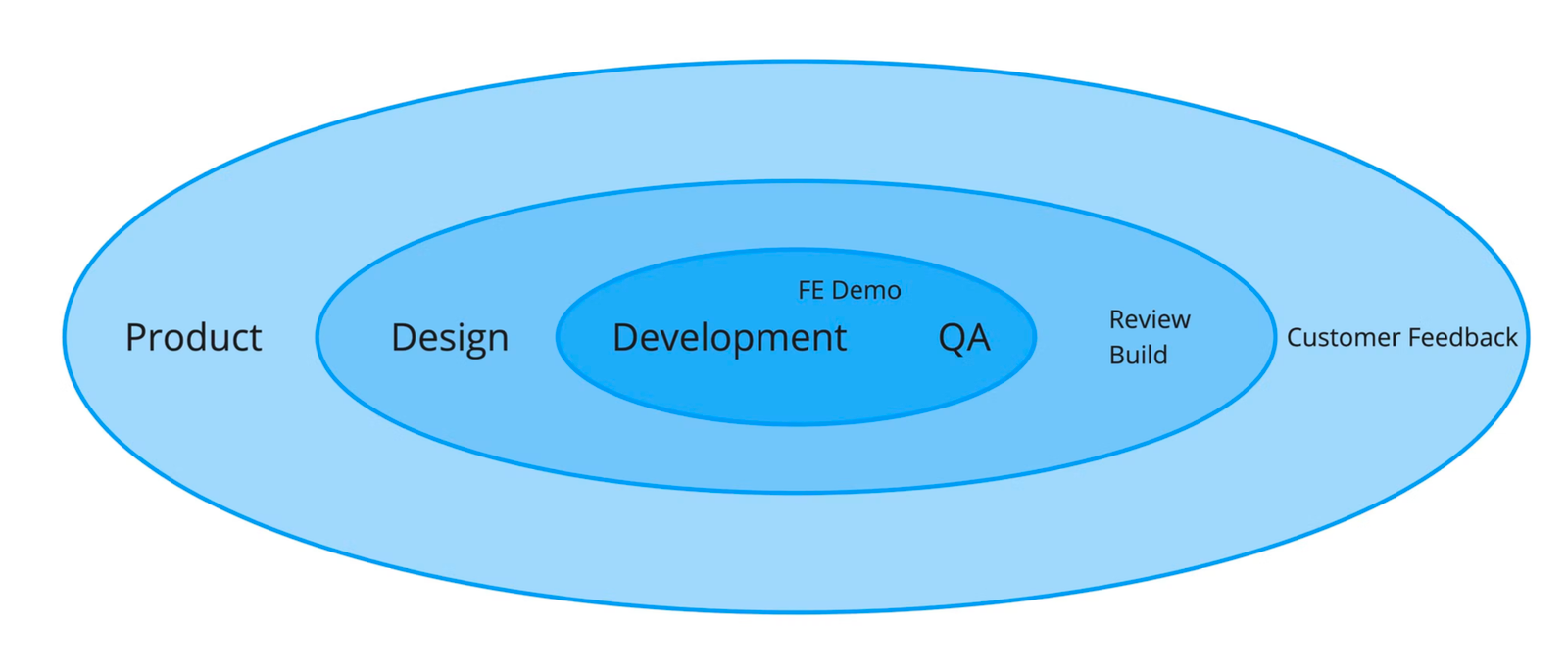
Data Center Composer: Feedback loop.
Feedback loop.
Data Center Composer: Collected feedback from a Fungible Field Engineer; accompanying quote mentions VMware vSphere folder structure.
Collected feedback from a Fungible Field Engineer; accompanying quote mentions VMware vSphere folder structure.
Data Center Composer: Observed a QA engineer go through an ideal user workflow; accompanying quote says server profile creation should educate users about consequences.
Observed a QA engineer go through an ideal user workflow; accompanying quote says server profile creation should educate users about consequences.
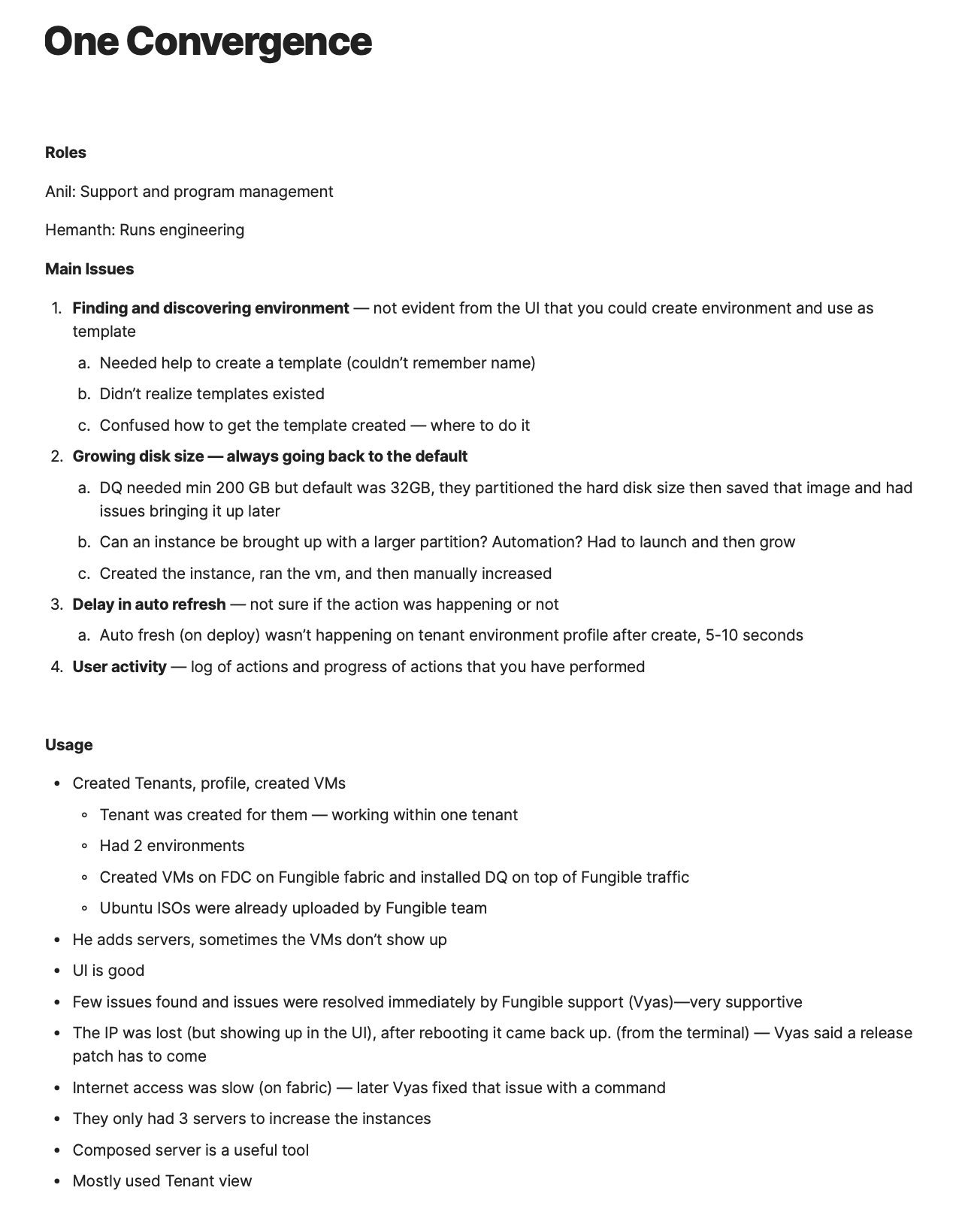
Data Center Composer: Other team members interviewed one of our customer; accompanying quote says the customer did not realize environment templates existed or how to create one.
Other team members interviewed one of our customer; accompanying quote says the customer did not realize environment templates existed or how to create one.
Data Center Composer: Option 1 – Make Instances more important.
Option 1 – Make Instances more important.
Data Center Composer: Option 2 – Make server specification more important.
Option 2 – Make server specification more important.
Data Center Composer: Option 3 – Using tree navigation for a single environment.
Option 3 – Using tree navigation for a single environment.
Data Center Composer: Internal Release 3 – “preview and bind” exploration; backlogged due to complexity and development effort.
Internal Release 3 – “preview and bind” exploration; backlogged due to complexity and development effort.
Data Center Composer: Design system component – Template Card visual exploration.
Design system component – Template Card visual exploration.
Data Center Composer: Template card / shared menu design.
Template card / shared menu design.
Data Center Composer: Environment template design.
Environment template design.
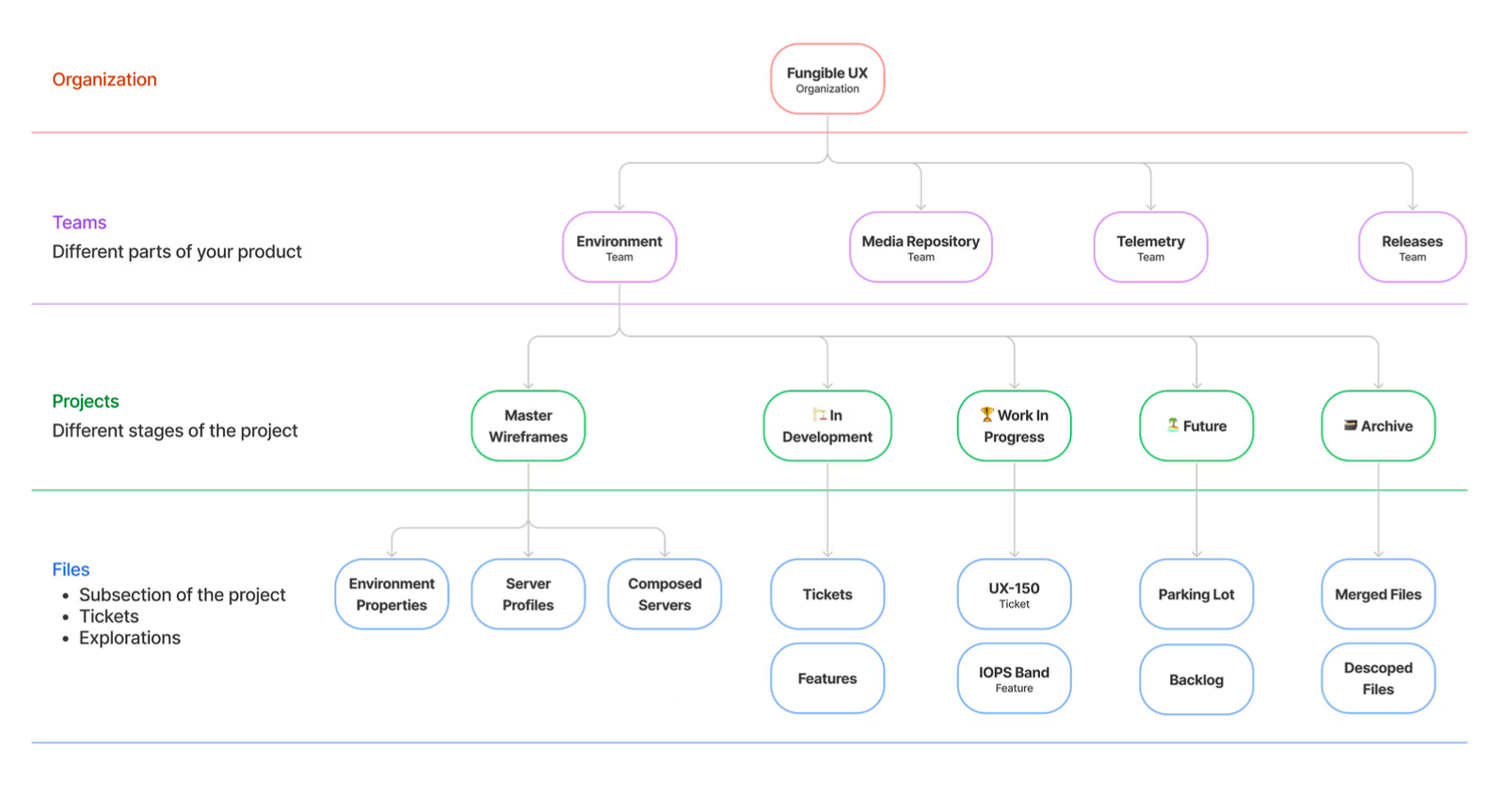
Data Center Composer: Figma workflow; each team roughly maps to cross-functional product teams (pods).
Figma workflow; each team roughly maps to cross-functional product teams (pods).
Data Center Composer: Figma workflow: to start a project, create a new Team and create projects.
Figma workflow: to start a project, create a new Team and create projects.
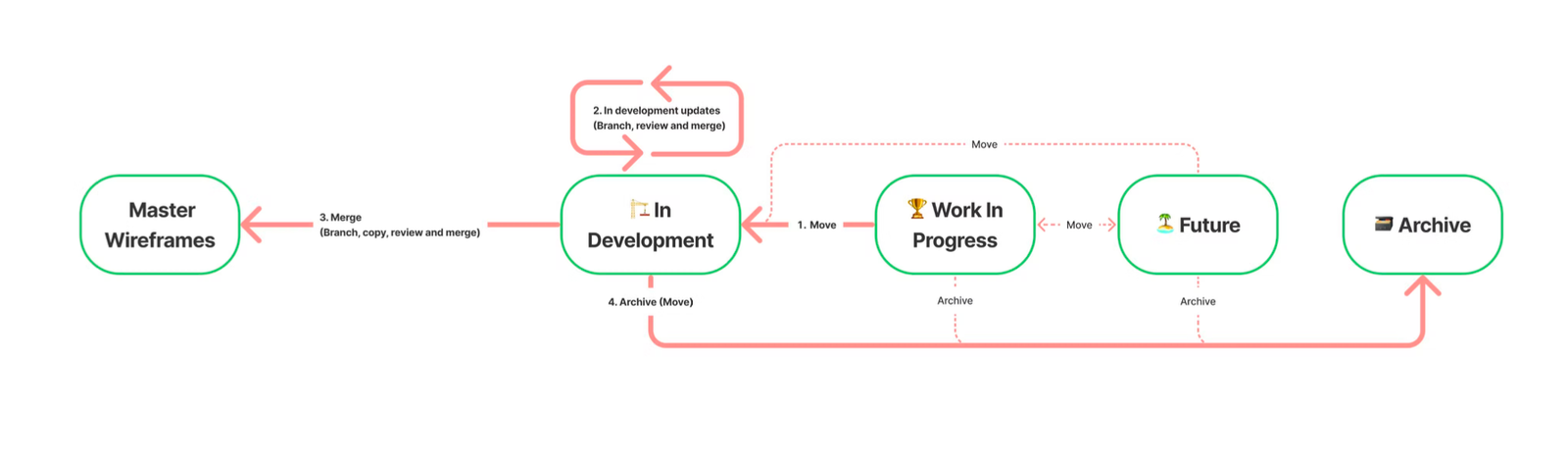
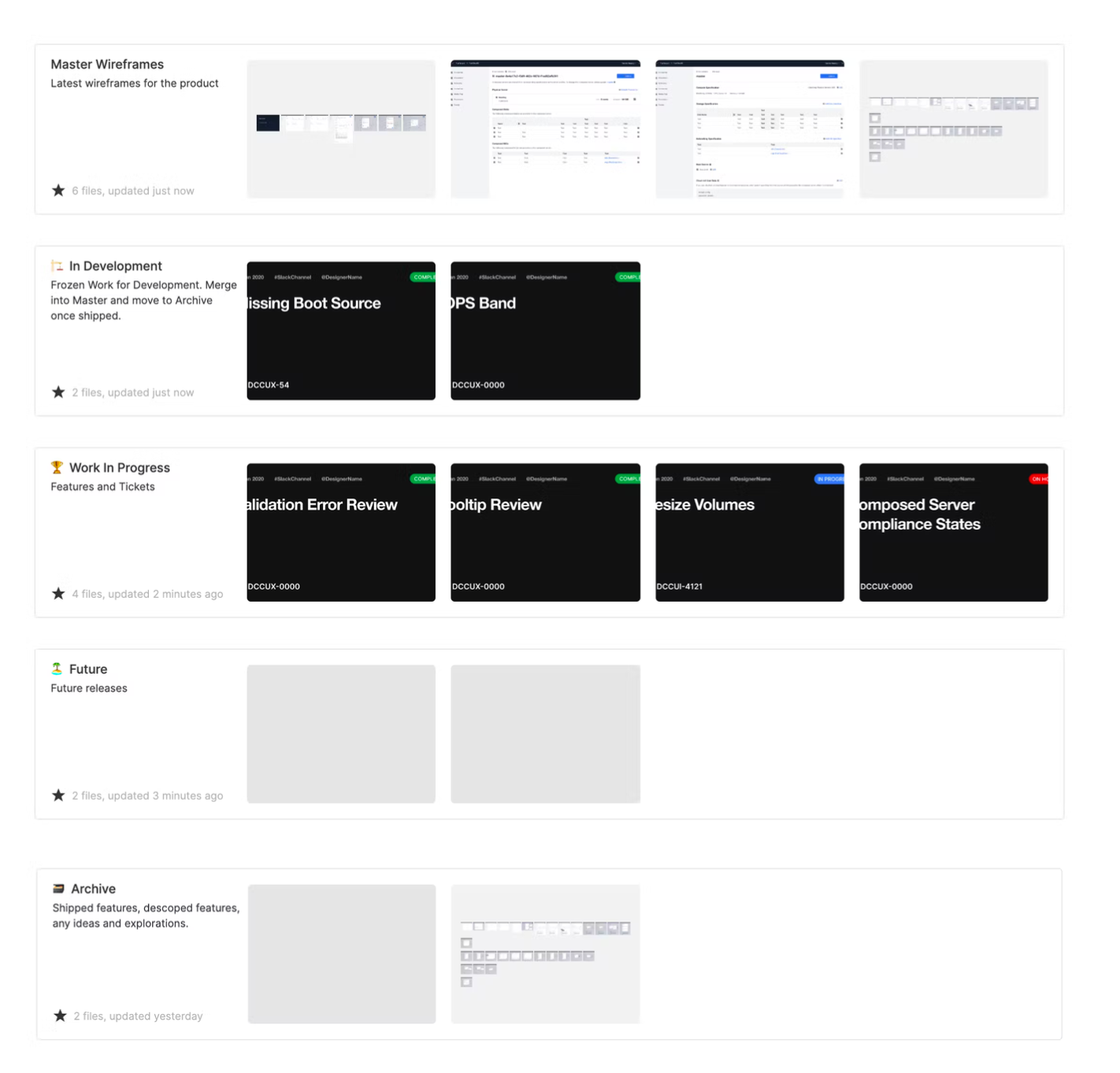
Data Center Composer: Figma workflow folder types: Master Wireframes, In Development, Work In Progress, Future, Archive.
Figma workflow folder types: Master Wireframes, In Development, Work In Progress, Future, Archive.

Next case study: F5 AI Gateway