XIAOWEI CHEN
Back to selected work

OBSERVABILITY · F5 · NGINX

NGINX One Observability

Making NGINX observability easier to read
My role
End-to-end UX design
Period
2025
Timeline
4 months
Status
Design exploration
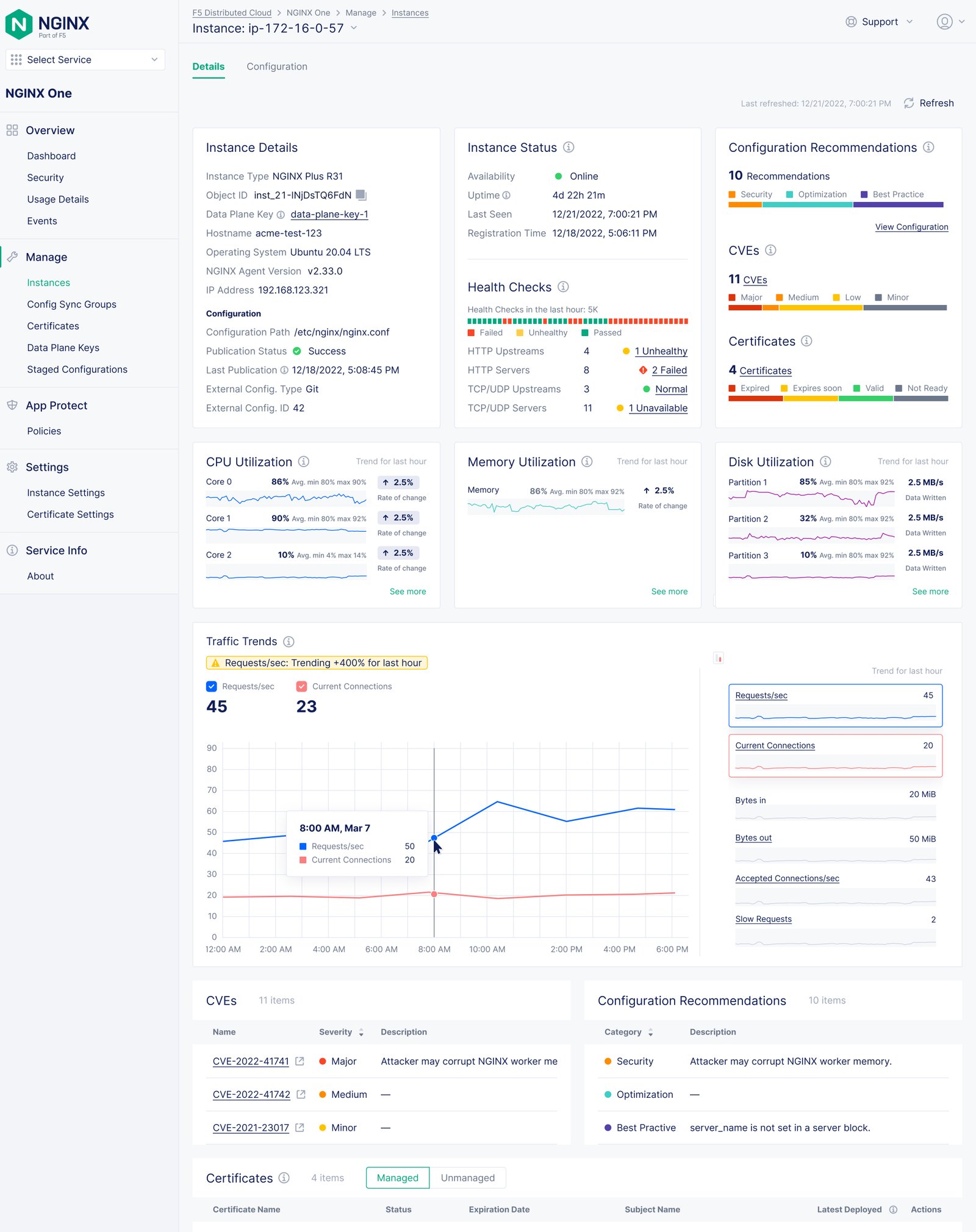
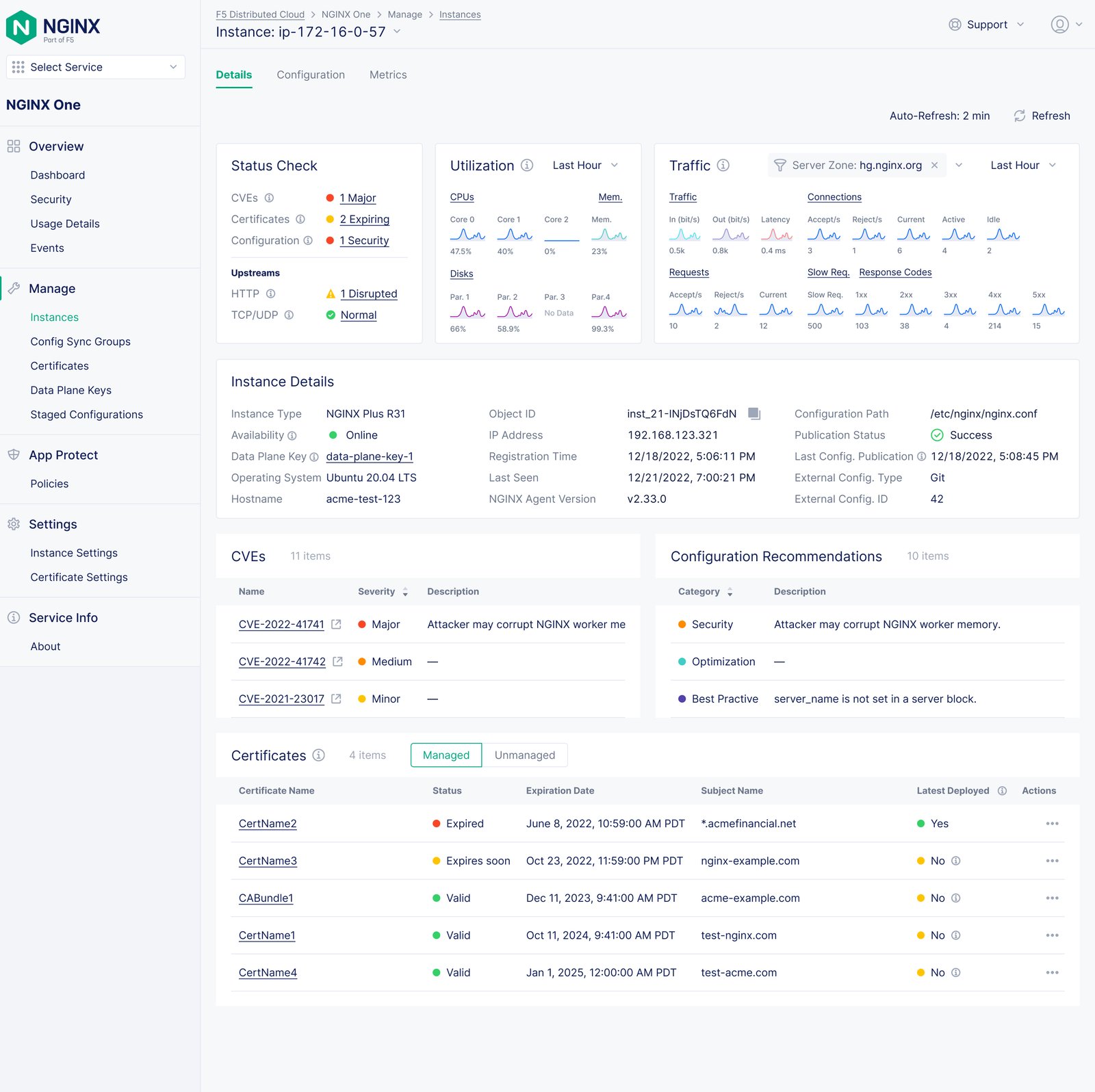
Final NGINX One instance metrics dashboard with health, utilization, and traffic cards.
Final dashboard design: an at-a-glance starting point for instance health and trends.

Overview

I explored a calmer, more legible way to monitor NGINX Open Source and NGINX Plus instances in NGINX One. The work turns the observability journey from observe to diagnose to resolve into a connected data experience.

Complex infrastructure data needed a clearer story

The existing NGINX Plus dashboard placed connections, upstreams, caches, SSL data, and system metrics in dense tables with little hierarchy. I set out to help administrators, DevOps engineers, and SREs recognize health, investigate anomalies, and reach relevant next steps without turning the interface into another wall of telemetry.

Lead with health

Surface risks, status, and trends before raw detail.

Make relationships visible

Use linked metrics and shared scales for comparison.

Reveal depth on demand

Keep the overview calm while preserving drill-in paths.

01 — Starting point

Read the current state before redrawing it

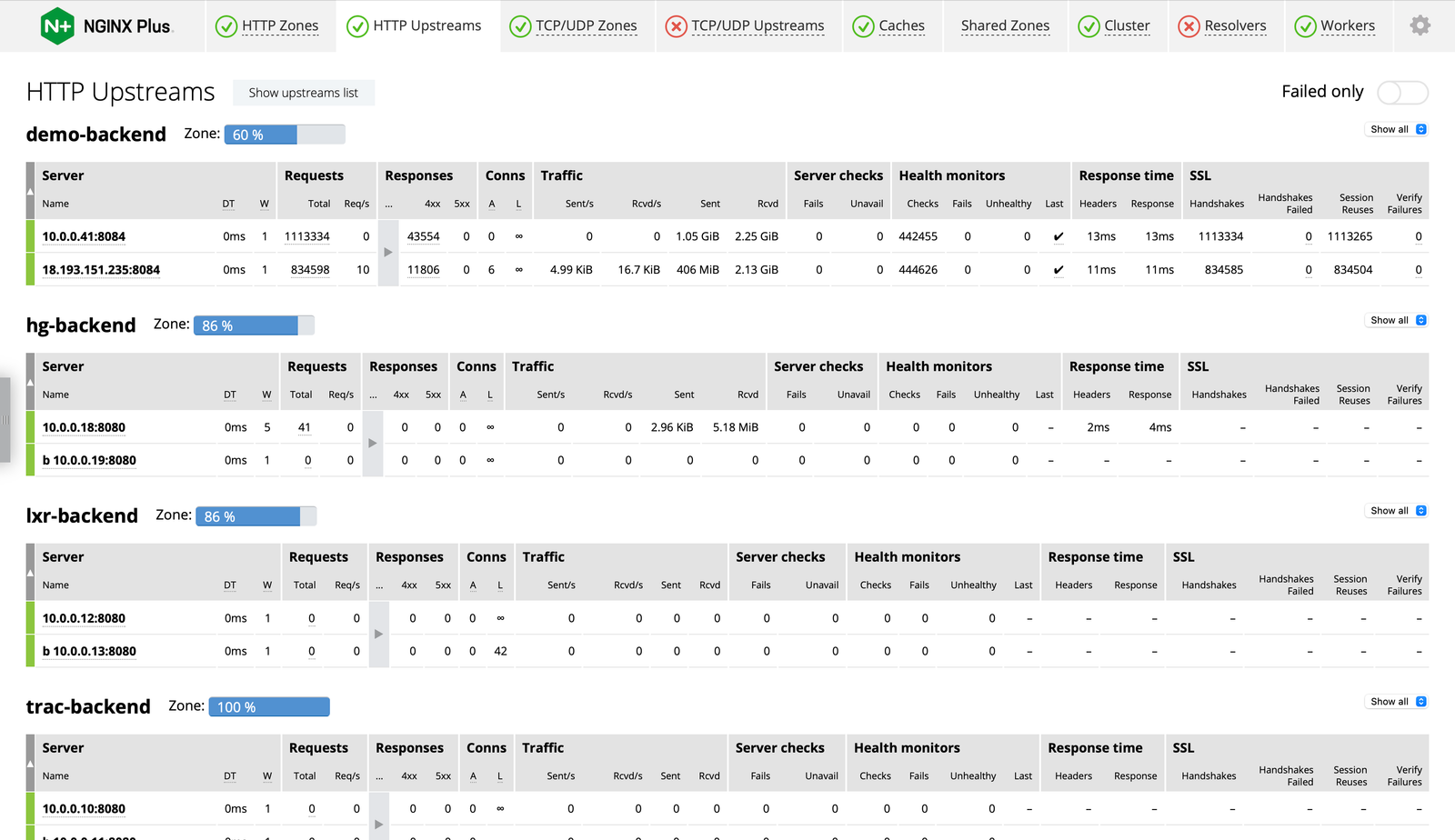
I began with the existing NGINX Plus experience, where useful signals competed in dense tables and small text. Health, traffic, utilization, and configuration details carried nearly equal visual weight, making it difficult to see what deserved attention first.

Instead of treating this as a chart-style problem, I framed the journey as observe → diagnose → resolve: establish system status, follow a signal into context, then connect the investigation to a relevant resource or action.
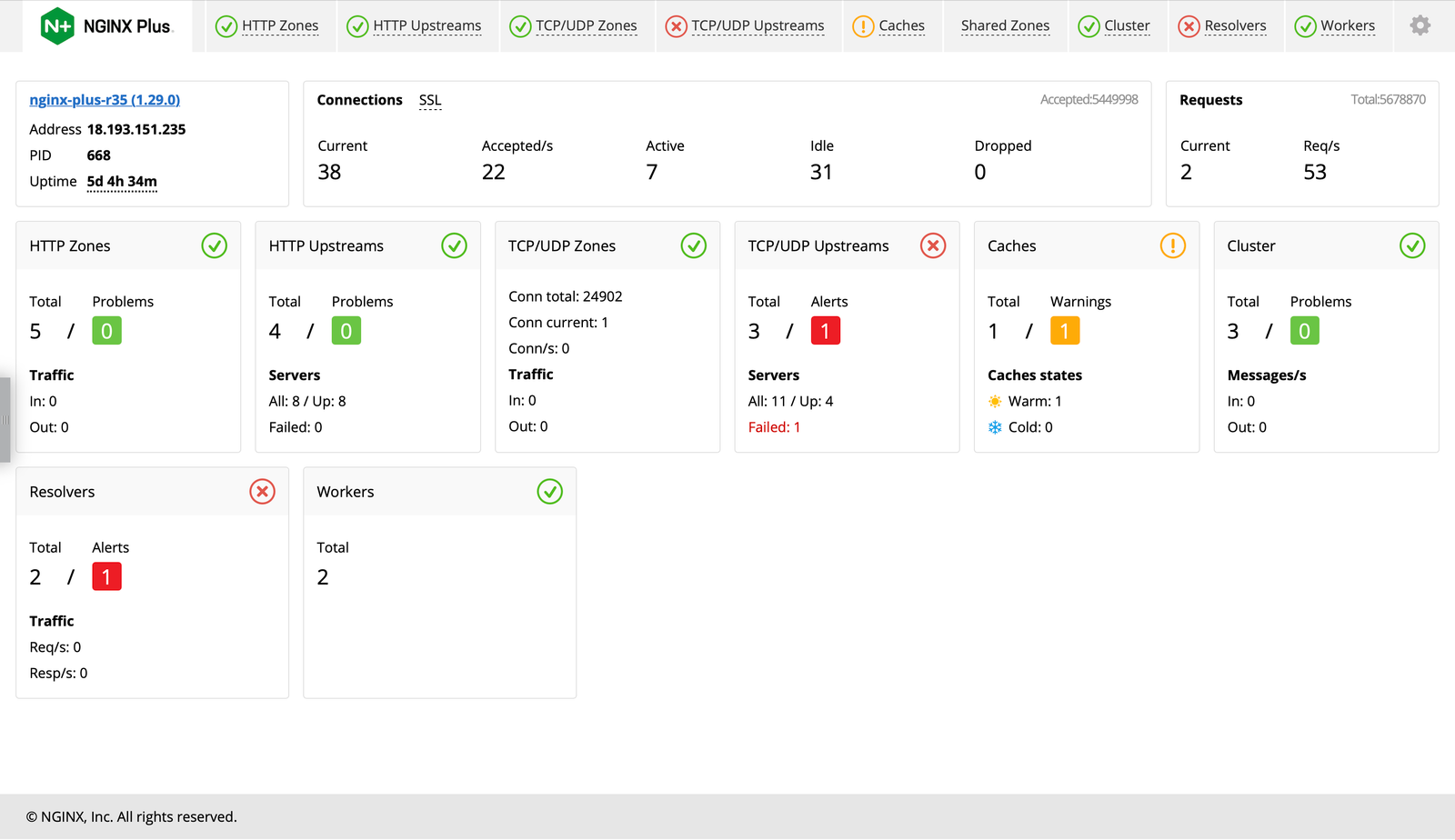
Existing NGINX Plus dashboard filled with dense operational data tables.
Existing-product reference: dense operational information with limited visual hierarchy.

Design decision: I chose hierarchy—not more telemetry—as the first design intervention.

02 — Mental model

Map metrics to the questions engineers ask

I worked with product and engineering partners to map relationships among metrics, components, data flow, and navigation. That shared mental model clarified which signals belonged at the instance overview and which needed a deeper analytical view.

I prioritized CVEs, certificates, traffic, utilization, and changes over time because engineers need patterns and correlations, not a stream of isolated real-time numbers. The result gave the team a common basis for scope and information hierarchy.
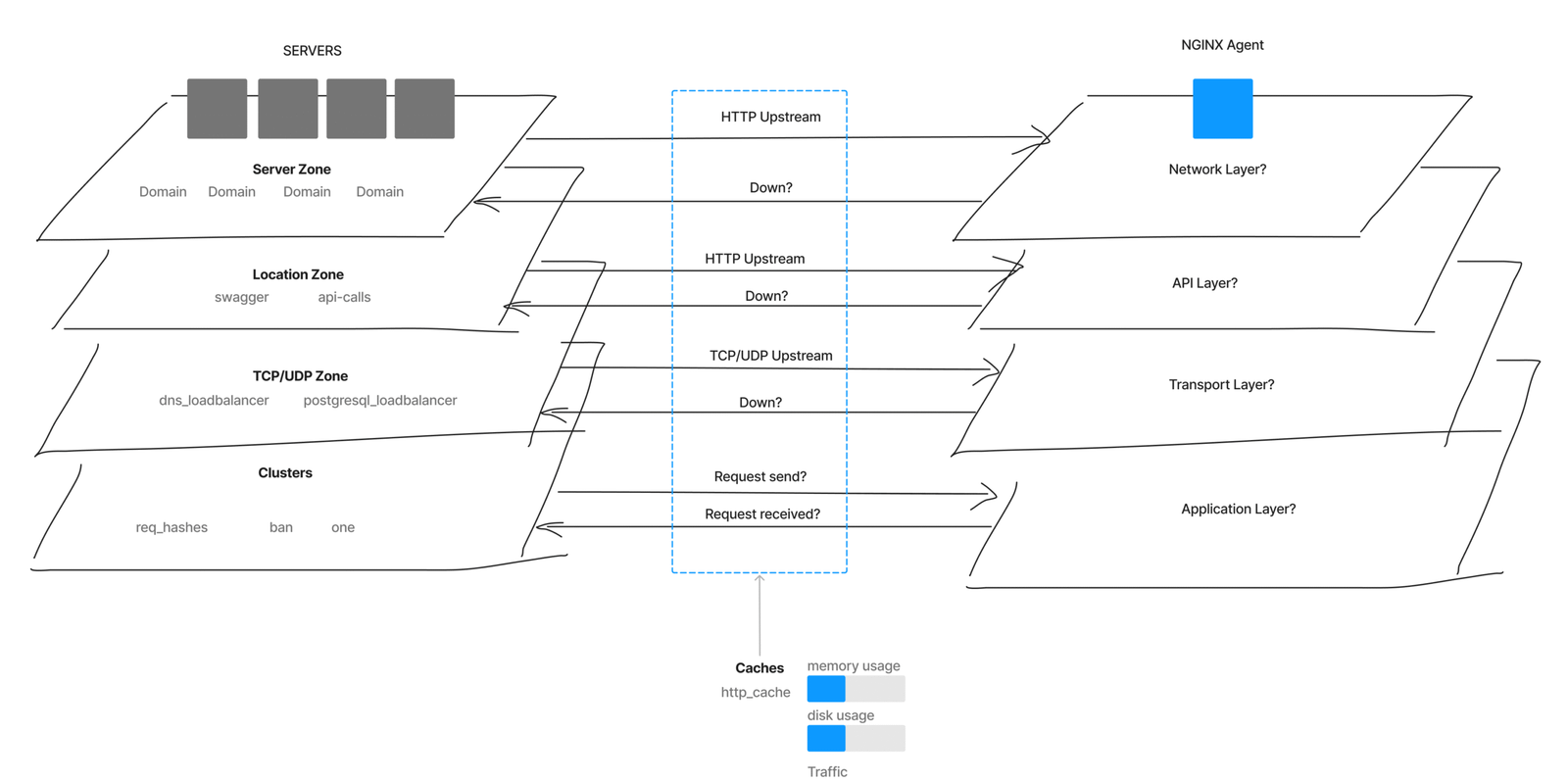
Concept map showing NGINX metrics, components, and relationships.
Metrics exploration used to align data relationships, priorities, and navigation.

Design decision: I organized the experience around actionable trends and connected metric groups.

03 — Exploration

Test how much detail the overview can hold

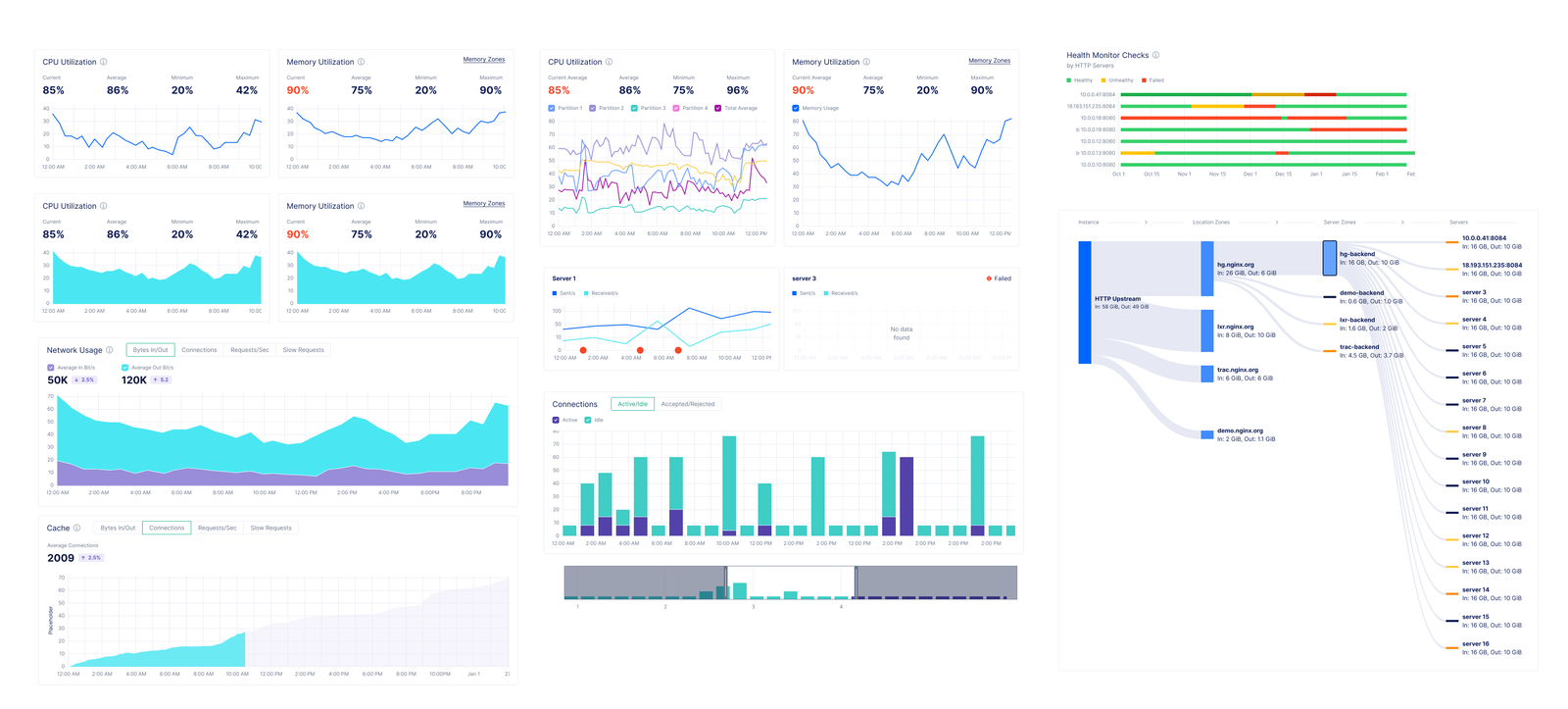
I compared status-led, clean-card, and condensed dashboard directions to find a useful level of density. The studies let me evaluate how cards, sparklines, and numeric summaries could signal change without asking people to parse every value.

The emerging data-explorer direction kept a modular overview as the entry point while leaving room for contextual expansion. It balanced the breadth expected of an observability tool with a visual rhythm that could scale across NGINX Open Source and NGINX Plus.
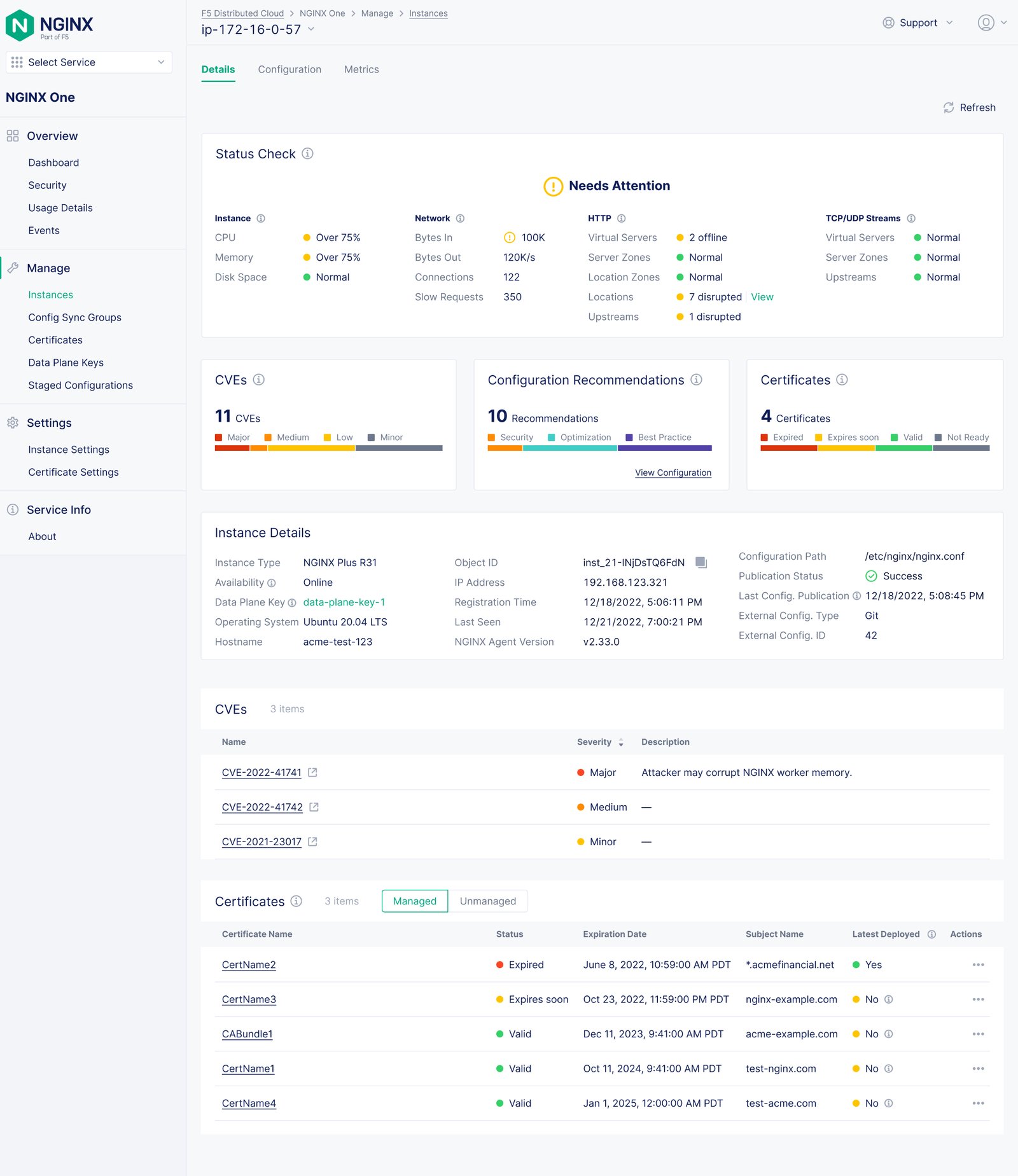
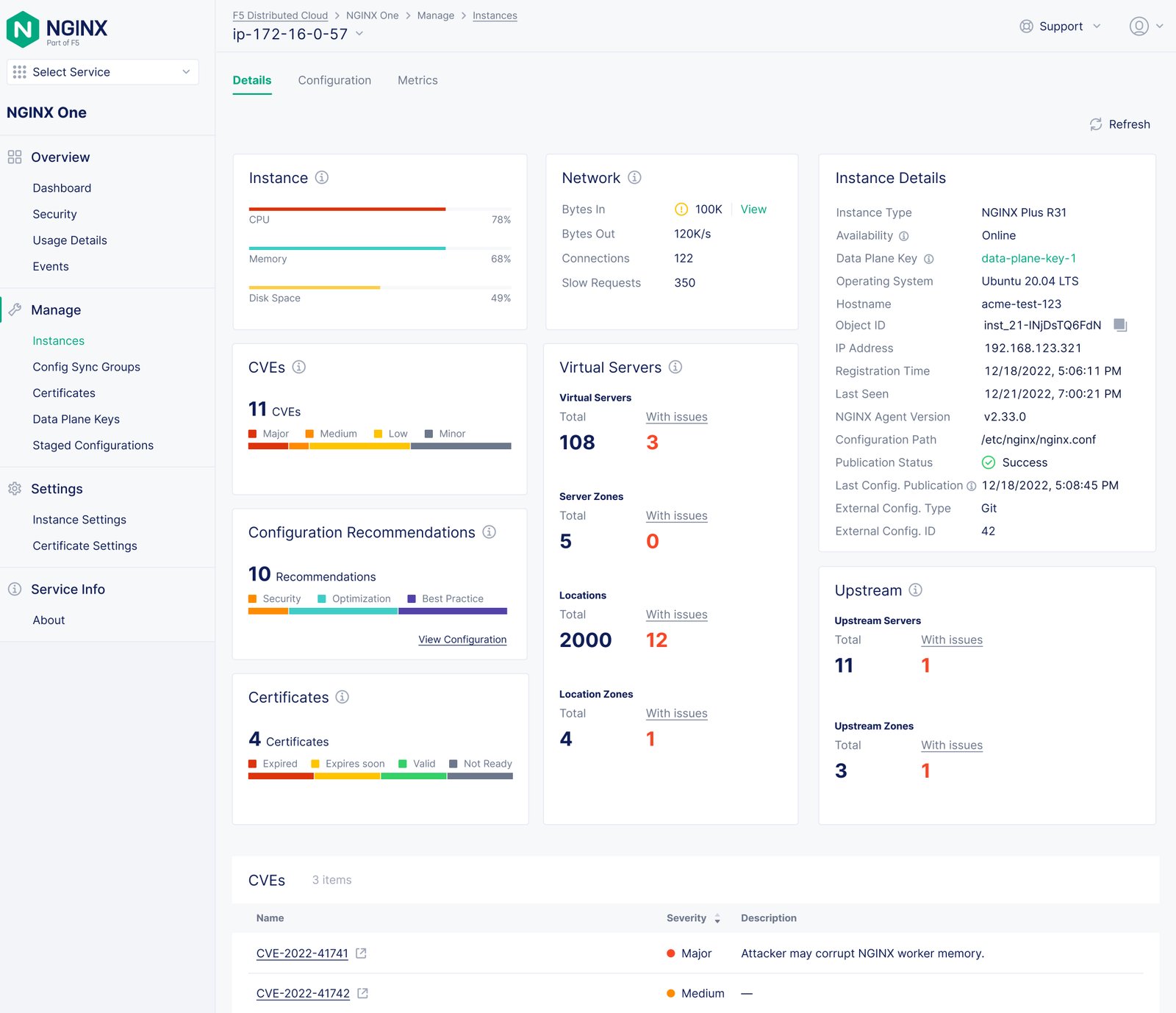
Early aggregated health-status and metrics-card dashboard exploration.
Status-check exploration: aggregate health and key metrics.
Clean card layout exploration for an NGINX instance summary.
Clean-card exploration: a simplified system summary.
Condensed dashboard exploration combining charts and numbers.
Condensed exploration: charts and numbers in a tighter overview.

Design decision: I selected a card-led overview with trend cues and progressive drill-in over an all-in-one map.

04 — Design direction

Compose a linked path from overview to detail

I brought the preferred direction into a dashboard structure of health, utilization, and traffic cards, using sparklines and whitespace to support scanning. Consistent grouping and semantic color create a dependable way to move from overall condition toward a specific metric.

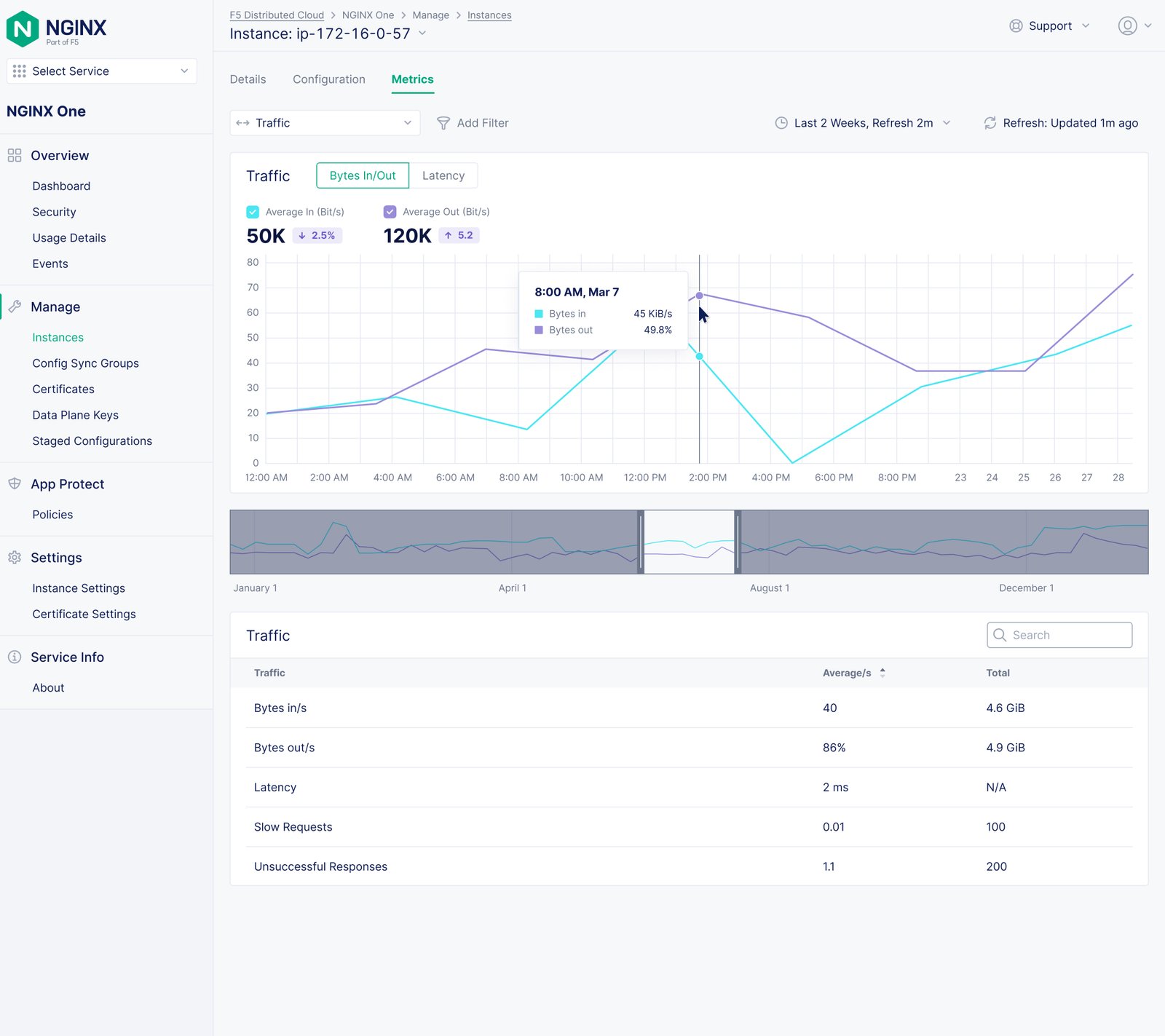
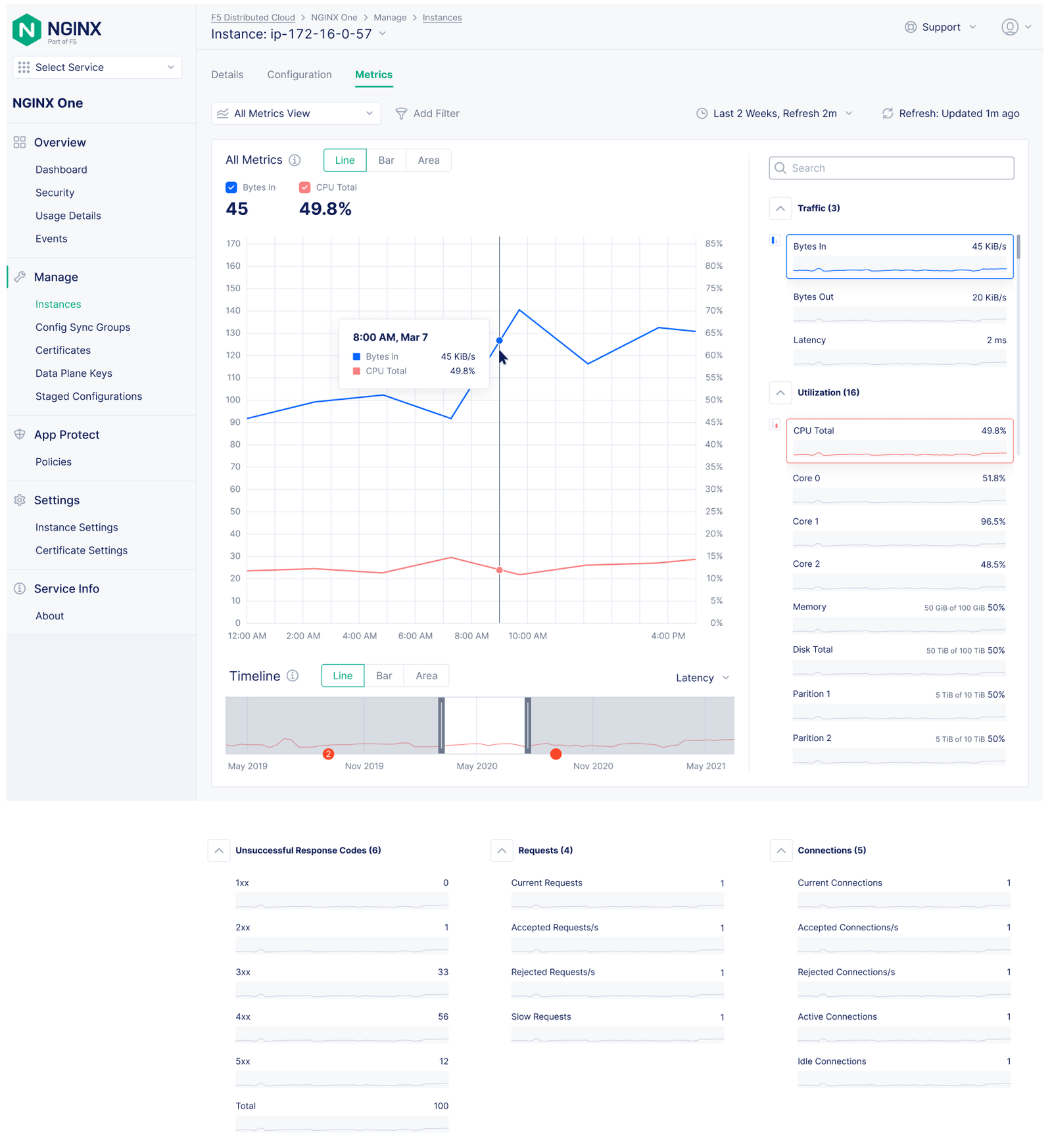
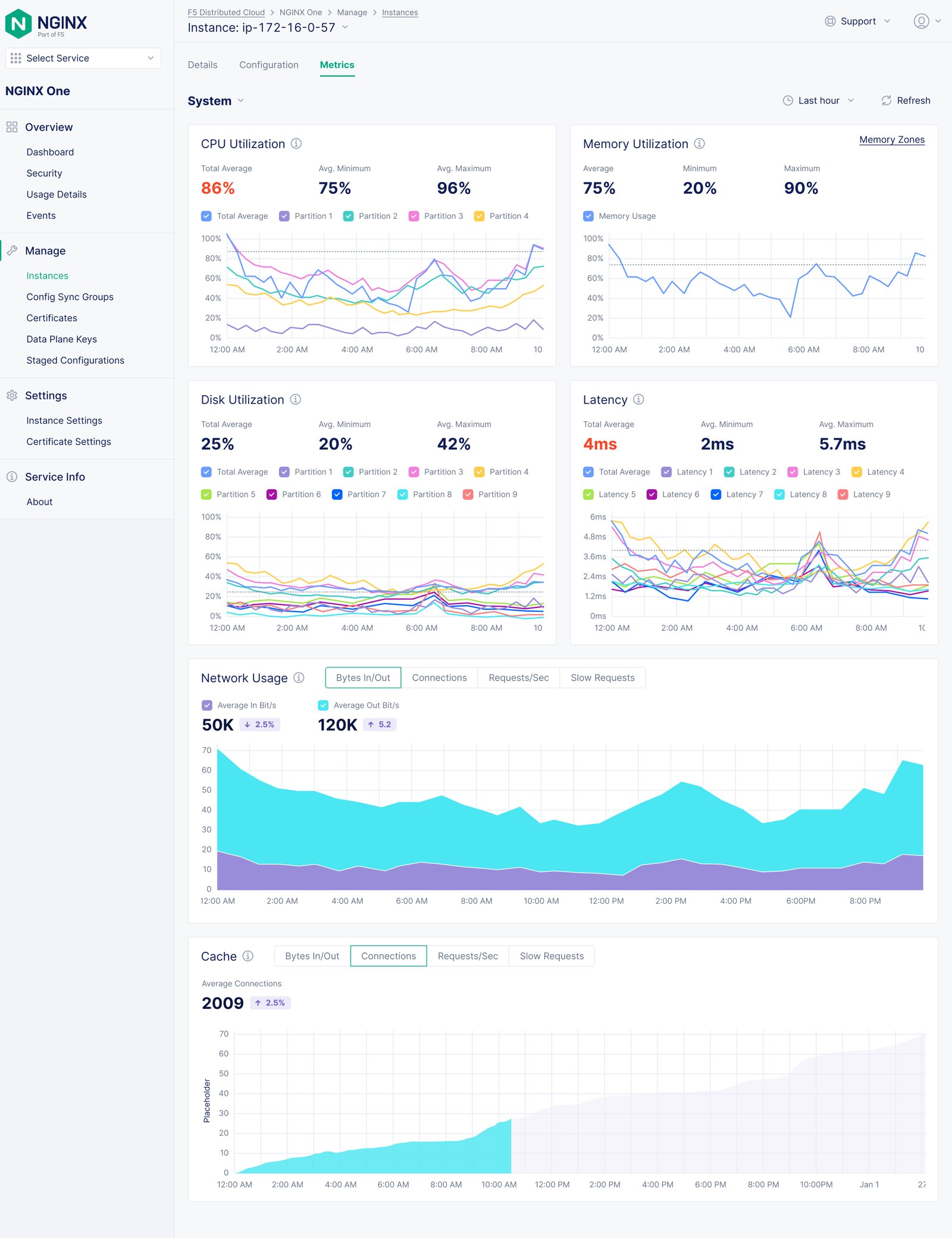
For diagnosis, I paired a combined metrics view with detailed category views. Engineers can compare timelines for possible correlations, then inspect distributions and linked rows for a focused metric without losing the context established by the overview.
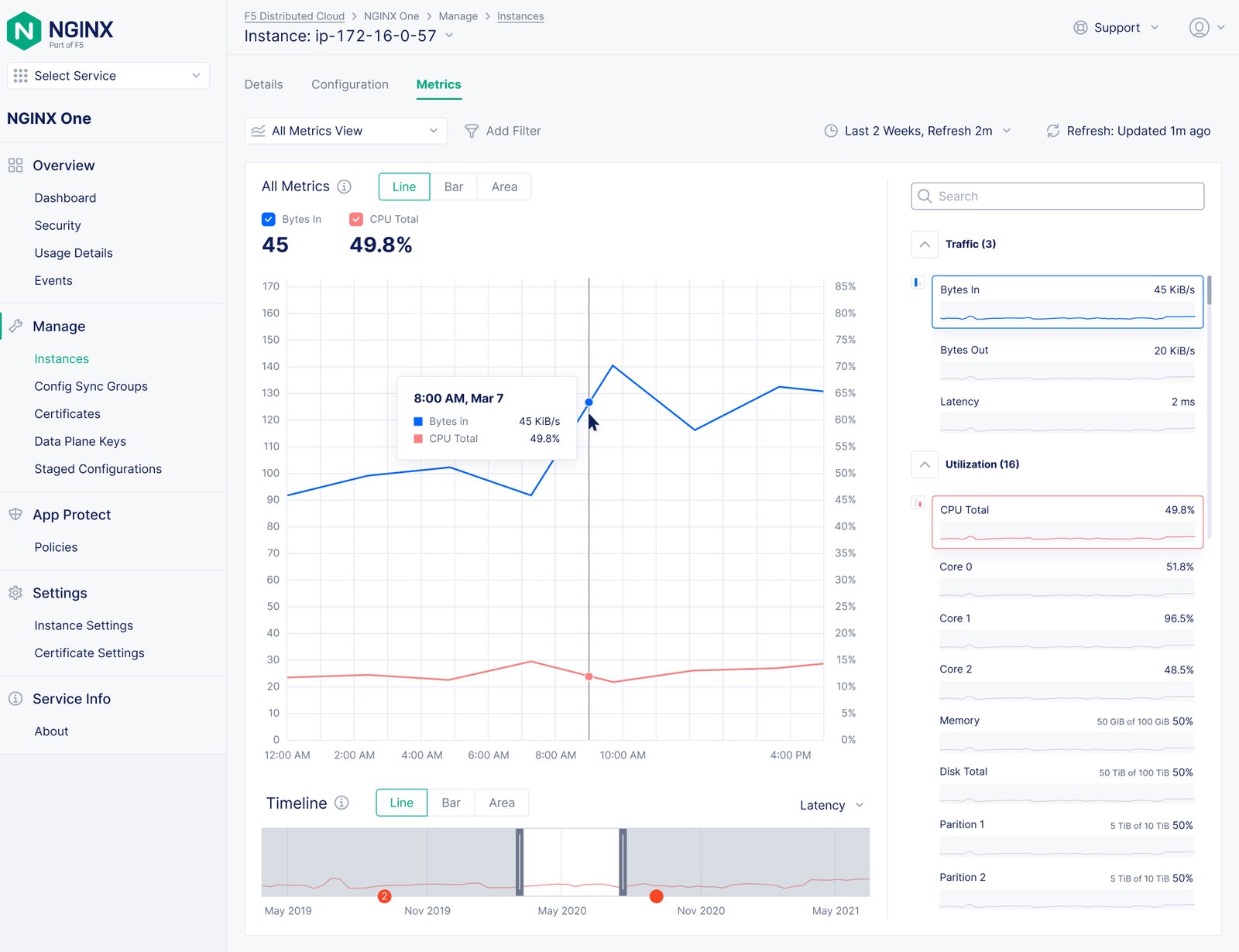
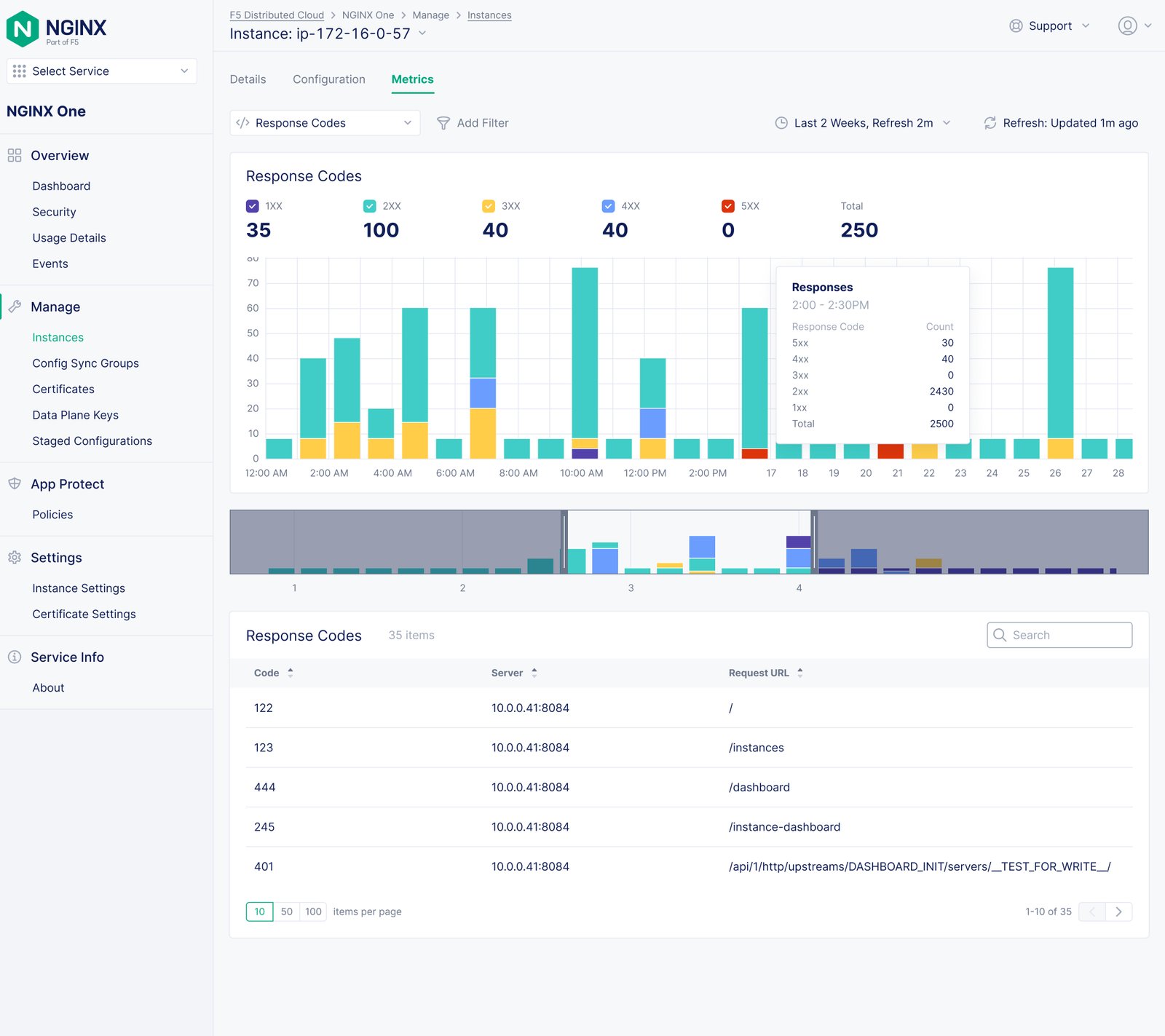
Combined NGINX metrics chart for comparing several performance trends.
Combined metrics: compare multiple trends and investigate correlation.
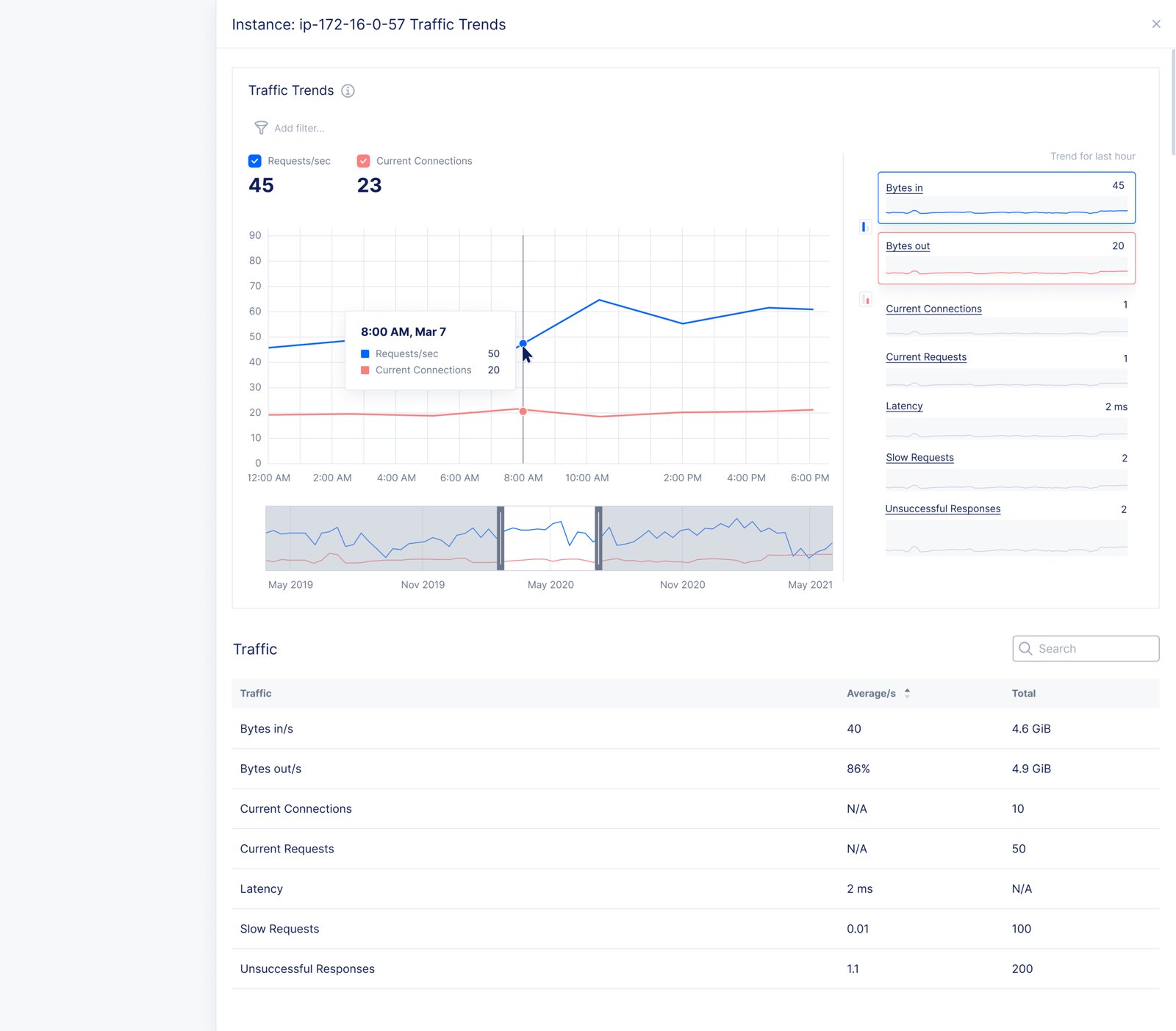
Detailed NGINX response-codes view with chart and tabular data.
Detailed metric view: response-code patterns and supporting data.
Detailed NGINX traffic view showing bytes in and bytes out.
Detailed metric view: traffic bytes in and out over time.

Design decision: I used shared visual scales and linked views so comparison and detail feel like one system.

A foundation for the next validation cycle

This design exploration establishes a coherent observability direction for future research, validation, and system integration; it is not a released product or a claim of measured product impact.

  • A clearer path from health overview to metric-level investigation.
  • Reusable card, chart, and comparison patterns for data-intensive views.
  • A shared design direction for product, engineering, and design conversations.

What I learned

I learned that clarity in observability comes from showing relationships and change over time, not from displaying every available number. Next, I would ground the direction in customer research, large-scale visualization validation, and design-system integration.
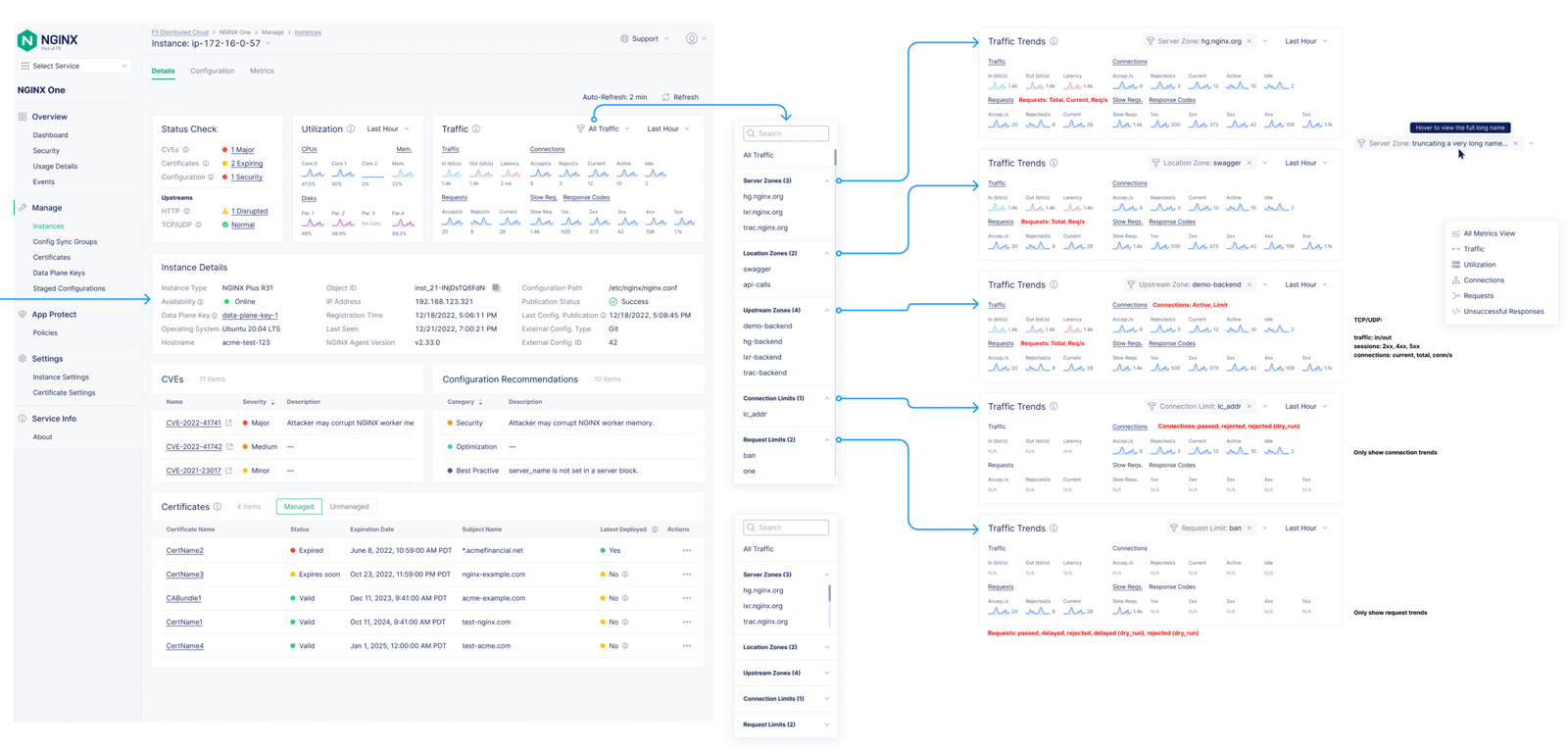
More original design explorations
NGINX One Observability: Existing dashboard screenshot
Existing dashboard screenshot
NGINX One Observability: Overview of the instance status, utilization trend, and network traffic trend sparklines.
Overview of the instance status, utilization trend, and network traffic trend sparklines.
NGINX One Observability: The combined metrics view enables users to visualize multiple trends together and compare any two metrics to uncover correlations and performance insights.
The combined metrics view enables users to visualize multiple trends together and compare any two metrics to uncover correlations and performance insights.
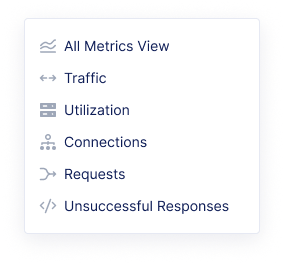
NGINX One Observability: View Switcher.
View Switcher.
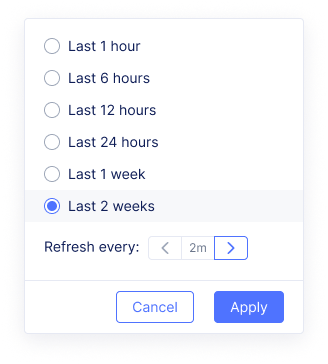
NGINX One Observability: Each metric view comes with a time range selector.
Each metric view comes with a time range selector.
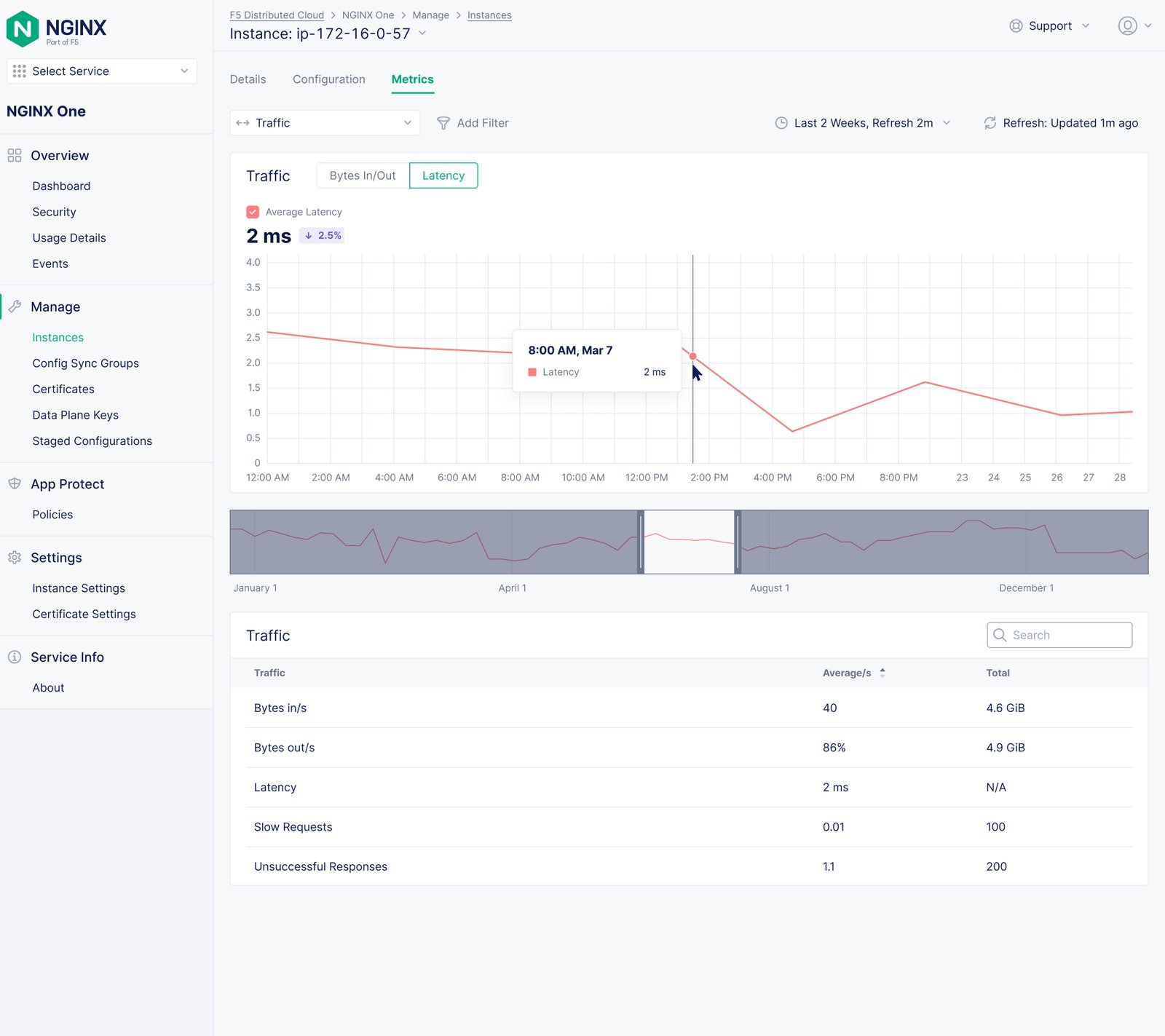
NGINX One Observability: Latency.
Latency.
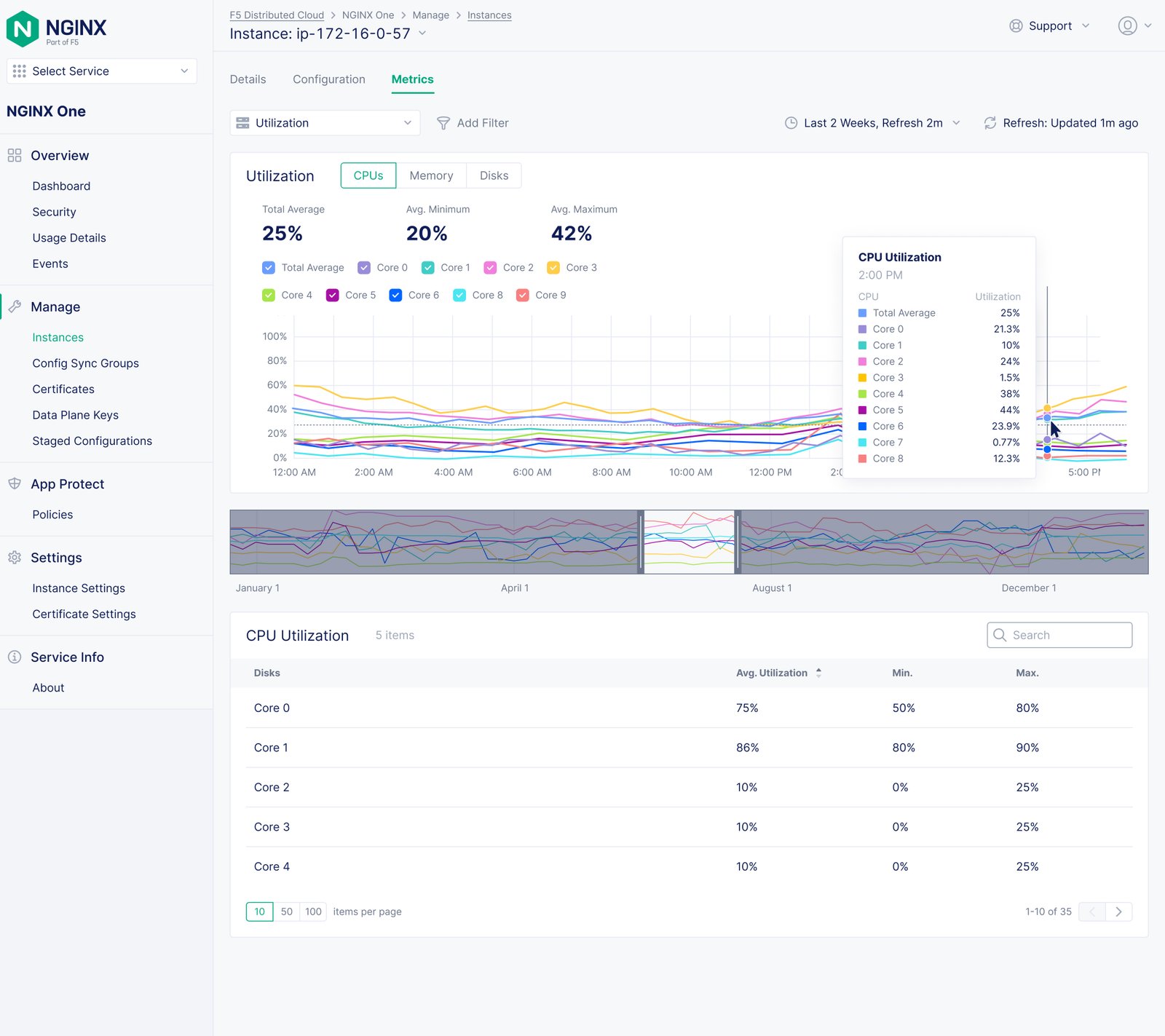
NGINX One Observability: CPU Utilization.
CPU Utilization.
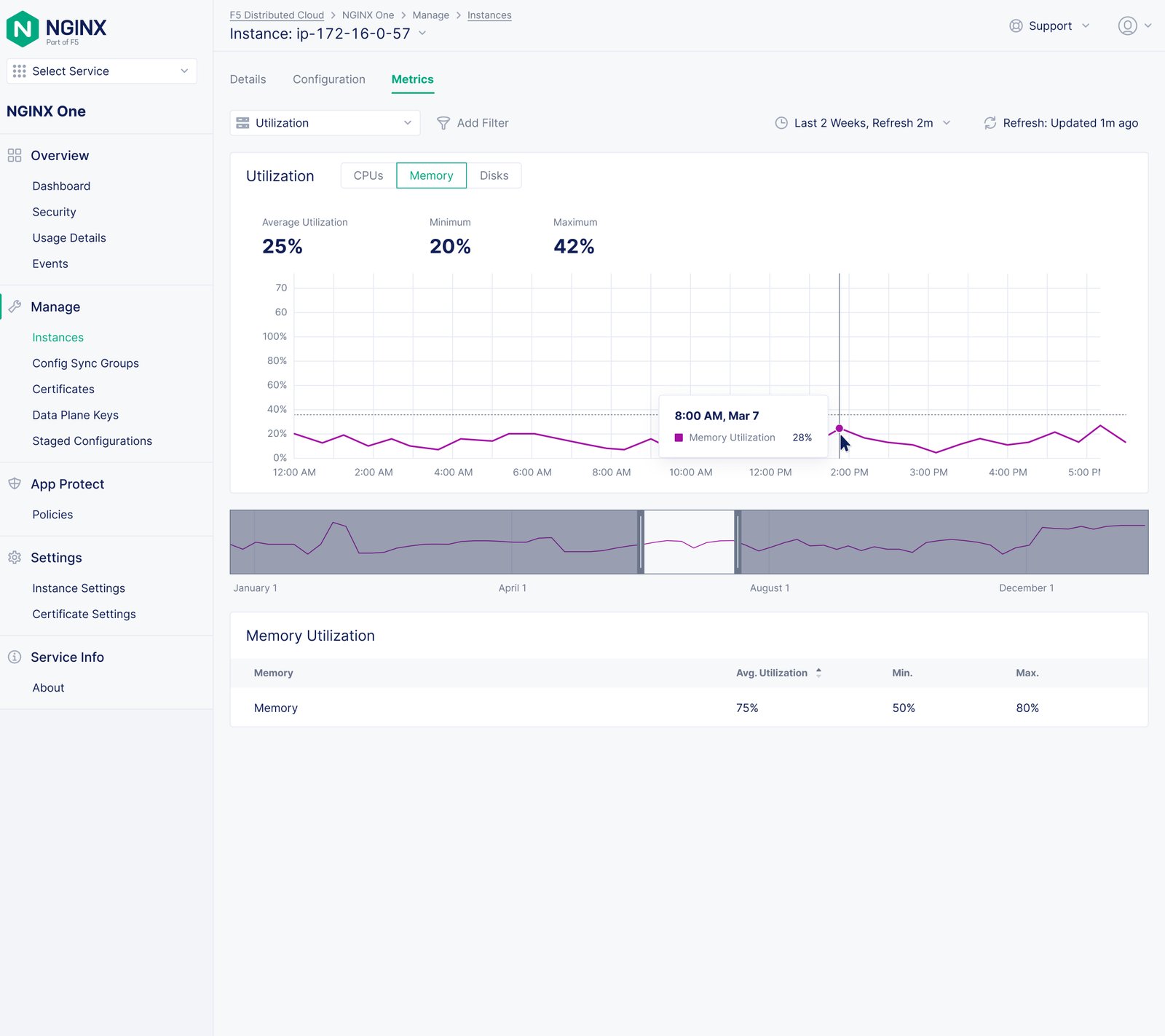
NGINX One Observability: Memory Utilization.
Memory Utilization.
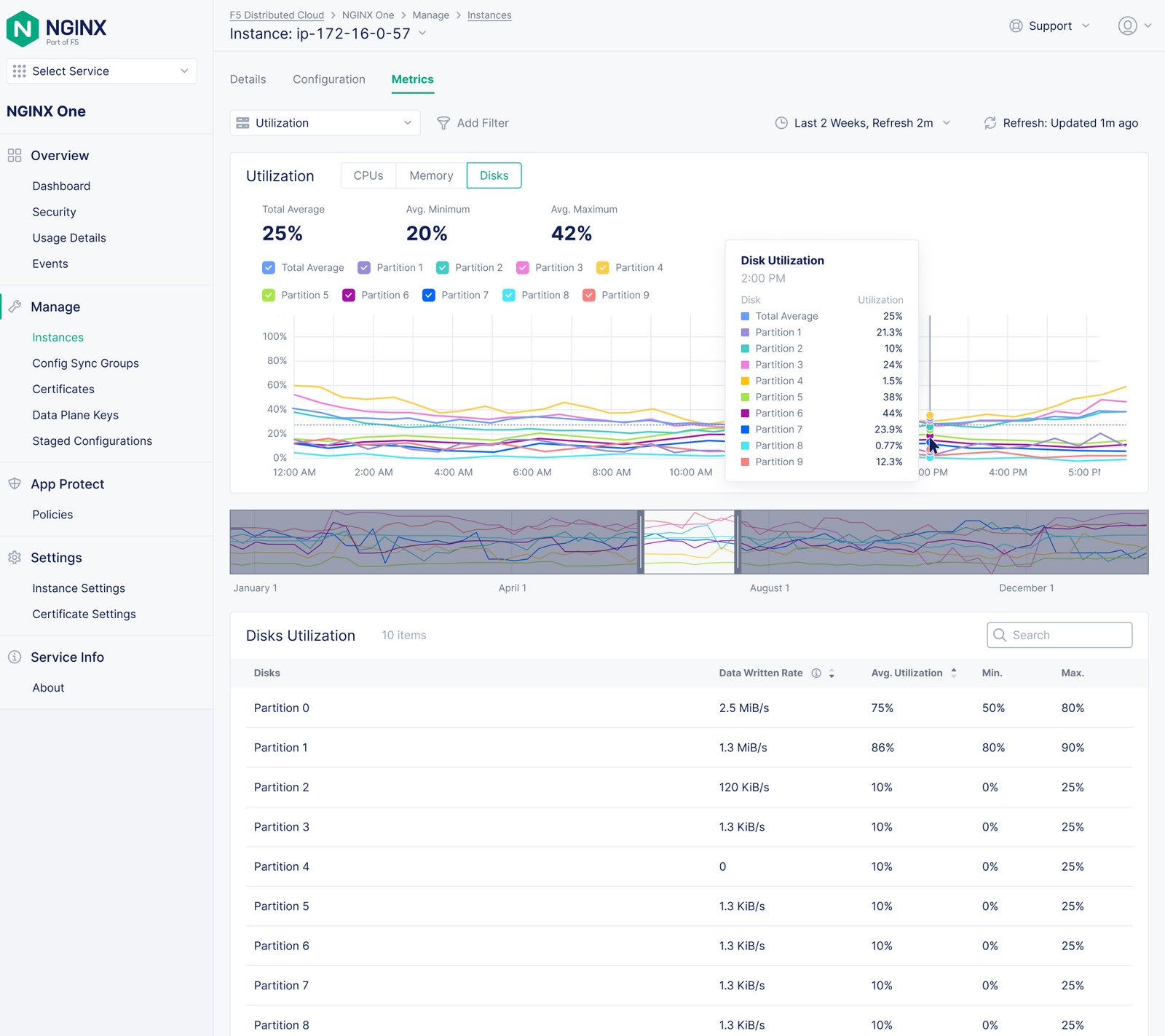
NGINX One Observability: Disks Utilization.
Disks Utilization.
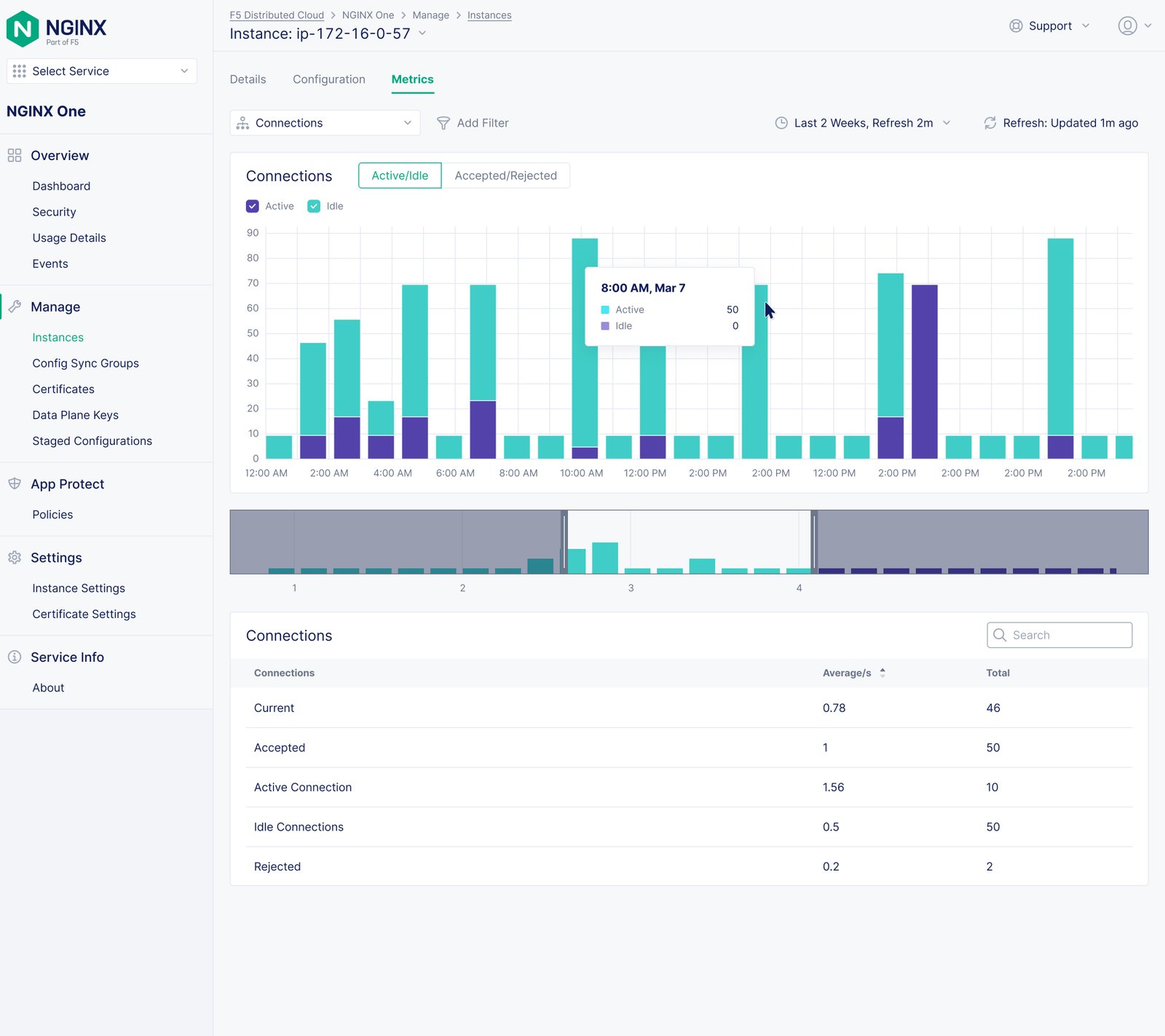
NGINX One Observability: Active/Idle connections; also used in the individual metric design section.
Active/Idle connections; also used in the individual metric design section.
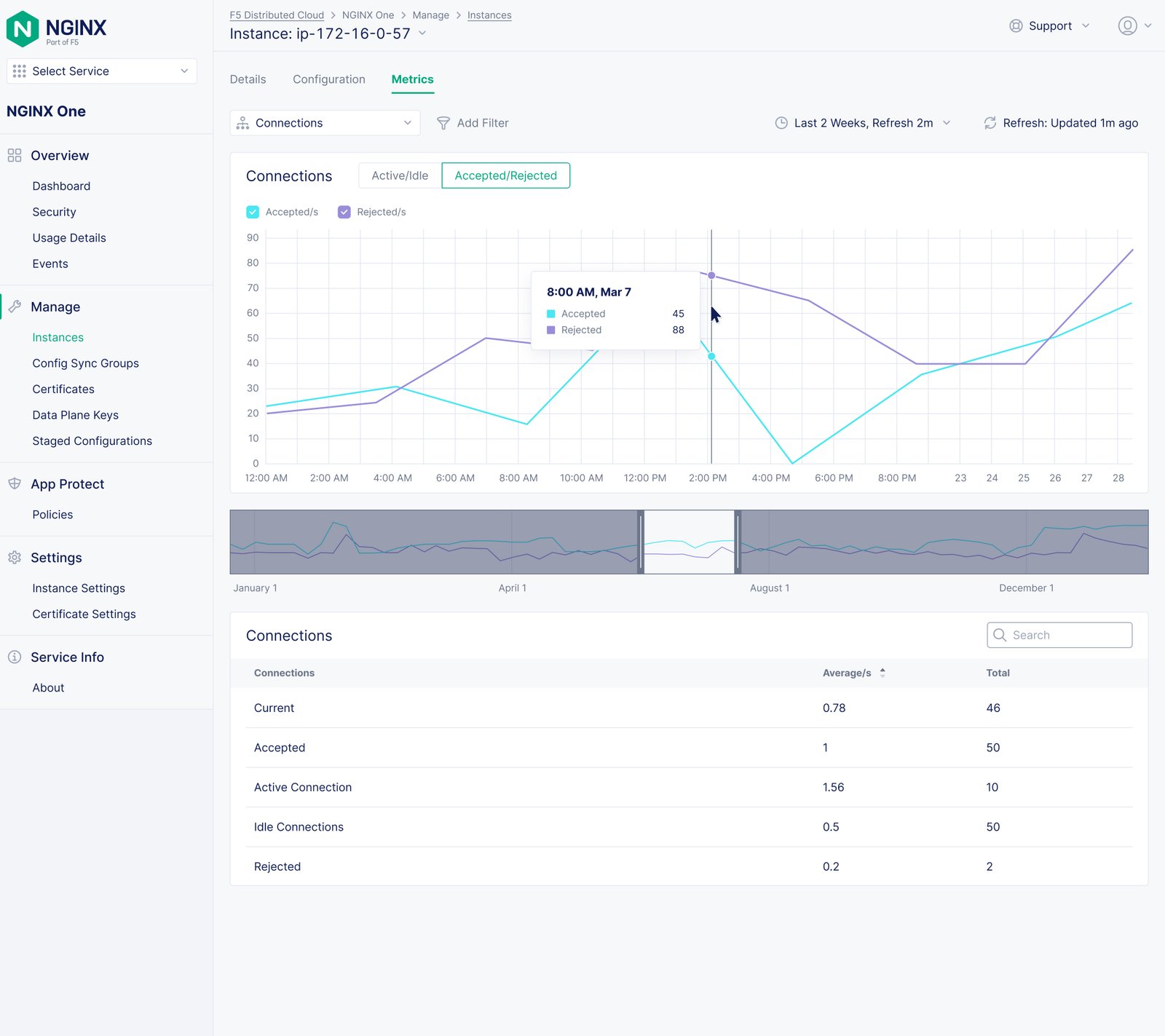
NGINX One Observability: Accepted/Rejected connections.
Accepted/Rejected connections.
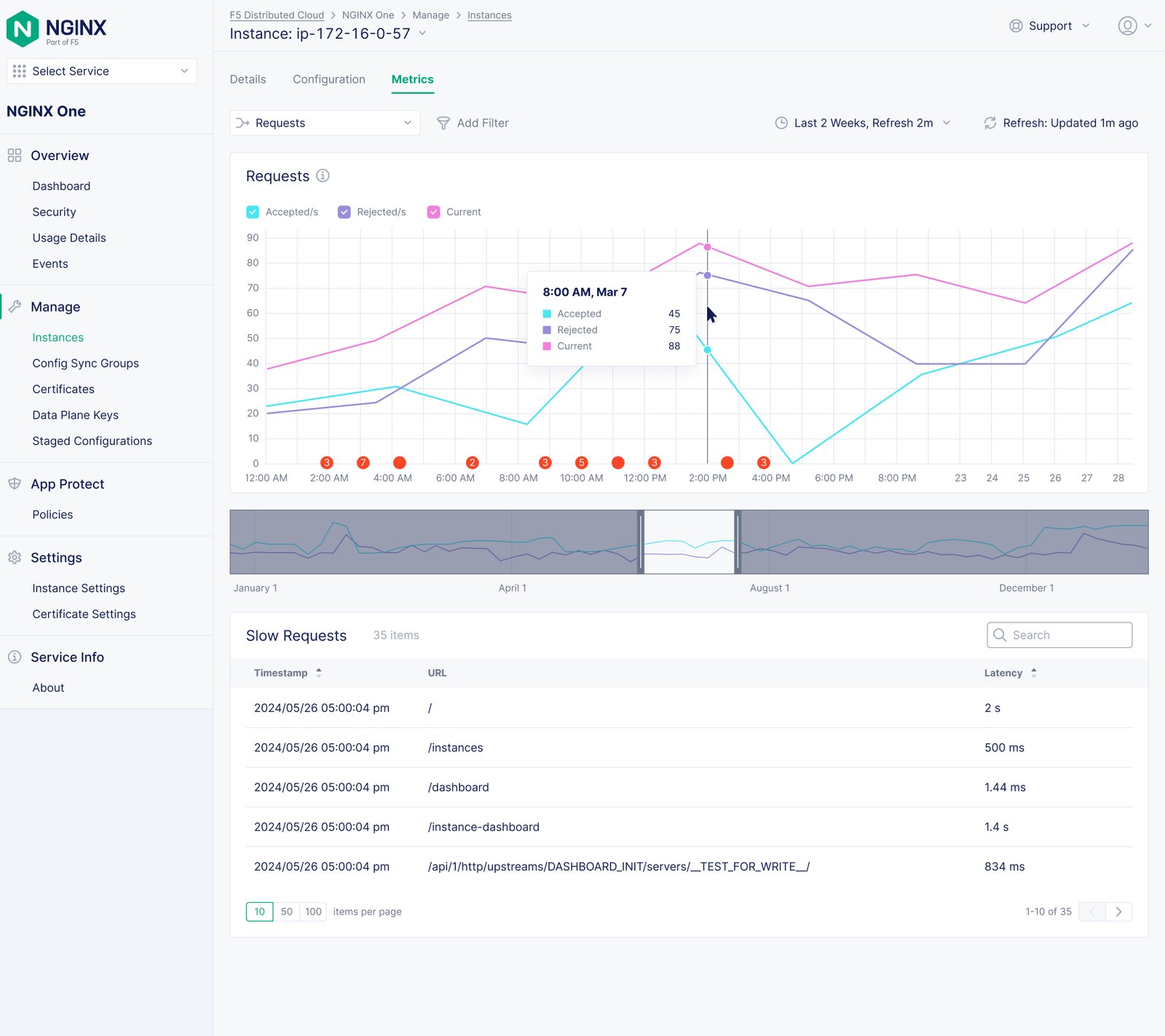
NGINX One Observability: Detailed metric view
Detailed metric view
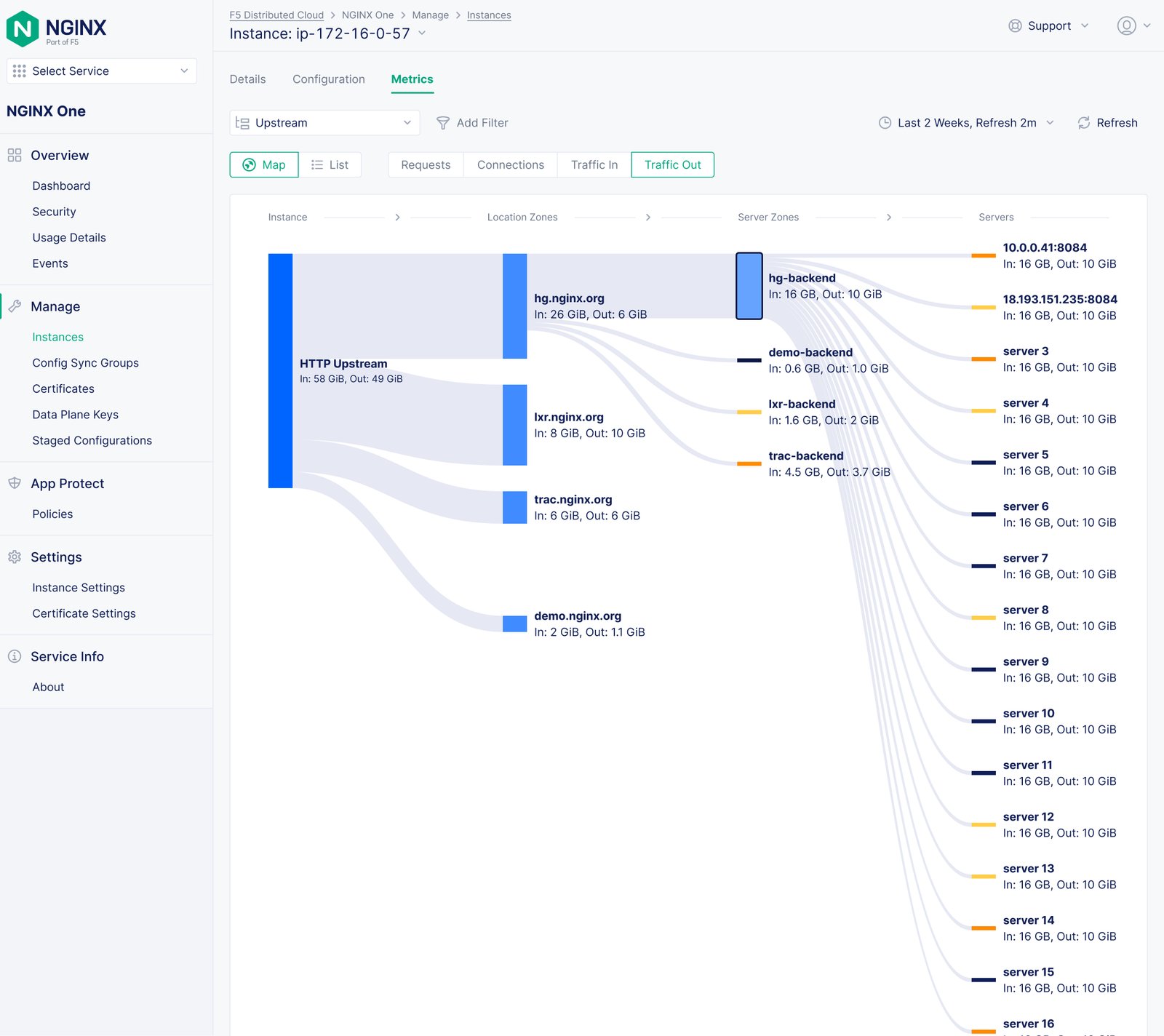
NGINX One Observability: Upstream Map – Sankey Concept; marked ‘Future’.
Upstream Map – Sankey Concept; marked ‘Future’.
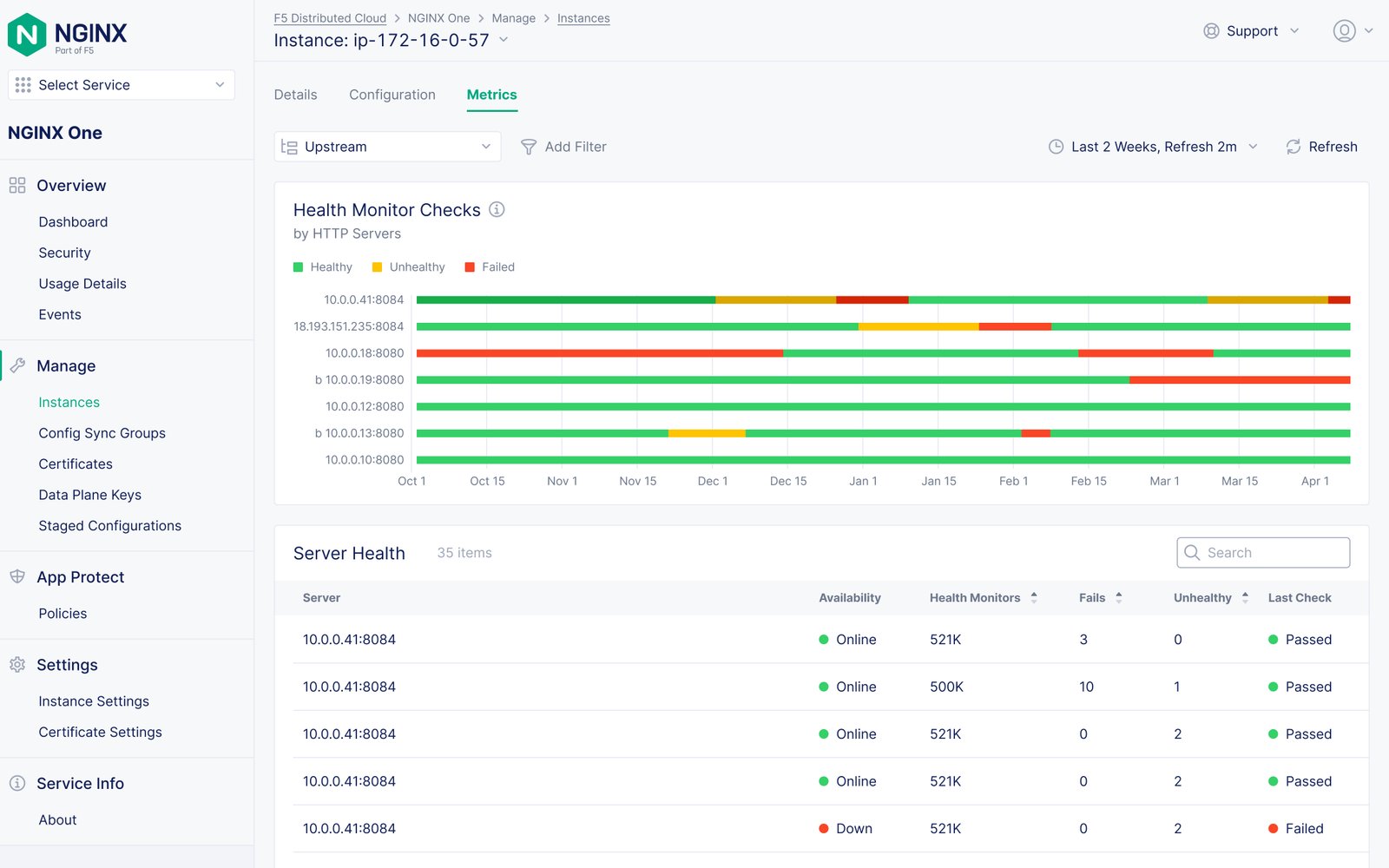
NGINX One Observability: Upstream Server Health; marked ‘Future’.
Upstream Server Health; marked ‘Future’.
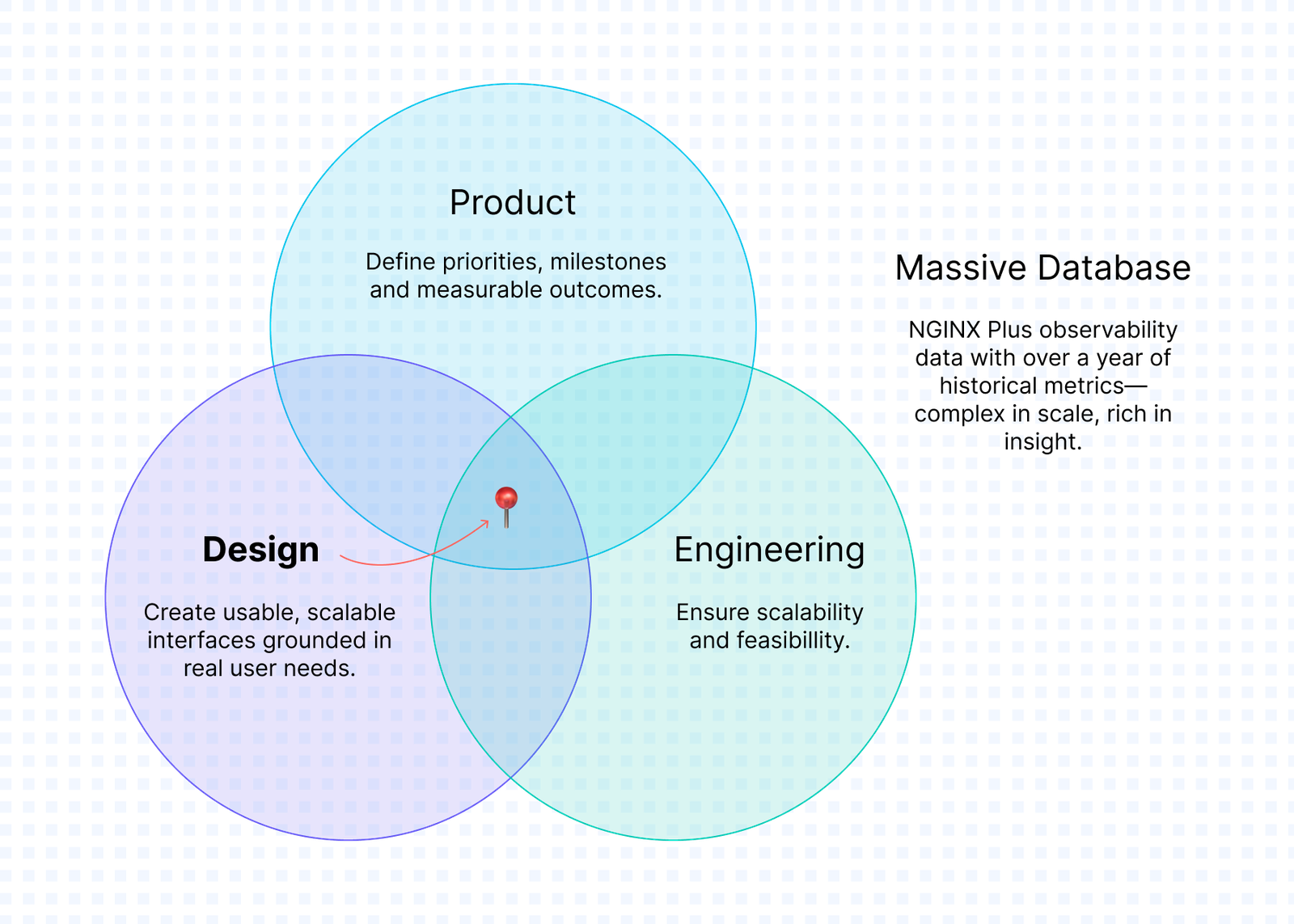
NGINX One Observability: Design challenge illustration
Design challenge illustration
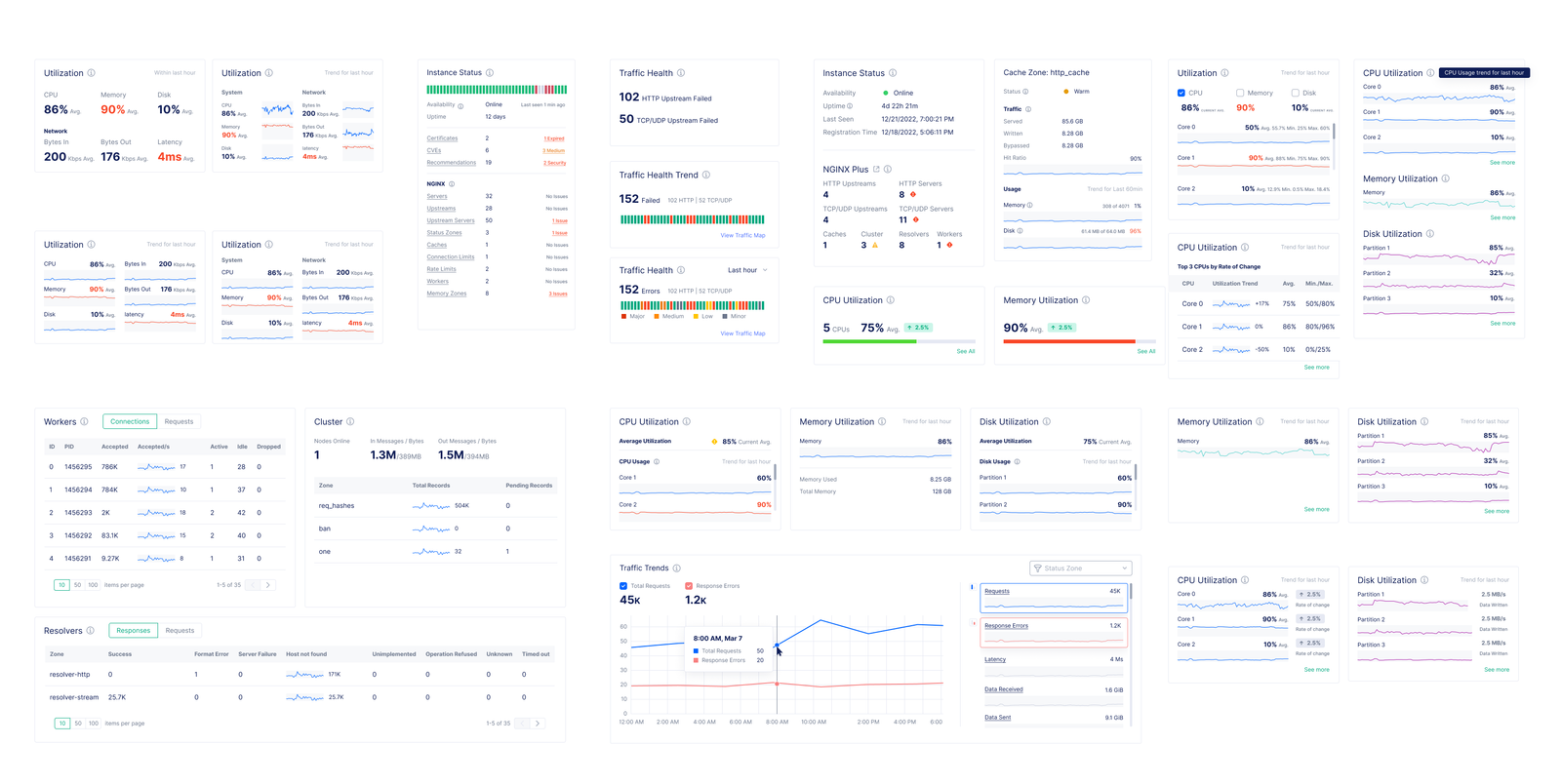
NGINX One Observability: Design-system exploration
Design-system exploration
NGINX One Observability: Design-system exploration
Design-system exploration
NGINX One Observability: Exploration 2 – Drawer Layout; drill-in view from the dashboard cards.
Exploration 2 – Drawer Layout; drill-in view from the dashboard cards.
NGINX One Observability: Exploration 3 – Full Pgae Charts; most details with customizable views.
Exploration 3 – Full Pgae Charts; most details with customizable views.

Next case study: NGINXaaS for Google Cloud